| # | image | messages | source | split |
|---|
1
|
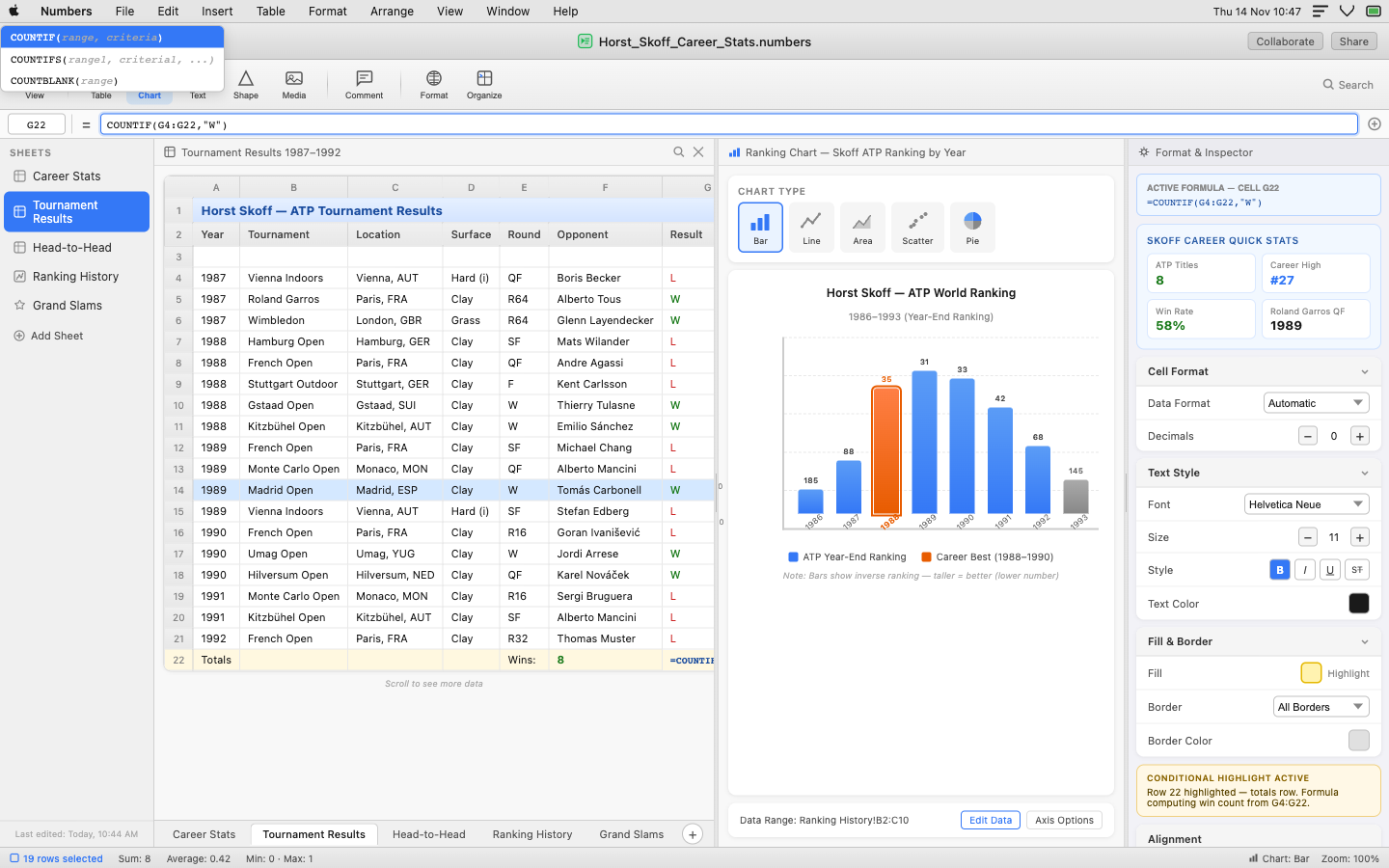
|
[
  {
    "role": "user",
    "content": "<image>\nOpen system-level options from the Apple menu"
  },
  {
    "role": "assistant",
    "content": "<point x=\"10\" y=\"12\">Apple menu</point>"
  },
  {
    "role": "user",
    "content": "Open the Numbers application menu"
  },
  {
    "role": "assistant",
    "content": "<point x=\"47\" y=\"12\">Numbers application menu</point>"
  },
  {
    "role": "user",
    "content": "Click File in the menu bar to access document options"
  },
  {
    "role": "assistant",
    "content": "<point x=\"90\" y=\"12\">File menu</point>"
  },
  {
    "role": "user",
    "content": "Use the Edit menu to cut or paste data"
  },
  {
    "role": "assistant",
    "content": "<point x=\"121\" y=\"12\">Edit menu</point>"
  },
  {
    "role": "user",
    "content": "Use the Insert menu to add a new row or column"
  },
  {
    "role": "assistant",
    "content": "<point x=\"156\" y=\"12\">Insert menu</point>"
  },
  {
    "role": "user",
    "content": "Click the Table menu to manage table properties"
  },
  {
    "role": "assistant",
    "content": "<point x=\"194\" y=\"12\">Table menu</point>"
  },
  {
    "role": "user",
    "content": "Click Format in the menu bar to modify appearance"
  },
  {
    "role": "assistant",
    "content": "<point x=\"235\" y=\"12\">Format menu</point>"
  },
  {
    "role": "user",
    "content": "Access object arrangement options via the Arrange menu"
  },
  {
    "role": "assistant",
    "content": "<point x=\"282\" y=\"12\">Arrange menu</point>"
  },
  {
    "role": "user",
    "content": "Use the View menu to toggle formula bar visibility"
  },
  {
    "role": "assistant",
    "content": "<point x=\"324\" y=\"12\">View menu</point>"
  },
  {
    "role": "user",
    "content": "Access window management options via the Window menu"
  },
  {
    "role": "assistant",
    "content": "<point x=\"365\" y=\"12\">Window menu</point>"
  },
  {
    "role": "user",
    "content": "Access tutorials and support via the Help menu"
  },
  {
    "role": "assistant",
    "content": "<point x=\"407\" y=\"12\">Help menu</point>"
  },
  {
    "role": "user",
    "content": "Select the COUNTIF function from the autocomplete popup"
  },
  {
    "role": "assistant",
    "content": "<point x=\"78\" y=\"42\">COUNTIF autocomplete suggestion</point>"
  },
  {
    "role": "user",
    "content": "Click Collaborate to invite others to edit the document"
  },
  {
    "role": "assistant",
    "content": "<point x=\"925\" y=\"47\">Collaborate button</point>"
  },
  {
    "role": "user",
    "content": "Open sharing options for the Numbers document"
  },
  {
    "role": "assistant",
    "content": "<point x=\"974\" y=\"47\">Share document button</point>"
  },
  {
    "role": "user",
    "content": "Select COUNTIFS instead of COUNTIF from the autocomplete"
  },
  {
    "role": "assistant",
    "content": "<point x=\"101\" y=\"67\">COUNTIFS autocomplete suggestion</point>"
  },
  {
    "role": "user",
    "content": "Select COUNTBLANK from the autocomplete popup"
  },
  {
    "role": "assistant",
    "content": "<point x=\"69\" y=\"92\">COUNTBLANK autocomplete suggestion</point>"
  },
  {
    "role": "user",
    "content": "Switch between different display options via the View button"
  },
  {
    "role": "assistant",
    "content": "<point x=\"24\" y=\"110\">View toolbar button</point>"
  },
  {
    "role": "user",
    "content": "Click the Table button to insert a new table"
  },
  {
    "role": "assistant",
    "content": "<point x=\"73\" y=\"110\">Insert Table toolbar button</point>"
  },
  {
    "role": "user",
    "content": "Create a data visualization by clicking the Chart button"
  },
  {
    "role": "assistant",
    "content": "<point x=\"107\" y=\"110\">Insert Chart toolbar button</point>"
  },
  {
    "role": "user",
    "content": "Add a text annotation to the sheet via the Text button"
  },
  {
    "role": "assistant",
    "content": "<point x=\"142\" y=\"110\">Insert Text toolbar button</po
|
grounding-claudesonn-desktop_task__number-8e015b0e
|
desktop
|
2
|
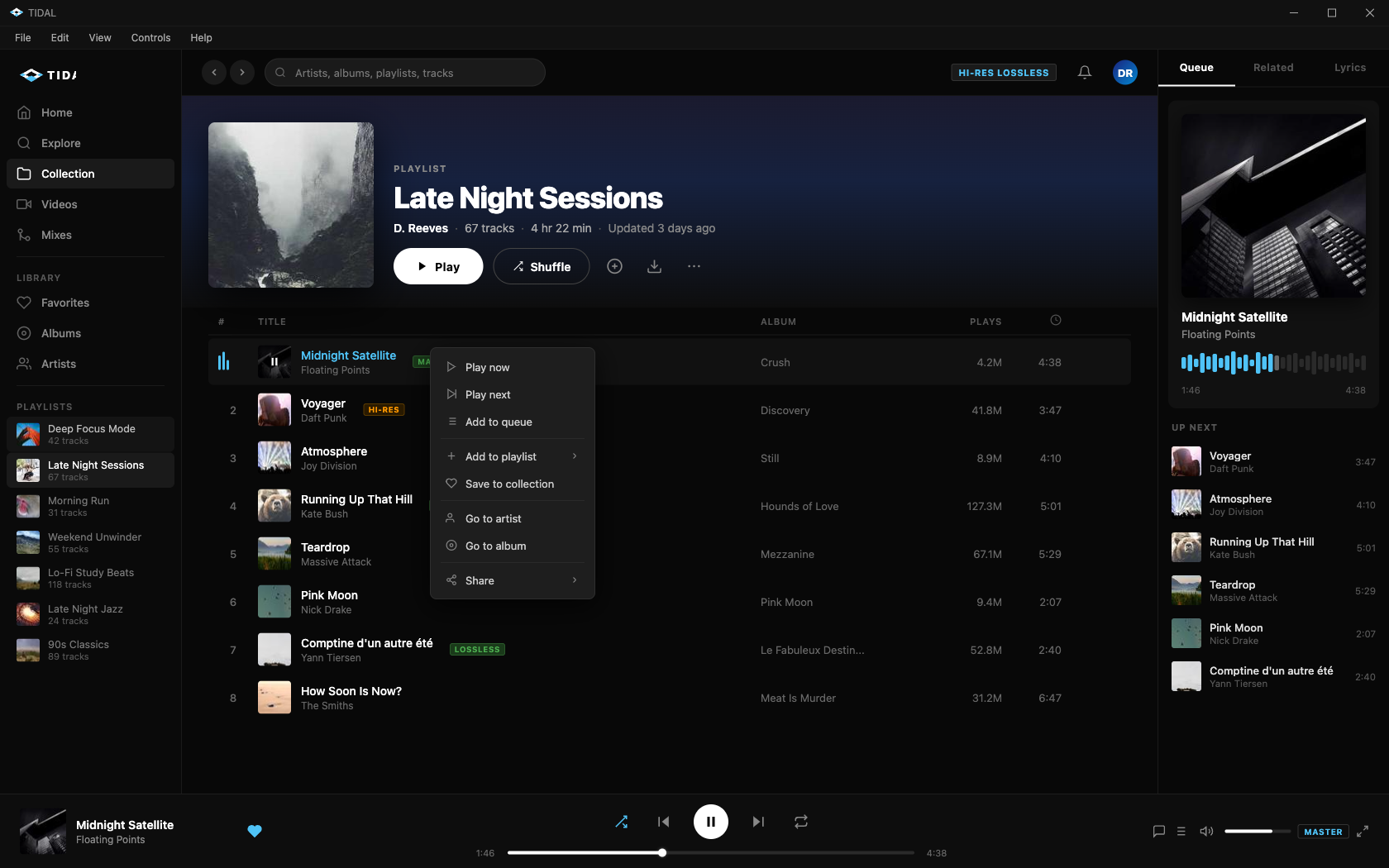
|
[
  {
    "role": "user",
    "content": "<image>\nCollapse the app window to the taskbar"
  },
  {
    "role": "assistant",
    "content": "<point x=\"932\" y=\"14\">Minimize window button</point>"
  },
  {
    "role": "user",
    "content": "Make the application fill the entire screen"
  },
  {
    "role": "assistant",
    "content": "<point x=\"959\" y=\"14\">Maximize window button</point>"
  },
  {
    "role": "user",
    "content": "Close and shut down the TIDAL app"
  },
  {
    "role": "assistant",
    "content": "<point x=\"986\" y=\"14\">Close window button</point>"
  },
  {
    "role": "user",
    "content": "Click File to access file-related options"
  },
  {
    "role": "assistant",
    "content": "<point x=\"16\" y=\"43\">File menu</point>"
  },
  {
    "role": "user",
    "content": "Access edit operations from the menu bar"
  },
  {
    "role": "assistant",
    "content": "<point x=\"43\" y=\"43\">Edit menu</point>"
  },
  {
    "role": "user",
    "content": "Click View to change display settings"
  },
  {
    "role": "assistant",
    "content": "<point x=\"72\" y=\"43\">View menu</point>"
  },
  {
    "role": "user",
    "content": "Click Controls to access playback control options"
  },
  {
    "role": "assistant",
    "content": "<point x=\"108\" y=\"43\">Controls menu</point>"
  },
  {
    "role": "user",
    "content": "Click Help to access support and documentation"
  },
  {
    "role": "assistant",
    "content": "<point x=\"145\" y=\"43\">Help menu</point>"
  },
  {
    "role": "user",
    "content": "Open the Queue view in the right panel"
  },
  {
    "role": "assistant",
    "content": "<point x=\"861\" y=\"78\">Queue tab in right panel</point>"
  },
  {
    "role": "user",
    "content": "Navigate to Related tab for song recommendations"
  },
  {
    "role": "assistant",
    "content": "<point x=\"917\" y=\"78\">Related tab in right panel</point>"
  },
  {
    "role": "user",
    "content": "Click the Lyrics tab to view song lyrics"
  },
  {
    "role": "assistant",
    "content": "<point x=\"972\" y=\"78\">Lyrics tab in right panel</point>"
  },
  {
    "role": "user",
    "content": "Click the back arrow to go to the previous page"
  },
  {
    "role": "assistant",
    "content": "<point x=\"154\" y=\"83\">Navigate back button</point>"
  },
  {
    "role": "user",
    "content": "Click the forward arrow to go to the next page"
  },
  {
    "role": "assistant",
    "content": "<point x=\"174\" y=\"83\">Navigate forward button</point>"
  },
  {
    "role": "user",
    "content": "Use the search bar to discover new music"
  },
  {
    "role": "assistant",
    "content": "<point x=\"202\" y=\"83\">Search input field</point>"
  },
  {
    "role": "user",
    "content": "Click the quality badge to change audio quality settings"
  },
  {
    "role": "assistant",
    "content": "<point x=\"723\" y=\"83\">Audio quality indicator badge</point>"
  },
  {
    "role": "user",
    "content": "Access the notification center"
  },
  {
    "role": "assistant",
    "content": "<point x=\"781\" y=\"83\">Notifications button</point>"
  },
  {
    "role": "user",
    "content": "Click DR avatar to manage your TIDAL account"
  },
  {
    "role": "assistant",
    "content": "<point x=\"810\" y=\"83\">User account avatar button</point>"
  },
  {
    "role": "user",
    "content": "Click Home to navigate to the main home screen"
  },
  {
    "role": "assistant",
    "content": "<point x=\"17\" y=\"130\">Home navigation item</point>"
  },
  {
    "role": "user",
    "content": "Navigate to the Explore section"
  },
  {
    "role": "assistant",
    "content": "<point x=\"17\" y=\"165\">Explore navigation item</point>"
  },
  {
    "role": "user",
    "content": "Navigate to your personal collection"
  },
  {
    "role": "assistant",
    "content": "<point x=\"17\" y=\"200\">Collection navigation item</point>"
  },
  {
    "role": "user",
    "content": "Identify the currently viewed playlist by its title"
  },
  {
    "role
|
grounding-claudesonn-desktop_task__tidal_-674f9fce
|
desktop
|
3
|
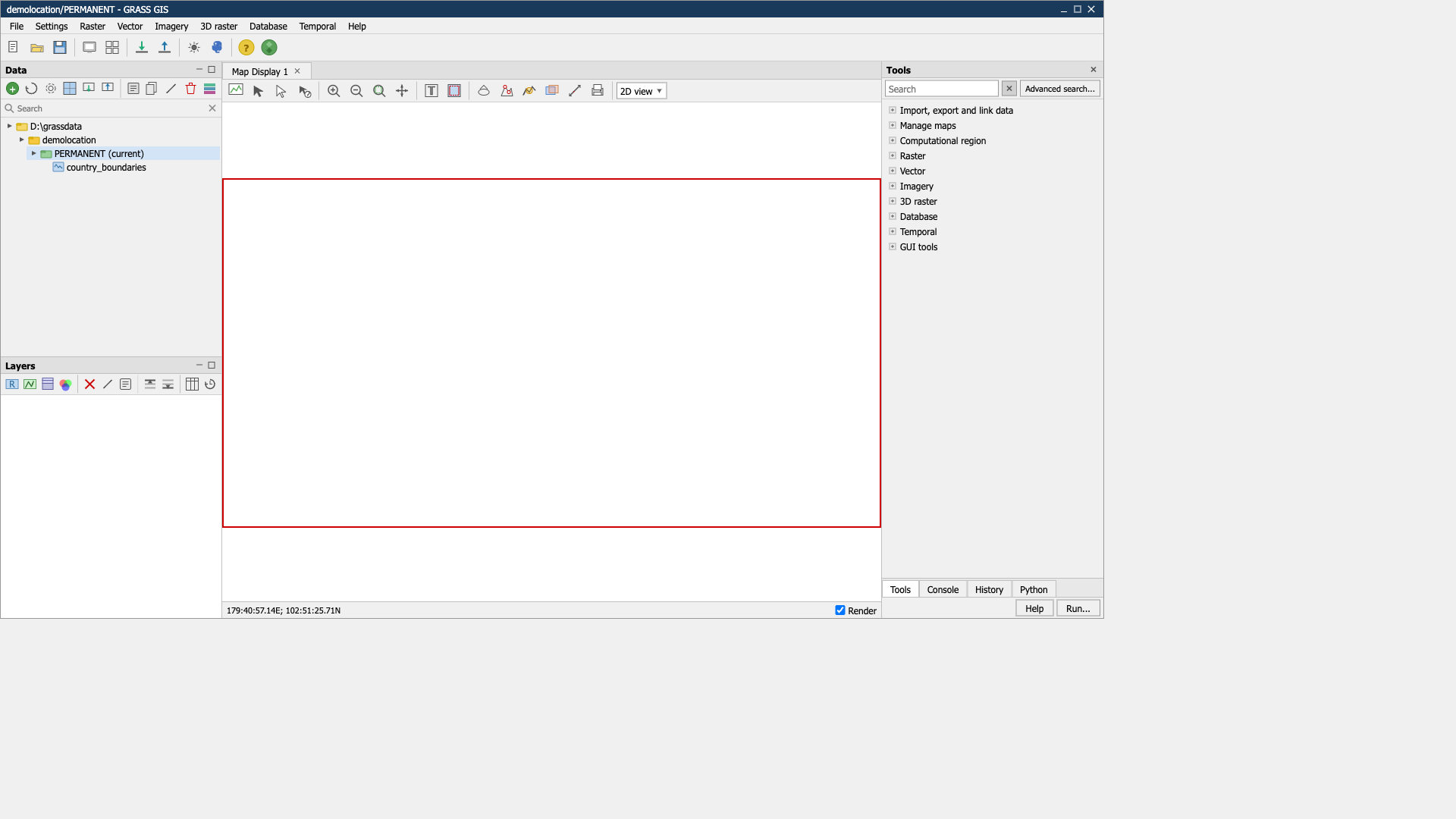
|
[
  {
    "role": "user",
    "content": "<image>\nMinimize the application to the taskbar"
  },
  {
    "role": "assistant",
    "content": "<point x=\"731\" y=\"11\">Minimize window button</point>"
  },
  {
    "role": "user",
    "content": "Press the maximize button in the title bar"
  },
  {
    "role": "assistant",
    "content": "<point x=\"740\" y=\"11\">Maximize window button</point>"
  },
  {
    "role": "user",
    "content": "Shut down the application by pressing the X button"
  },
  {
    "role": "assistant",
    "content": "<point x=\"749\" y=\"11\">Close window button</point>"
  },
  {
    "role": "user",
    "content": "Expand the File dropdown menu"
  },
  {
    "role": "assistant",
    "content": "<point x=\"11\" y=\"31\">File menu</point>"
  },
  {
    "role": "user",
    "content": "Click Settings to configure application preferences"
  },
  {
    "role": "assistant",
    "content": "<point x=\"35\" y=\"31\">Settings menu</point>"
  },
  {
    "role": "user",
    "content": "Expand the Raster dropdown for raster operations"
  },
  {
    "role": "assistant",
    "content": "<point x=\"64\" y=\"31\">Raster menu</point>"
  },
  {
    "role": "user",
    "content": "Access vector analysis and management options"
  },
  {
    "role": "assistant",
    "content": "<point x=\"89\" y=\"31\">Vector menu</point>"
  },
  {
    "role": "user",
    "content": "Open the Imagery menu"
  },
  {
    "role": "assistant",
    "content": "<point x=\"118\" y=\"31\">Imagery menu</point>"
  },
  {
    "role": "user",
    "content": "Open the 3D raster menu"
  },
  {
    "role": "assistant",
    "content": "<point x=\"150\" y=\"31\">3D raster menu</point>"
  },
  {
    "role": "user",
    "content": "Click Database to access database management tools"
  },
  {
    "role": "assistant",
    "content": "<point x=\"184\" y=\"31\">Database menu</point>"
  },
  {
    "role": "user",
    "content": "Navigate to the Temporal menu"
  },
  {
    "role": "assistant",
    "content": "<point x=\"218\" y=\"31\">Temporal menu</point>"
  },
  {
    "role": "user",
    "content": "Navigate to the Help menu"
  },
  {
    "role": "assistant",
    "content": "<point x=\"245\" y=\"31\">Help menu</point>"
  },
  {
    "role": "user",
    "content": "Click the New button to create a new workspace"
  },
  {
    "role": "assistant",
    "content": "<point x=\"10\" y=\"57\">New workspace toolbar button</point>"
  },
  {
    "role": "user",
    "content": "Click the Open button to open an existing file or workspace"
  },
  {
    "role": "assistant",
    "content": "<point x=\"26\" y=\"57\">Open file toolbar button</point>"
  },
  {
    "role": "user",
    "content": "Click the Save button to save the current workspace"
  },
  {
    "role": "assistant",
    "content": "<point x=\"41\" y=\"57\">Save workspace toolbar button</point>"
  },
  {
    "role": "user",
    "content": "Create a new map display"
  },
  {
    "role": "assistant",
    "content": "<point x=\"61\" y=\"57\">New map display toolbar button</point>"
  },
  {
    "role": "user",
    "content": "Show or hide the grid overlay"
  },
  {
    "role": "assistant",
    "content": "<point x=\"77\" y=\"57\">Map grid toolbar button</point>"
  },
  {
    "role": "user",
    "content": "Load external geospatial data into the current mapset"
  },
  {
    "role": "assistant",
    "content": "<point x=\"97\" y=\"57\">Import data toolbar button</point>"
  },
  {
    "role": "user",
    "content": "Export a raster or vector map to an external format"
  },
  {
    "role": "assistant",
    "content": "<point x=\"113\" y=\"57\">Export data toolbar button</point>"
  },
  {
    "role": "user",
    "content": "Configure GRASS GIS preferences and options"
  },
  {
    "role": "assistant",
    "content": "<point x=\"133\" y=\"57\">Settings toolbar button</point>"
  },
  {
    "role": "user",
    "content": "Open a Python shell for scripting GRASS GIS"
  },
  {
    "role": "assistant",
    "content": "<point x=\"149\" y=
|
grounding-claudesonn-desktop_task__refere-1267a5ff
|
desktop
|
4
|
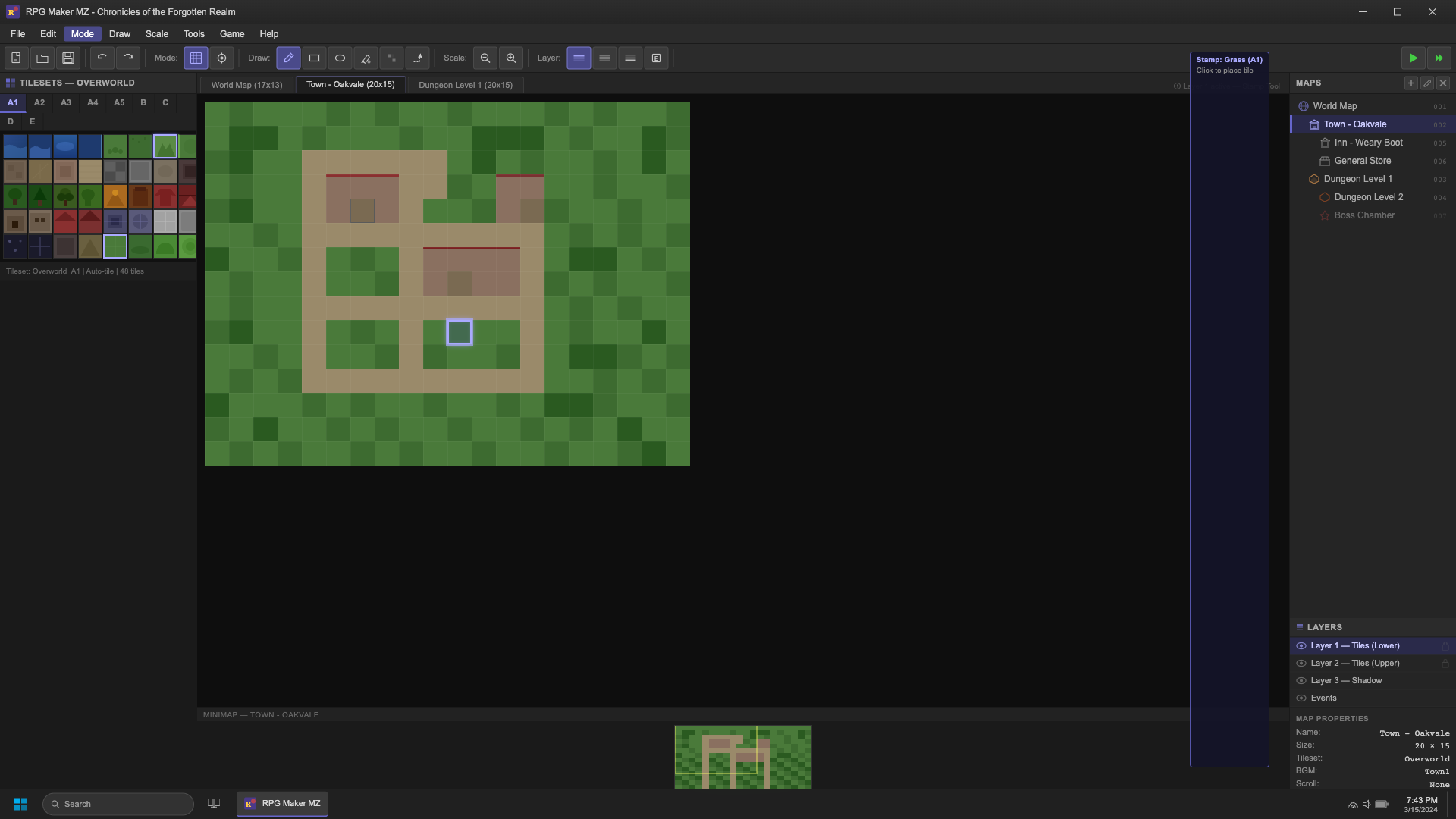
|
[
  {
    "role": "user",
    "content": "<image>\nCheck the application title to confirm the loaded project"
  },
  {
    "role": "assistant",
    "content": "<point x=\"90\" y=\"14\">Application title bar text</point>"
  },
  {
    "role": "user",
    "content": "Minimize the application to the taskbar"
  },
  {
    "role": "assistant",
    "content": "<point x=\"936\" y=\"14\">Minimize window button</point>"
  },
  {
    "role": "user",
    "content": "Click the maximize button to expand the window to full screen"
  },
  {
    "role": "assistant",
    "content": "<point x=\"960\" y=\"14\">Maximize window button</point>"
  },
  {
    "role": "user",
    "content": "Shut down RPG Maker MZ using the close button"
  },
  {
    "role": "assistant",
    "content": "<point x=\"984\" y=\"14\">Close window button</point>"
  },
  {
    "role": "user",
    "content": "Open the File menu to access project options"
  },
  {
    "role": "assistant",
    "content": "<point x=\"12\" y=\"41\">File menu</point>"
  },
  {
    "role": "user",
    "content": "Access undo, redo, cut, copy, and paste from the Edit menu"
  },
  {
    "role": "assistant",
    "content": "<point x=\"33\" y=\"41\">Edit menu</point>"
  },
  {
    "role": "user",
    "content": "Navigate to the Mode menu to change the active editing mode"
  },
  {
    "role": "assistant",
    "content": "<point x=\"57\" y=\"41\">Mode menu</point>"
  },
  {
    "role": "user",
    "content": "Access drawing mode settings from the menu bar"
  },
  {
    "role": "assistant",
    "content": "<point x=\"82\" y=\"41\">Draw menu</point>"
  },
  {
    "role": "user",
    "content": "Navigate to the Scale menu to zoom in or out"
  },
  {
    "role": "assistant",
    "content": "<point x=\"108\" y=\"41\">Scale menu</point>"
  },
  {
    "role": "user",
    "content": "Access RPG Maker tools and plugins from the menu bar"
  },
  {
    "role": "assistant",
    "content": "<point x=\"133\" y=\"41\">Tools menu</point>"
  },
  {
    "role": "user",
    "content": "Click Game to find play and deploy options"
  },
  {
    "role": "assistant",
    "content": "<point x=\"159\" y=\"41\">Game menu</point>"
  },
  {
    "role": "user",
    "content": "Click Help to find guides and support resources"
  },
  {
    "role": "assistant",
    "content": "<point x=\"185\" y=\"41\">Help menu</point>"
  },
  {
    "role": "user",
    "content": "Press the new file button to begin a fresh project"
  },
  {
    "role": "assistant",
    "content": "<point x=\"11\" y=\"70\">New project toolbar button</point>"
  },
  {
    "role": "user",
    "content": "Click the Open Project button to load an existing project"
  },
  {
    "role": "assistant",
    "content": "<point x=\"29\" y=\"70\">Open project toolbar button</point>"
  },
  {
    "role": "user",
    "content": "Save all changes to the current RPG Maker project"
  },
  {
    "role": "assistant",
    "content": "<point x=\"47\" y=\"70\">Save project toolbar button</point>"
  },
  {
    "role": "user",
    "content": "Cancel the last change made to the map"
  },
  {
    "role": "assistant",
    "content": "<point x=\"70\" y=\"70\">Undo toolbar button</point>"
  },
  {
    "role": "user",
    "content": "Restore a change that was previously undone"
  },
  {
    "role": "assistant",
    "content": "<point x=\"88\" y=\"70\">Redo toolbar button</point>"
  },
  {
    "role": "user",
    "content": "Click the Map Mode button to switch to tile editing mode"
  },
  {
    "role": "assistant",
    "content": "<point x=\"134\" y=\"70\">Map mode toolbar button</point>"
  },
  {
    "role": "user",
    "content": "Enter event editing mode to place and configure game events"
  },
  {
    "role": "assistant",
    "content": "<point x=\"152\" y=\"70\">Event mode toolbar button</point>"
  },
  {
    "role": "user",
    "content": "Click the Pencil tool to paint individual tiles on the map"
  },
  {
    "role": "assistant",
    "content": "<point x=\"198\" y=\"70\">Pencil draw tool butt
|
grounding-claudesonn-desktop_task__rpg_ma-a7185da6
|
desktop
|
5
|
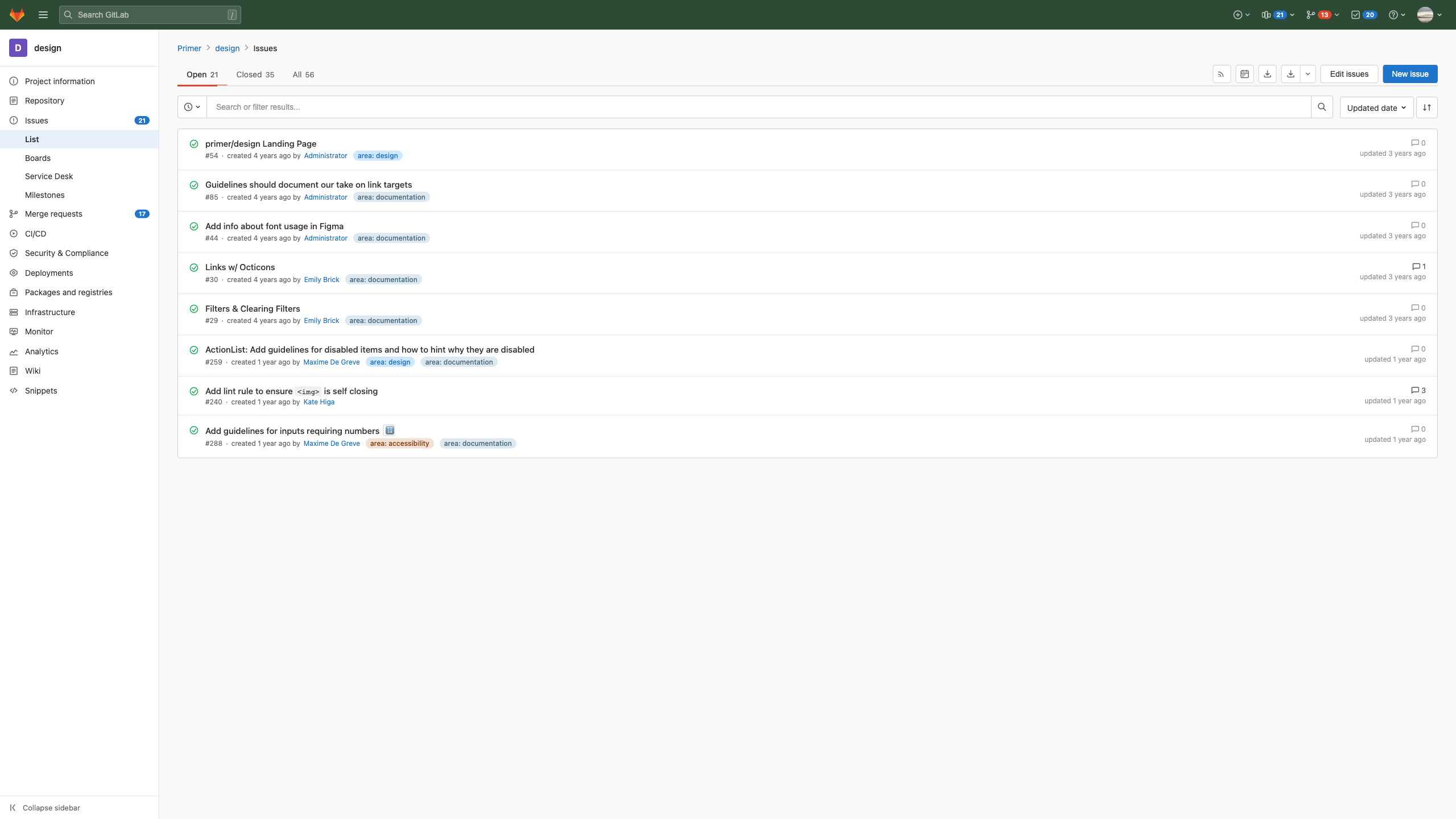
|
[
  {
    "role": "user",
    "content": "<image>\nNavigate to the GitLab homepage by clicking the fox logo"
  },
  {
    "role": "assistant",
    "content": "<point x=\"12\" y=\"18\">GitLab home logo link</point>"
  },
  {
    "role": "user",
    "content": "Toggle the sidebar navigation panel"
  },
  {
    "role": "assistant",
    "content": "<point x=\"30\" y=\"18\">Navigation hamburger menu button</point>"
  },
  {
    "role": "user",
    "content": "Trigger the global search by clicking the search icon"
  },
  {
    "role": "assistant",
    "content": "<point x=\"47\" y=\"18\">Global search icon button</point>"
  },
  {
    "role": "user",
    "content": "Use the / shortcut to open the search bar"
  },
  {
    "role": "assistant",
    "content": "<point x=\"159\" y=\"18\">Global search keyboard shortcut indicator</point>"
  },
  {
    "role": "user",
    "content": "Expand the new item dropdown from the navigation bar"
  },
  {
    "role": "assistant",
    "content": "<point x=\"850\" y=\"18\">Create new item button</point>"
  },
  {
    "role": "user",
    "content": "Press the chevron to reveal create item choices"
  },
  {
    "role": "assistant",
    "content": "<point x=\"857\" y=\"18\">Create new item dropdown arrow</point>"
  },
  {
    "role": "user",
    "content": "Press the pipelines button in the top navigation"
  },
  {
    "role": "assistant",
    "content": "<point x=\"870\" y=\"18\">Pipelines nav button</point>"
  },
  {
    "role": "user",
    "content": "Click the pipelines badge showing 21 active pipelines"
  },
  {
    "role": "assistant",
    "content": "<point x=\"879\" y=\"18\">Pipelines count badge</point>"
  },
  {
    "role": "user",
    "content": "Click the chevron to expand the pipelines dropdown"
  },
  {
    "role": "assistant",
    "content": "<point x=\"887\" y=\"18\">Pipelines dropdown arrow</point>"
  },
  {
    "role": "user",
    "content": "Open the merge requests dropdown from the nav bar"
  },
  {
    "role": "assistant",
    "content": "<point x=\"900\" y=\"18\">Merge requests nav button</point>"
  },
  {
    "role": "user",
    "content": "Navigate to merge requests list from the count indicator"
  },
  {
    "role": "assistant",
    "content": "<point x=\"910\" y=\"18\">Merge requests count badge</point>"
  },
  {
    "role": "user",
    "content": "Toggle the MR navigation dropdown"
  },
  {
    "role": "assistant",
    "content": "<point x=\"918\" y=\"18\">Merge requests dropdown arrow</point>"
  },
  {
    "role": "user",
    "content": "Click the todos icon to view your to-do list"
  },
  {
    "role": "assistant",
    "content": "<point x=\"931\" y=\"18\">Todos nav button</point>"
  },
  {
    "role": "user",
    "content": "Open the todos section showing 20 items"
  },
  {
    "role": "assistant",
    "content": "<point x=\"941\" y=\"18\">Todos count badge</point>"
  },
  {
    "role": "user",
    "content": "Open the help dropdown from the top navigation"
  },
  {
    "role": "assistant",
    "content": "<point x=\"957\" y=\"18\">Help menu button</point>"
  },
  {
    "role": "user",
    "content": "Click the chevron to expand the help dropdown"
  },
  {
    "role": "assistant",
    "content": "<point x=\"964\" y=\"18\">Help menu dropdown arrow</point>"
  },
  {
    "role": "user",
    "content": "Press the user avatar button in the top navigation"
  },
  {
    "role": "assistant",
    "content": "<point x=\"979\" y=\"18\">User profile avatar menu</point>"
  },
  {
    "role": "user",
    "content": "Click the chevron to expand the user profile dropdown"
  },
  {
    "role": "assistant",
    "content": "<point x=\"989\" y=\"18\">User profile dropdown arrow</point>"
  },
  {
    "role": "user",
    "content": "Go to the design project home page by clicking the avatar"
  },
  {
    "role": "assistant",
    "content": "<point x=\"12\" y=\"58\">Design project avatar link</point>"
  },
  {
    "role": "user",
    "content": "Click Primer in the breadcrumb to navigate to the Pri
|
grounding-claudesonn-desktop_task__refere-d94c98e5
|
desktop
|
6
|
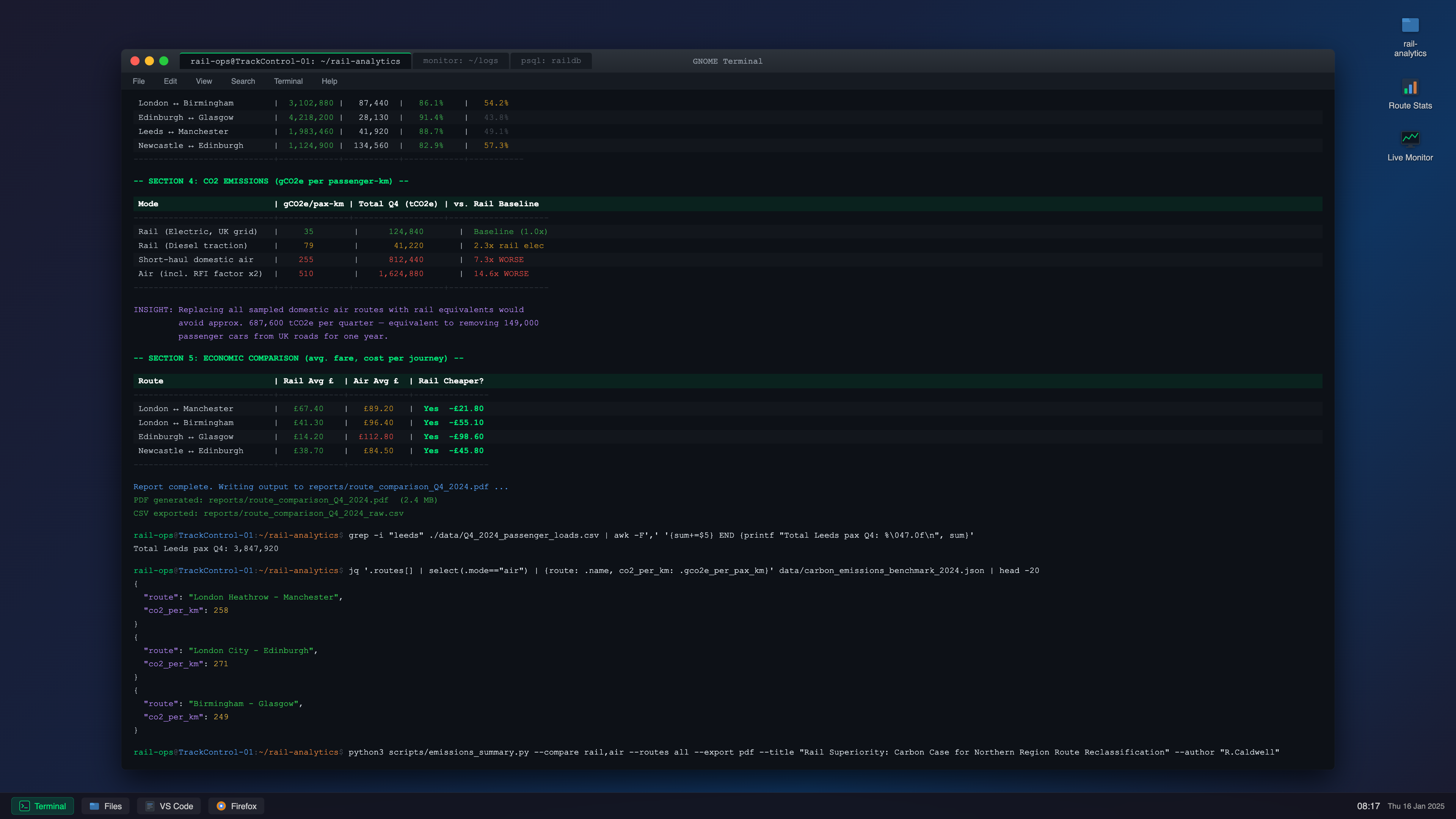
|
[
  {
    "role": "user",
    "content": "<image>\nDouble-click the folder to browse rail analytics files"
  },
  {
    "role": "assistant",
    "content": "<point x=\"969\" y=\"31\">rail-analytics desktop folder icon</point>"
  },
  {
    "role": "user",
    "content": "Launch the rail-analytics folder from the desktop"
  },
  {
    "role": "assistant",
    "content": "<point x=\"969\" y=\"59\">rail-analytics desktop icon label</point>"
  },
  {
    "role": "user",
    "content": "Close the GNOME Terminal application"
  },
  {
    "role": "assistant",
    "content": "<point x=\"93\" y=\"74\">Terminal window close button</point>"
  },
  {
    "role": "user",
    "content": "Collapse the terminal window using the minimize control"
  },
  {
    "role": "assistant",
    "content": "<point x=\"103\" y=\"74\">Terminal window minimize button</point>"
  },
  {
    "role": "user",
    "content": "Press the maximize control to enlarge the terminal window"
  },
  {
    "role": "assistant",
    "content": "<point x=\"112\" y=\"74\">Terminal window maximize button</point>"
  },
  {
    "role": "user",
    "content": "Select the rail-ops@TrackControl-01 tab"
  },
  {
    "role": "assistant",
    "content": "<point x=\"203\" y=\"74\">Main terminal tab (rail-ops@TrackControl-01: ~/rail-analytics)</point>"
  },
  {
    "role": "user",
    "content": "Navigate to the monitor: ~/logs tab in the terminal"
  },
  {
    "role": "assistant",
    "content": "<point x=\"316\" y=\"74\">Monitor logs terminal tab</point>"
  },
  {
    "role": "user",
    "content": "Open the raildb database terminal session"
  },
  {
    "role": "assistant",
    "content": "<point x=\"378\" y=\"74\">PostgreSQL raildb terminal tab</point>"
  },
  {
    "role": "user",
    "content": "Open a new terminal tab or window through the File menu"
  },
  {
    "role": "assistant",
    "content": "<point x=\"95\" y=\"99\">Terminal File menu</point>"
  },
  {
    "role": "user",
    "content": "Click the Edit menu in the terminal menu bar"
  },
  {
    "role": "assistant",
    "content": "<point x=\"117\" y=\"99\">Terminal Edit menu</point>"
  },
  {
    "role": "user",
    "content": "Expand the View dropdown in the terminal"
  },
  {
    "role": "assistant",
    "content": "<point x=\"140\" y=\"99\">Terminal View menu</point>"
  },
  {
    "role": "user",
    "content": "Use the Search menu to find previous commands"
  },
  {
    "role": "assistant",
    "content": "<point x=\"167\" y=\"99\">Terminal Search menu</point>"
  },
  {
    "role": "user",
    "content": "Expand the Terminal dropdown for advanced session settings"
  },
  {
    "role": "assistant",
    "content": "<point x=\"198\" y=\"99\">Terminal settings menu</point>"
  },
  {
    "role": "user",
    "content": "Click the Help menu to access terminal documentation"
  },
  {
    "role": "assistant",
    "content": "<point x=\"226\" y=\"99\">Terminal Help menu</point>"
  },
  {
    "role": "user",
    "content": "Click the Route Stats icon on the desktop"
  },
  {
    "role": "assistant",
    "content": "<point x=\"969\" y=\"106\">Route Stats desktop icon</point>"
  },
  {
    "role": "user",
    "content": "Select the Route Stats desktop shortcut"
  },
  {
    "role": "assistant",
    "content": "<point x=\"969\" y=\"128\">Route Stats desktop icon label</point>"
  },
  {
    "role": "user",
    "content": "Open the real-time rail operations monitor"
  },
  {
    "role": "assistant",
    "content": "<point x=\"969\" y=\"169\">Live Monitor desktop icon</point>"
  },
  {
    "role": "user",
    "content": "Launch the Live Monitor by clicking its desktop icon"
  },
  {
    "role": "assistant",
    "content": "<point x=\"968\" y=\"192\">Live Monitor desktop icon label</point>"
  },
  {
    "role": "user",
    "content": "Identify the CO2 emissions analysis section in the output"
  },
  {
    "role": "assistant",
    "content": "<point x=\"186\" y=\"221\">Section 4 CO2 Emissions header</point>"
  },
  {
    "role": "user",
|
grounding-claudesonn-desktop_task__shell_-010d01ca
|
desktop
|
7
|
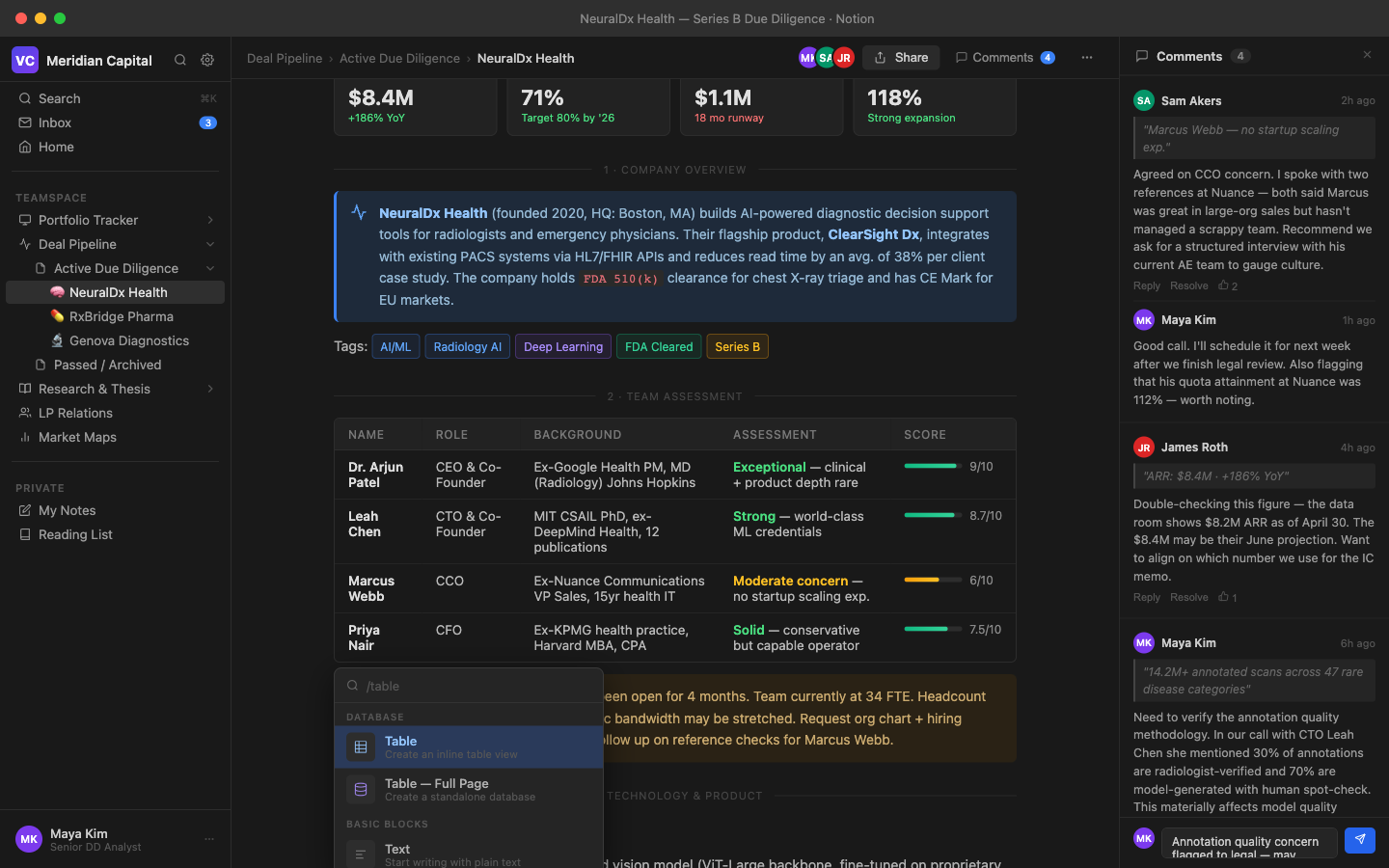
|
[
  {
    "role": "user",
    "content": "<image>\nDismiss and shut down the app using the red traffic light button"
  },
  {
    "role": "assistant",
    "content": "<point x=\"15\" y=\"21\">Close window button</point>"
  },
  {
    "role": "user",
    "content": "Minimize the Notion window to the dock"
  },
  {
    "role": "assistant",
    "content": "<point x=\"29\" y=\"21\">Minimize window button</point>"
  },
  {
    "role": "user",
    "content": "Expand the Notion window to fill the screen"
  },
  {
    "role": "assistant",
    "content": "<point x=\"43\" y=\"21\">Maximize window button</point>"
  },
  {
    "role": "user",
    "content": "Locate the title bar to see the page context"
  },
  {
    "role": "assistant",
    "content": "<point x=\"524\" y=\"21\">Window title: NeuralDx Health Series B Due Diligence</point>"
  },
  {
    "role": "user",
    "content": "Dismiss the comment sidebar"
  },
  {
    "role": "assistant",
    "content": "<point x=\"984\" y=\"62\">Close comments panel button</point>"
  },
  {
    "role": "user",
    "content": "Check the total number of open comment threads"
  },
  {
    "role": "assistant",
    "content": "<point x=\"893\" y=\"63\">Comment count badge showing 4 comments</point>"
  },
  {
    "role": "user",
    "content": "Use the breadcrumb to jump to Deal Pipeline"
  },
  {
    "role": "assistant",
    "content": "<point x=\"205\" y=\"66\">Deal Pipeline breadcrumb navigation link</point>"
  },
  {
    "role": "user",
    "content": "Go up one level to the Active Due Diligence folder"
  },
  {
    "role": "assistant",
    "content": "<point x=\"288\" y=\"66\">Active Due Diligence breadcrumb navigation link</point>"
  },
  {
    "role": "user",
    "content": "Read the active page indicator in the breadcrumb"
  },
  {
    "role": "assistant",
    "content": "<point x=\"378\" y=\"66\">Current page breadcrumb: NeuralDx Health</point>"
  },
  {
    "role": "user",
    "content": "See who is currently editing the page by looking at the MK avatar"
  },
  {
    "role": "assistant",
    "content": "<point x=\"582\" y=\"66\">Maya Kim collaborator avatar</point>"
  },
  {
    "role": "user",
    "content": "Click on the SA avatar to view Sam Akers's profile"
  },
  {
    "role": "assistant",
    "content": "<point x=\"594\" y=\"66\">Sam Akers collaborator avatar</point>"
  },
  {
    "role": "user",
    "content": "See that James Roth is working on the page via the JR avatar"
  },
  {
    "role": "assistant",
    "content": "<point x=\"607\" y=\"66\">James Roth collaborator avatar</point>"
  },
  {
    "role": "user",
    "content": "Configure sharing settings for this Notion page"
  },
  {
    "role": "assistant",
    "content": "<point x=\"633\" y=\"66\">Share page button</point>"
  },
  {
    "role": "user",
    "content": "Toggle the comment sidebar to review feedback"
  },
  {
    "role": "assistant",
    "content": "<point x=\"692\" y=\"66\">Comments panel toggle button</point>"
  },
  {
    "role": "user",
    "content": "Access page settings and additional features via the more button"
  },
  {
    "role": "assistant",
    "content": "<point x=\"783\" y=\"66\">More options menu button</point>"
  },
  {
    "role": "user",
    "content": "Access workspace-level controls via the VC icon"
  },
  {
    "role": "assistant",
    "content": "<point x=\"18\" y=\"69\">Meridian Capital workspace icon</point>"
  },
  {
    "role": "user",
    "content": "Click the workspace name to open workspace settings"
  },
  {
    "role": "assistant",
    "content": "<point x=\"74\" y=\"69\">Meridian Capital workspace name</point>"
  },
  {
    "role": "user",
    "content": "Trigger the search overlay from the sidebar"
  },
  {
    "role": "assistant",
    "content": "<point x=\"130\" y=\"69\">Sidebar search icon button</point>"
  },
  {
    "role": "user",
    "content": "Click the settings gear icon to open workspace settings"
  },
  {
    "role": "assistant",
    "content": "<point x=\"149\" y=\"69\">W
|
grounding-claudesonn-desktop_task__notion-fd47f3b2
|
desktop
|
8
|
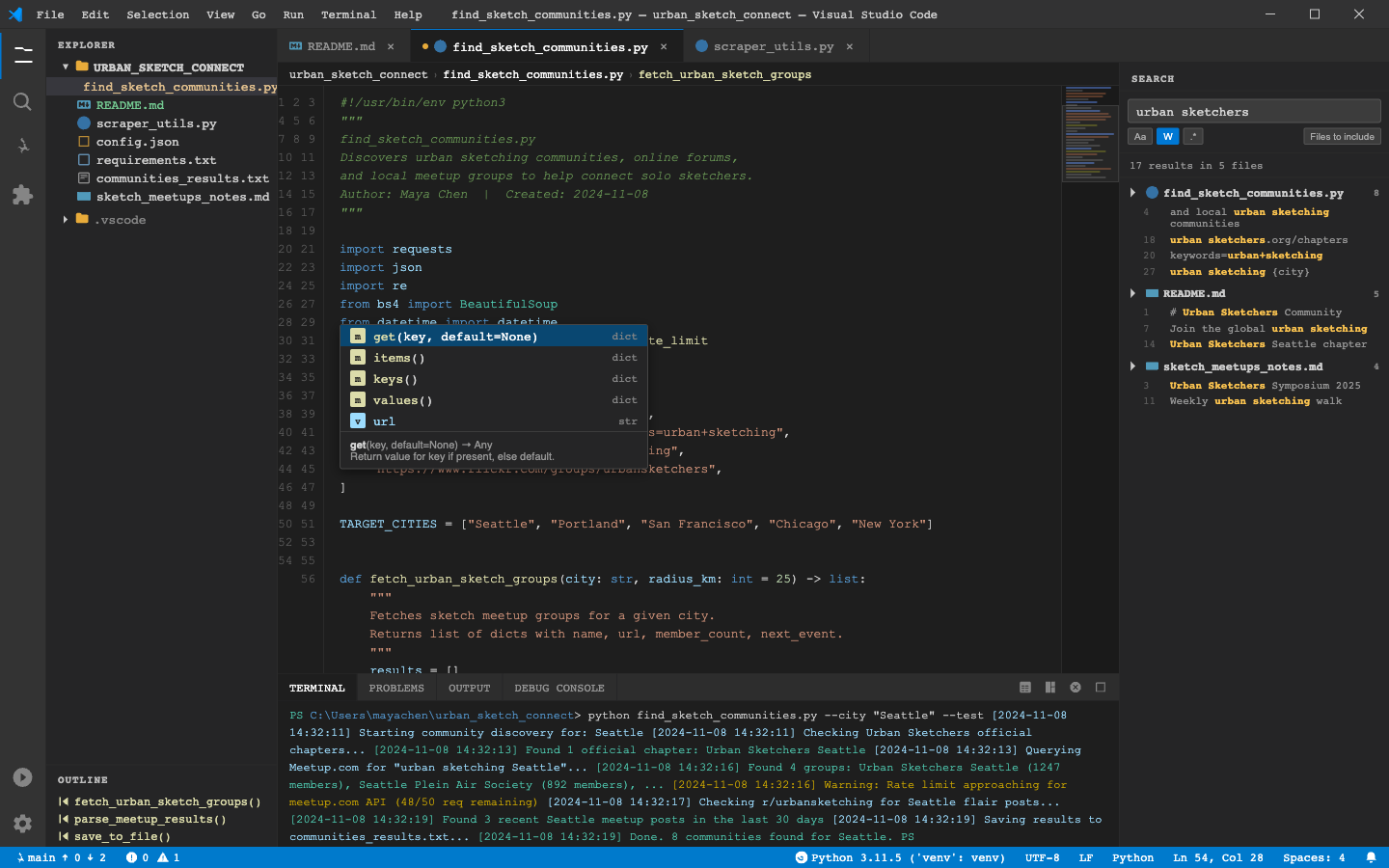
|
[
  {
    "role": "user",
    "content": "<image>\nClick the File menu to access file operations"
  },
  {
    "role": "assistant",
    "content": "<point x=\"36\" y=\"16\">File menu</point>"
  },
  {
    "role": "user",
    "content": "Navigate to the Edit menu in the menu bar"
  },
  {
    "role": "assistant",
    "content": "<point x=\"69\" y=\"16\">Edit menu</point>"
  },
  {
    "role": "user",
    "content": "Access the Selection menu for multi-cursor editing options"
  },
  {
    "role": "assistant",
    "content": "<point x=\"114\" y=\"16\">Selection menu</point>"
  },
  {
    "role": "user",
    "content": "Navigate to the View menu in the menu bar"
  },
  {
    "role": "assistant",
    "content": "<point x=\"158\" y=\"16\">View menu</point>"
  },
  {
    "role": "user",
    "content": "Navigate to the Go menu in the menu bar"
  },
  {
    "role": "assistant",
    "content": "<point x=\"186\" y=\"16\">Go menu</point>"
  },
  {
    "role": "user",
    "content": "Click the Run menu to start running or debugging the code"
  },
  {
    "role": "assistant",
    "content": "<point x=\"211\" y=\"16\">Run menu</point>"
  },
  {
    "role": "user",
    "content": "Use the Terminal menu to manage terminal instances"
  },
  {
    "role": "assistant",
    "content": "<point x=\"251\" y=\"16\">Terminal menu</point>"
  },
  {
    "role": "user",
    "content": "Use the Help menu to find keyboard shortcuts"
  },
  {
    "role": "assistant",
    "content": "<point x=\"294\" y=\"16\">Help menu</point>"
  },
  {
    "role": "user",
    "content": "Click the minimize button to minimize the VS Code window"
  },
  {
    "role": "assistant",
    "content": "<point x=\"915\" y=\"16\">Minimize window button</point>"
  },
  {
    "role": "user",
    "content": "Make the VS Code window full screen using the maximize button"
  },
  {
    "role": "assistant",
    "content": "<point x=\"947\" y=\"16\">Maximize window button</point>"
  },
  {
    "role": "user",
    "content": "Shut down the VS Code application window"
  },
  {
    "role": "assistant",
    "content": "<point x=\"978\" y=\"16\">Close window button</point>"
  },
  {
    "role": "user",
    "content": "Click the X to close the README.md editor tab"
  },
  {
    "role": "assistant",
    "content": "<point x=\"281\" y=\"52\">Close README.md tab button</point>"
  },
  {
    "role": "user",
    "content": "Dismiss the scraper_utils.py tab from the editor"
  },
  {
    "role": "assistant",
    "content": "<point x=\"611\" y=\"52\">Close scraper_utils.py tab button</point>"
  },
  {
    "role": "user",
    "content": "Notice the dot indicating find_sketch_communities.py has unsaved changes"
  },
  {
    "role": "assistant",
    "content": "<point x=\"306\" y=\"53\">Unsaved changes indicator on find_sketch_communities.py tab</point>"
  },
  {
    "role": "user",
    "content": "Remove the find_sketch_communities.py tab from the tab bar"
  },
  {
    "role": "assistant",
    "content": "<point x=\"478\" y=\"53\">Close find_sketch_communities.py tab button</point>"
  },
  {
    "role": "user",
    "content": "Show the project file tree by clicking the Explorer icon"
  },
  {
    "role": "assistant",
    "content": "<point x=\"17\" y=\"64\">Explorer activity bar button</point>"
  },
  {
    "role": "user",
    "content": "Expand the root workspace folder to see all files"
  },
  {
    "role": "assistant",
    "content": "<point x=\"122\" y=\"77\">URBAN_SKETCH_CONNECT root folder</point>"
  },
  {
    "role": "user",
    "content": "Use the breadcrumb to go to the urban_sketch_connect workspace root"
  },
  {
    "role": "assistant",
    "content": "<point x=\"258\" y=\"84\">urban_sketch_connect breadcrumb item</point>"
  },
  {
    "role": "user",
    "content": "Select find_sketch_communities.py from the breadcrumb path"
  },
  {
    "role": "assistant",
    "content": "<point x=\"383\" y=\"84\">find_sketch_communities.py breadcrumb item</point>"
  },
  {
    "role": "user",
    "content": "
|
grounding-claudesonn-desktop_task__visual-e74f23c8
|
desktop
|
9
|
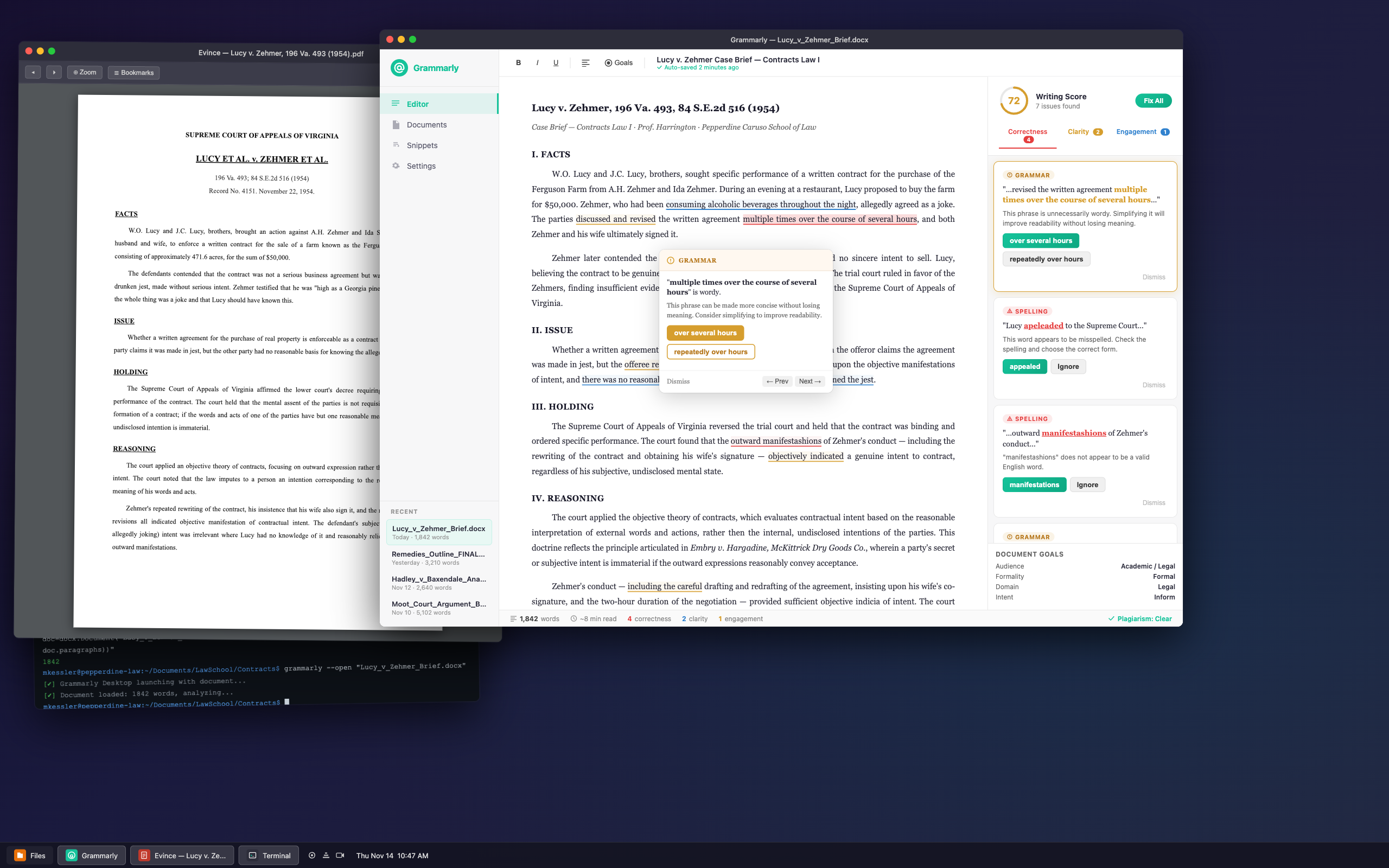
|
[
  {
    "role": "user",
    "content": "<image>\nShut down the Grammarly application window"
  },
  {
    "role": "assistant",
    "content": "<point x=\"280\" y=\"45\">Grammarly window close button</point>"
  },
  {
    "role": "user",
    "content": "Minimize the Grammarly editor to the background"
  },
  {
    "role": "assistant",
    "content": "<point x=\"289\" y=\"45\">Grammarly window minimize button</point>"
  },
  {
    "role": "user",
    "content": "Make the Grammarly editor fill the entire display"
  },
  {
    "role": "assistant",
    "content": "<point x=\"297\" y=\"45\">Grammarly window maximize button</point>"
  },
  {
    "role": "user",
    "content": "Read the title to confirm which document is open in Grammarly"
  },
  {
    "role": "assistant",
    "content": "<point x=\"575\" y=\"45\">Grammarly window title bar</point>"
  },
  {
    "role": "user",
    "content": "Dismiss the Lucy v. Zehmer case PDF"
  },
  {
    "role": "assistant",
    "content": "<point x=\"21\" y=\"58\">PDF viewer window close button</point>"
  },
  {
    "role": "user",
    "content": "Minimize the Lucy v. Zehmer PDF viewer"
  },
  {
    "role": "assistant",
    "content": "<point x=\"29\" y=\"58\">PDF viewer window minimize button</point>"
  },
  {
    "role": "user",
    "content": "Make the PDF document take up the full display"
  },
  {
    "role": "assistant",
    "content": "<point x=\"37\" y=\"59\">PDF viewer window maximize button</point>"
  },
  {
    "role": "user",
    "content": "Confirm the Lucy v. Zehmer case PDF is loaded"
  },
  {
    "role": "assistant",
    "content": "<point x=\"202\" y=\"61\">PDF viewer window title bar</point>"
  },
  {
    "role": "user",
    "content": "Check the document name shown in the editor toolbar"
  },
  {
    "role": "assistant",
    "content": "<point x=\"658\" y=\"68\">Document title display in editor toolbar</point>"
  },
  {
    "role": "user",
    "content": "Toggle bold style on the highlighted content"
  },
  {
    "role": "assistant",
    "content": "<point x=\"373\" y=\"72\">Bold text formatting button</point>"
  },
  {
    "role": "user",
    "content": "Toggle italic formatting on the highlighted content"
  },
  {
    "role": "assistant",
    "content": "<point x=\"387\" y=\"72\">Italic text formatting button</point>"
  },
  {
    "role": "user",
    "content": "Toggle underline formatting on the highlighted content"
  },
  {
    "role": "assistant",
    "content": "<point x=\"400\" y=\"72\">Underline text formatting button</point>"
  },
  {
    "role": "user",
    "content": "Click the align left button to left-align the selected paragraph"
  },
  {
    "role": "assistant",
    "content": "<point x=\"421\" y=\"72\">Align left text formatting button</point>"
  },
  {
    "role": "user",
    "content": "Click the Goals button to set writing goals for the document"
  },
  {
    "role": "assistant",
    "content": "<point x=\"438\" y=\"72\">Goals toolbar button</point>"
  },
  {
    "role": "user",
    "content": "Use the Grammarly icon to access the main menu"
  },
  {
    "role": "assistant",
    "content": "<point x=\"288\" y=\"78\">Grammarly logo icon in sidebar</point>"
  },
  {
    "role": "user",
    "content": "Navigate to the previous page of the Lucy v. Zehmer case document"
  },
  {
    "role": "assistant",
    "content": "<point x=\"23\" y=\"82\">PDF previous page button</point>"
  },
  {
    "role": "user",
    "content": "Click the forward navigation button in the PDF toolbar"
  },
  {
    "role": "assistant",
    "content": "<point x=\"39\" y=\"82\">PDF next page button</point>"
  },
  {
    "role": "user",
    "content": "Click the Zoom button to adjust the zoom level of the PDF"
  },
  {
    "role": "assistant",
    "content": "<point x=\"61\" y=\"83\">PDF zoom button</point>"
  },
  {
    "role": "user",
    "content": "Click the Bookmarks button to view PDF bookmarks"
  },
  {
    "role": "assistant",
    "content": "<point x=\"96\" y=\"84\">PDF bookmarks b
|
grounding-claudesonn-desktop_task__proofr-89f7fa39
|
desktop
|
10
|
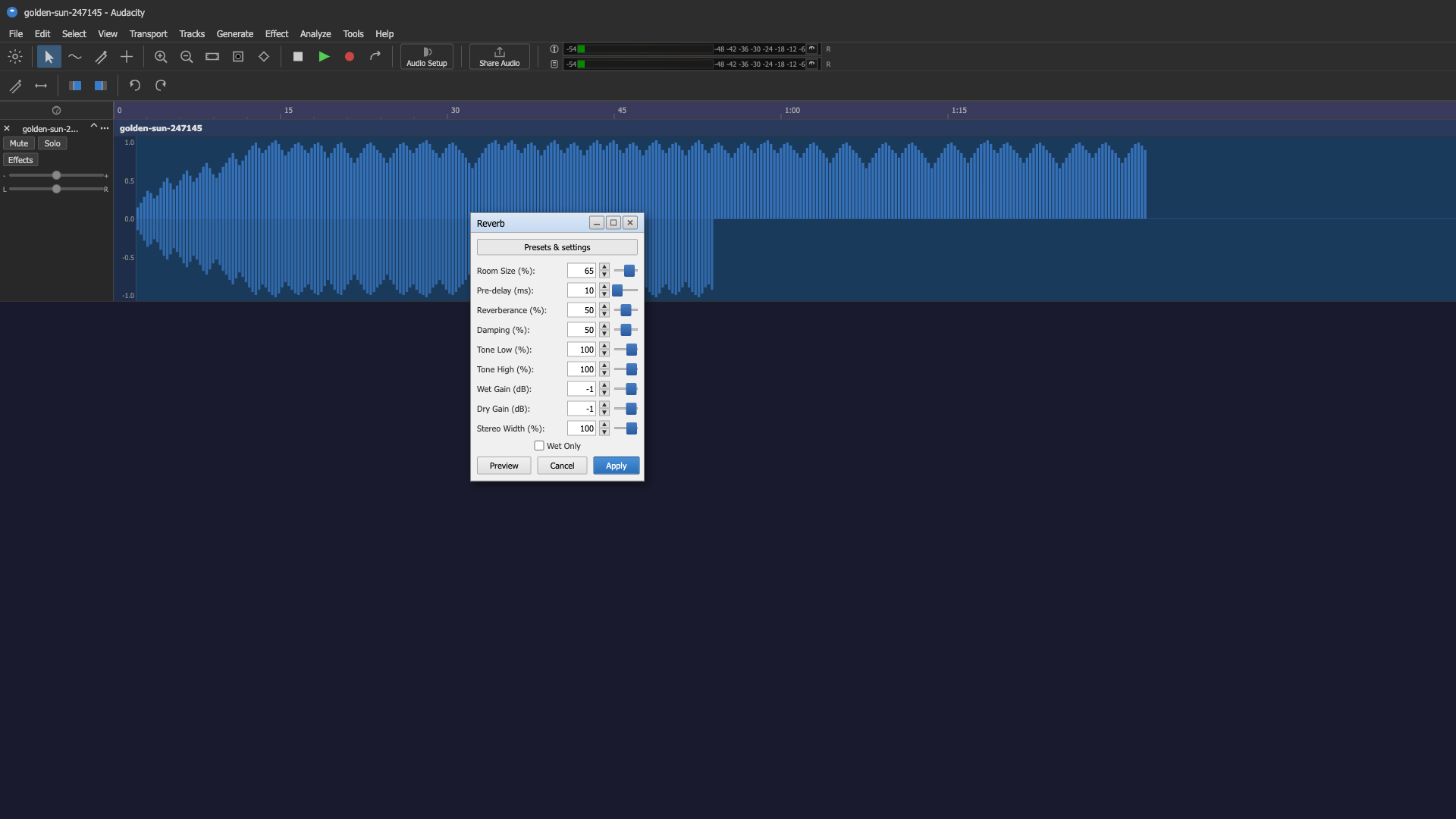
|
[
  {
    "role": "user",
    "content": "<image>\nNavigate to the File menu"
  },
  {
    "role": "assistant",
    "content": "<point x=\"11\" y=\"40\">File menu</point>"
  },
  {
    "role": "user",
    "content": "Navigate to the Edit menu"
  },
  {
    "role": "assistant",
    "content": "<point x=\"29\" y=\"40\">Edit menu</point>"
  },
  {
    "role": "user",
    "content": "Use the Select menu to define a selection range"
  },
  {
    "role": "assistant",
    "content": "<point x=\"51\" y=\"40\">Select menu</point>"
  },
  {
    "role": "user",
    "content": "Navigate to the View menu"
  },
  {
    "role": "assistant",
    "content": "<point x=\"74\" y=\"40\">View menu</point>"
  },
  {
    "role": "user",
    "content": "Use the Transport menu to toggle looping"
  },
  {
    "role": "assistant",
    "content": "<point x=\"102\" y=\"40\">Transport menu</point>"
  },
  {
    "role": "user",
    "content": "Open the Tracks menu to add a new track"
  },
  {
    "role": "assistant",
    "content": "<point x=\"132\" y=\"40\">Tracks menu</point>"
  },
  {
    "role": "user",
    "content": "Navigate to the Generate menu"
  },
  {
    "role": "assistant",
    "content": "<point x=\"161\" y=\"40\">Generate menu</point>"
  },
  {
    "role": "user",
    "content": "Click the Effect menu to apply audio effects"
  },
  {
    "role": "assistant",
    "content": "<point x=\"190\" y=\"40\">Effect menu</point>"
  },
  {
    "role": "user",
    "content": "Use the Analyze menu to detect silence"
  },
  {
    "role": "assistant",
    "content": "<point x=\"217\" y=\"40\">Analyze menu</point>"
  },
  {
    "role": "user",
    "content": "Navigate to the Tools menu"
  },
  {
    "role": "assistant",
    "content": "<point x=\"243\" y=\"40\">Tools menu</point>"
  },
  {
    "role": "user",
    "content": "Open the Help menu to find tutorials"
  },
  {
    "role": "assistant",
    "content": "<point x=\"264\" y=\"40\">Help menu</point>"
  },
  {
    "role": "user",
    "content": "Click Audio Setup to configure audio devices"
  },
  {
    "role": "assistant",
    "content": "<point x=\"293\" y=\"63\">Audio Setup button</point>"
  },
  {
    "role": "user",
    "content": "Click Share Audio to share the current project online"
  },
  {
    "role": "assistant",
    "content": "<point x=\"343\" y=\"63\">Share Audio button</point>"
  },
  {
    "role": "user",
    "content": "Access Audacity preferences via the settings gear icon"
  },
  {
    "role": "assistant",
    "content": "<point x=\"10\" y=\"69\">Settings toolbar button</point>"
  },
  {
    "role": "user",
    "content": "Press the selection tool button to start selecting audio"
  },
  {
    "role": "assistant",
    "content": "<point x=\"34\" y=\"69\">Selection tool button</point>"
  },
  {
    "role": "user",
    "content": "Use the envelope tool to draw volume changes"
  },
  {
    "role": "assistant",
    "content": "<point x=\"52\" y=\"69\">Envelope tool button</point>"
  },
  {
    "role": "user",
    "content": "Switch to the draw tool to repair audio artifacts"
  },
  {
    "role": "assistant",
    "content": "<point x=\"69\" y=\"69\">Draw tool button</point>"
  },
  {
    "role": "user",
    "content": "Select the multi-tool from the toolbar"
  },
  {
    "role": "assistant",
    "content": "<point x=\"87\" y=\"69\">Multi-tool button</point>"
  },
  {
    "role": "user",
    "content": "Zoom into the timeline to see finer detail"
  },
  {
    "role": "assistant",
    "content": "<point x=\"110\" y=\"69\">Zoom in toolbar button</point>"
  },
  {
    "role": "user",
    "content": "Zoom out on the timeline to see more audio at once"
  },
  {
    "role": "assistant",
    "content": "<point x=\"128\" y=\"69\">Zoom out toolbar button</point>"
  },
  {
    "role": "user",
    "content": "Use zoom fit to see the whole track at once"
  },
  {
    "role": "assistant",
    "content": "<point x=\"146\" y=\"69\">Zoom to fit toolbar button</point>"
  },
  {
    "role": "user",
    "content
|
grounding-claudesonn-desktop_task__refere-19021390
|
desktop
|