| # | id | image | annotation | metadata | html |
|---|
1
|
grounding-claudesonn-desktop_task__number-8e015b0e
|
|
[
  {
    "height": 14,
    "intent": [
      "Click the Apple menu to access system options",
      "Open the Apple menu to see system preferences",
      "Access macOS system menu via the Apple logo",
      "Click the Apple icon in the menu bar",
      "Open system-level options from the Apple menu"
    ],
    "name": "Apple menu",
    "width": 14,
    "x_center": 15,
    "y_center": 11
  },
  {
    "height": 14,
    "intent": [
      "Click the Numbers menu to access application settings",
      "Open the Numbers app menu for preferences and about info",
      "Access Numbers-specific menu options",
      "Click Numbers in the menu bar to see app commands",
      "Open the Numbers application menu"
    ],
    "name": "Numbers application menu",
    "width": 61,
    "x_center": 68,
    "y_center": 11
  },
  {
    "height": 14,
    "intent": [
      "Click the File menu to open, save, or export documents",
      "Access file management options via the File menu",
      "Open the File menu to save the current spreadsheet",
      "Use the File menu to create a new Numbers document",
      "Click File in the menu bar to access document options"
    ],
    "name": "File menu",
    "width": 27,
    "x_center": 129,
    "y_center": 11
  },
  {
    "height": 14,
    "intent": [
      "Click the Edit menu to access undo, redo, and copy options",
      "Open the Edit menu to find and replace content",
      "Access editing commands via the Edit menu",
      "Use the Edit menu to cut or paste data",
      "Open Edit in the menu bar for editing operations"
    ],
    "name": "Edit menu",
    "width": 29,
    "x_center": 174,
    "y_center": 11
  },
  {
    "height": 14,
    "intent": [
      "Click the Insert menu to add tables, charts, or images",
      "Open the Insert menu to add new elements to the spreadsheet",
      "Access insertion options via the Insert menu",
      "Use the Insert menu to add a new row or column",
      "Click Insert in the menu bar to embed objects"
    ],
    "name": "Insert menu",
    "width": 40,
    "x_center": 225,
    "y_center": 11
  },
  {
    "height": 14,
    "intent": [
      "Click the Table menu to manage table properties",
      "Open the Table menu to add or delete rows and columns",
      "Access table formatting options via the Table menu",
      "Use the Table menu to sort or filter data",
      "Click Table in the menu bar for table-specific commands"
    ],
    "name": "Table menu",
    "width": 38,
    "x_center": 280,
    "y_center": 11
  },
  {
    "height": 14,
    "intent": [
      "Click the Format menu to change cell or text formatting",
      "Open the Format menu to apply styles to selected cells",
      "Access number formatting options via the Format menu",
      "Use the Format menu to set date or currency formats",
      "Click Format in the menu bar to modify appearance"
    ],
    "name": "Format menu",
    "width": 48,
    "x_center": 339,
    "y_center": 11
  },
  {
    "height": 14,
    "intent": [
      "Click the Arrange menu to align or order objects",
      "Open the Arrange menu to group or lock elements",
      "Access object arrangement options via the Arrange menu",
      "Use the Arrange menu to bring objects forward or backward",
      "Click Arrange in the menu bar for layout controls"
    ],
    "name": "Arrange menu",
    "width": 53,
    "x_center": 406,
    "y_center": 11
  },
  {
    "height": 14,
    "intent": [
      "Click the View menu to change the display mode",
      "Open the View menu to show or hide the toolbar",
      "Access zoom and layout options via the View menu",
      "Use the View menu to toggle formula bar visibility",
      "Click View in the menu bar to adjust the workspace layout"
    ],
    "name": "View menu",
    "width": 35,
    "x_center": 466,
    "y_center": 11
  },
  {
    "height": 14,
    "intent": [
      "Click the Window menu to manage open document windows",
      "Open the Window menu to switch between Numbers document
|
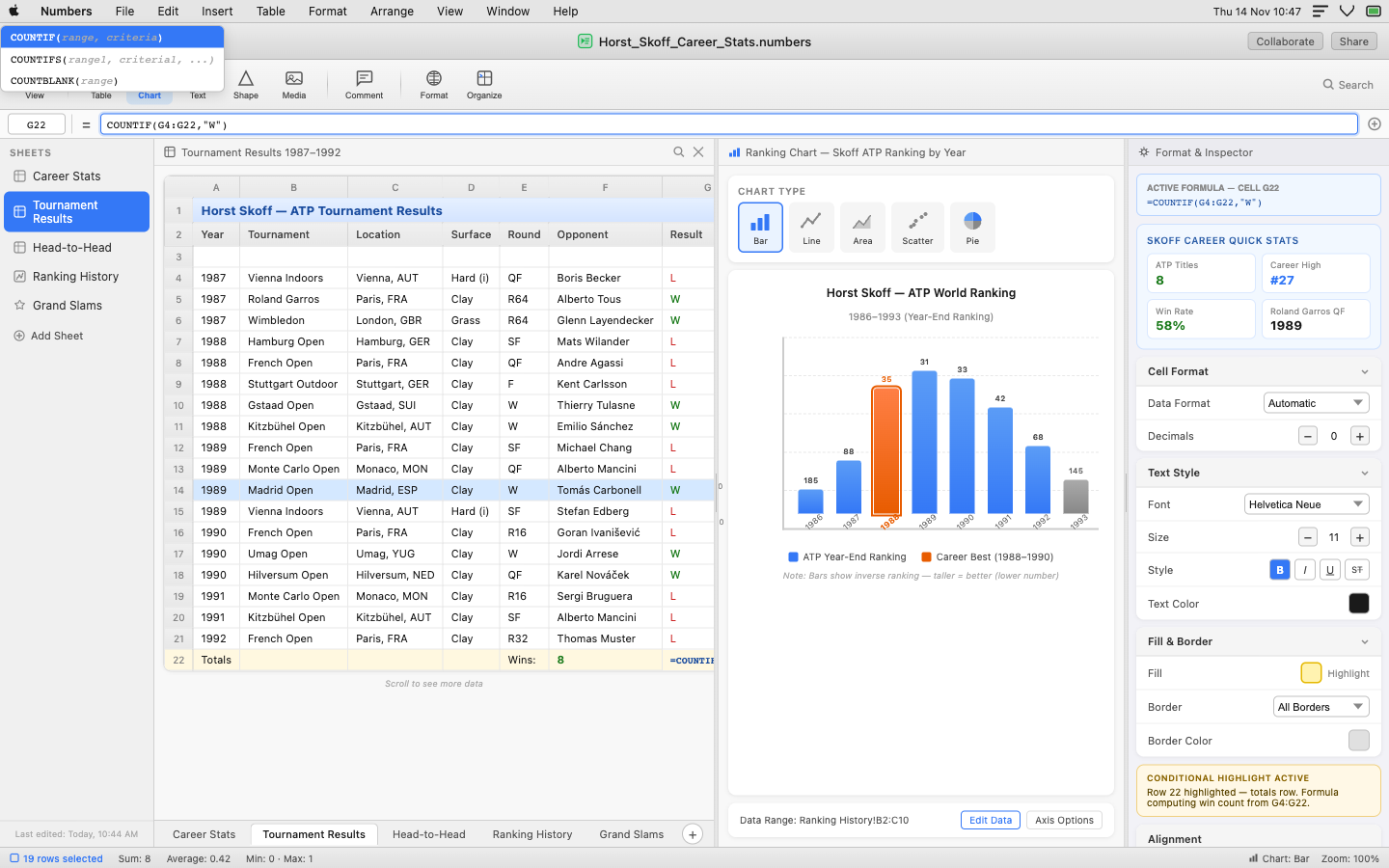
{"id": "grounding-claudesonn-desktop_task__number-8e015b0e", "context": "desktop_task__number", "description": "A MacOS desktop showing Apple Numbers application with three panes tiled horizontally. The user is in the middle of creating a detailed spreadsheet about Horst Skoff's tennis career statistics. \n\nLeft pane: A sheet tab navigator showing multiple sheets (Career Stats, Tournament Results, Head-to-Head), with the \"Tournament Results\" sheet active. The spreadsheet shows a partially filled table of ATP tournament results from the late 1980s with columns for Year, Tournament, Surface, Round, Opponent, Score, and Result.\n\nMiddle pane: A chart/visualization pane showing a bar chart being constructed from the career ranking data, with the chart type selector visible and \"Bar\" selected.\n\nRight pane: The Numbers inspector/format panel showing cell formatting options, with some cells highlighted in yellow, and a formula bar showing an active COUNTIF formula.\n\nThe Numbers interface features the classic macOS toolbar at top with the Numbers-specific toolbar (Insert, Table, Chart, Text, Shape, Media, etc.), sheet tabs at bottom, and the characteristic Numbers white canvas with subtle grid. The three panes are separated by thin dividers. Colors are the standard Numbers interface: white background, light gray toolbar, blue accents for selections. The spreadsheet contains realistic tennis data including tournament names like Vienna, Hamburg, Roland Garros with realistic scores and opponent names from that era.", "platform": "MacOS Ventura", "dimensions": [1440, 900], "model_name": "claude-sonnet-4-6"}
|
<!DOCTYPE html>
<html lang="en">
<head>
<meta charset="UTF-8">
<meta name="viewport" content="width=device-width, initial-scale=1.0">
<title>Numbers - Horst Skoff Tennis Career</title>
<style>
  * { margin: 0; padding: 0; box-sizing: border-box; }
  body {
    font-family: -apple-system, BlinkMacSystemFont, 'SF Pro Text', 'Helvetica Neue', sans-serif;
    background: #1e1e1e;
    width: 1440px;
    height: 900px;
    overflow: hidden;
    display: flex;
    flex-direction: column;
  }

  /* macOS Menu Bar */
  .macos-menubar {
    background: rgba(240,240,240,0.95);
    backdrop-filter: blur(20px);
    height: 24px;
    display: flex;
    align-items: center;
    padding: 0 8px;
    gap: 16px;
    border-bottom: 1px solid #c0c0c0;
    flex-shrink: 0;
    z-index: 100;
  }
  .menubar-apple {
    width: 14px;
    height: 14px;
    display: flex;
    align-items: center;
    justify-content: center;
  }
  .menubar-item {
    font-size: 12px;
    font-weight: 400;
    color: #1a1a1a;
    cursor: pointer;
    padding: 0 4px;
    white-space: nowrap;
  }
  .menubar-item.bold { font-weight: 600; }
  .menubar-right {
    margin-left: auto;
    display: flex;
    align-items: center;
    gap: 12px;
  }
  .menubar-right-item {
    font-size: 11px;
    color: #1a1a1a;
  }

  /* Numbers Window */
  .numbers-window {
    flex: 1;
    display: flex;
    flex-direction: column;
    background: #f0f0f0;
    border-radius: 0;
    overflow: hidden;
    box-shadow: 0 20px 60px rgba(0,0,0,0.5);
  }

  /* Title Bar */
  .title-bar {
    background: linear-gradient(180deg, #ebebeb 0%, #d6d6d6 100%);
    height: 38px;
    display: flex;
    align-items: center;
    padding: 0 12px;
    border-bottom: 1px solid #b8b8b8;
    flex-shrink: 0;
    position: relative;
  }
  .traffic-lights {
    display: flex;
    gap: 7px;
    align-items: center;
  }
  .traffic-light {
    width: 13px;
    height: 13px;
    border-radius: 50%;
    cursor: pointer;
    display: flex;
    align-items: center;
    justify-content: center;
  }
  .tl-close { background: #ff5f57; border: 1px solid #e0443e; }
  .tl-minimize { background: #ffbd2e; border: 1px solid #dea123; }
  .tl-fullscreen { background: #28c941; border: 1px solid #1aab29; }
  .title-text {
    position: absolute;
    left: 50%;
    transform: translateX(-50%);
    font-size: 13px;
    font-weight: 500;
    color: #1a1a1a;
    display: flex;
    align-items: center;
    gap: 6px;
  }
  .title-icon {
    width: 16px;
    height: 16px;
  }
  .title-actions {
    margin-left: auto;
    display: flex;
    gap: 8px;
  }
  .title-action-btn {
    font-size: 11px;
    color: #555;
    background: rgba(0,0,0,0.08);
    border: 1px solid rgba(0,0,0,0.15);
    border-radius: 4px;
    padding: 2px 8px;
    cursor: pointer;
  }

  /* Numbers Toolbar */
  .numbers-toolbar {
    background: linear-gradient(180deg, #f7f7f7 0%, #ececec 100%);
    height: 52px;
    display: flex;
    align-items: center;
    padding: 0 8px;
    border-bottom: 1px solid #c5c5c5;
    flex-shrink: 0;
    gap: 2px;
  }
  .toolbar-group {
    display: flex;
    align-items: center;
    gap: 2px;
    padding: 0 4px;
  }
  .toolbar-separator {
    width: 1px;
    height: 32px;
    background: linear-gradient(180deg, transparent, #c0c0c0, transparent);
    margin: 0 4px;
  }
  .toolbar-btn {
    display: flex;
    flex-direction: column;
    align-items: center;
    justify-content: center;
    padding: 4px 8px;
    border-radius: 6px;
    cursor: pointer;
    gap: 3px;
    min-width: 48px;
    background: transparent;
    border: none;
    transition: background 0.1s;
  }
  .toolbar-btn:hover { background: rgba(0,0,0,0.07); }
  .toolbar-btn.active { background: rgba(0,122,255,0.12); }
  .toolbar-btn svg { width: 20px; height: 20px; }
  .toolbar-btn-label {
    font-size: 9px;
    color: #444;
    font-weight: 400;
  }
  .toolbar-view-btn {
    display: flex;
    align-items: center;
    gap: 5px;
    padding: 5px 10px;
    border-radius: 6px;
    cu
|
2
|
grounding-claudesonn-desktop_task__tidal_-674f9fce
|
|
[
  {
    "height": 1,
    "intent": [
      "Click the minimize button to minimize the TIDAL window",
      "Minimize the application to the taskbar",
      "Hide the TIDAL window without closing it",
      "Press the minimize window control button",
      "Collapse the app window to the taskbar"
    ],
    "name": "Minimize window button",
    "width": 10,
    "x_center": 1565,
    "y_center": 15
  },
  {
    "height": 10,
    "intent": [
      "Click the maximize button to expand the TIDAL window",
      "Make the application fill the entire screen",
      "Maximize the TIDAL desktop app window",
      "Toggle the window to full size",
      "Press the maximize window control button"
    ],
    "name": "Maximize window button",
    "width": 10,
    "x_center": 1611,
    "y_center": 15
  },
  {
    "height": 10,
    "intent": [
      "Click the close button to exit the TIDAL application",
      "Close and shut down the TIDAL app",
      "Press the X button to close the window",
      "Terminate the TIDAL desktop application",
      "Exit TIDAL by clicking the close control"
    ],
    "name": "Close window button",
    "width": 10,
    "x_center": 1657,
    "y_center": 15
  },
  {
    "height": 22,
    "intent": [
      "Open the File menu",
      "Click File to access file-related options",
      "Access file management options from the menu bar",
      "Open the File dropdown menu in TIDAL",
      "Navigate to the File menu for app options"
    ],
    "name": "File menu",
    "width": 39,
    "x_center": 27,
    "y_center": 45
  },
  {
    "height": 22,
    "intent": [
      "Open the Edit menu",
      "Click Edit to access editing options",
      "Access edit operations from the menu bar",
      "Open the Edit dropdown in the application menu",
      "Navigate to the Edit menu"
    ],
    "name": "Edit menu",
    "width": 41,
    "x_center": 72,
    "y_center": 45
  },
  {
    "height": 22,
    "intent": [
      "Open the View menu",
      "Click View to change display settings",
      "Access view and layout options from the menu bar",
      "Open the View dropdown menu",
      "Navigate to the View menu to change visual preferences"
    ],
    "name": "View menu",
    "width": 47,
    "x_center": 121,
    "y_center": 45
  },
  {
    "height": 22,
    "intent": [
      "Open the Controls menu",
      "Click Controls to access playback control options",
      "Access media controls from the menu bar",
      "Open the Controls dropdown menu",
      "Navigate to Controls for keyboard shortcut and playback settings"
    ],
    "name": "Controls menu",
    "width": 67,
    "x_center": 182,
    "y_center": 45
  },
  {
    "height": 22,
    "intent": [
      "Open the Help menu",
      "Click Help to access support and documentation",
      "Find help resources and FAQs from the menu bar",
      "Open the Help dropdown menu",
      "Navigate to Help for troubleshooting information"
    ],
    "name": "Help menu",
    "width": 46,
    "x_center": 243,
    "y_center": 45
  },
  {
    "height": 44,
    "intent": [
      "Click the Queue tab to view the playback queue",
      "Switch the right panel to show the upcoming tracks queue",
      "View what songs are queued up next",
      "Open the Queue view in the right panel",
      "Navigate to the Queue tab to manage upcoming tracks"
    ],
    "name": "Queue tab in right panel",
    "width": 93,
    "x_center": 1447,
    "y_center": 82
  },
  {
    "height": 44,
    "intent": [
      "Click the Related tab to see related tracks and artists",
      "Switch the right panel to show related content",
      "View music related to the current track",
      "Open the Related view in the right panel",
      "Navigate to Related tab for song recommendations"
    ],
    "name": "Related tab in right panel",
    "width": 93,
    "x_center": 1540,
    "y_center": 82
  },
  {
    "height": 44,
    "intent": [
      "Click the Lyrics tab to view song lyrics",
      "Switch the right panel to di
|
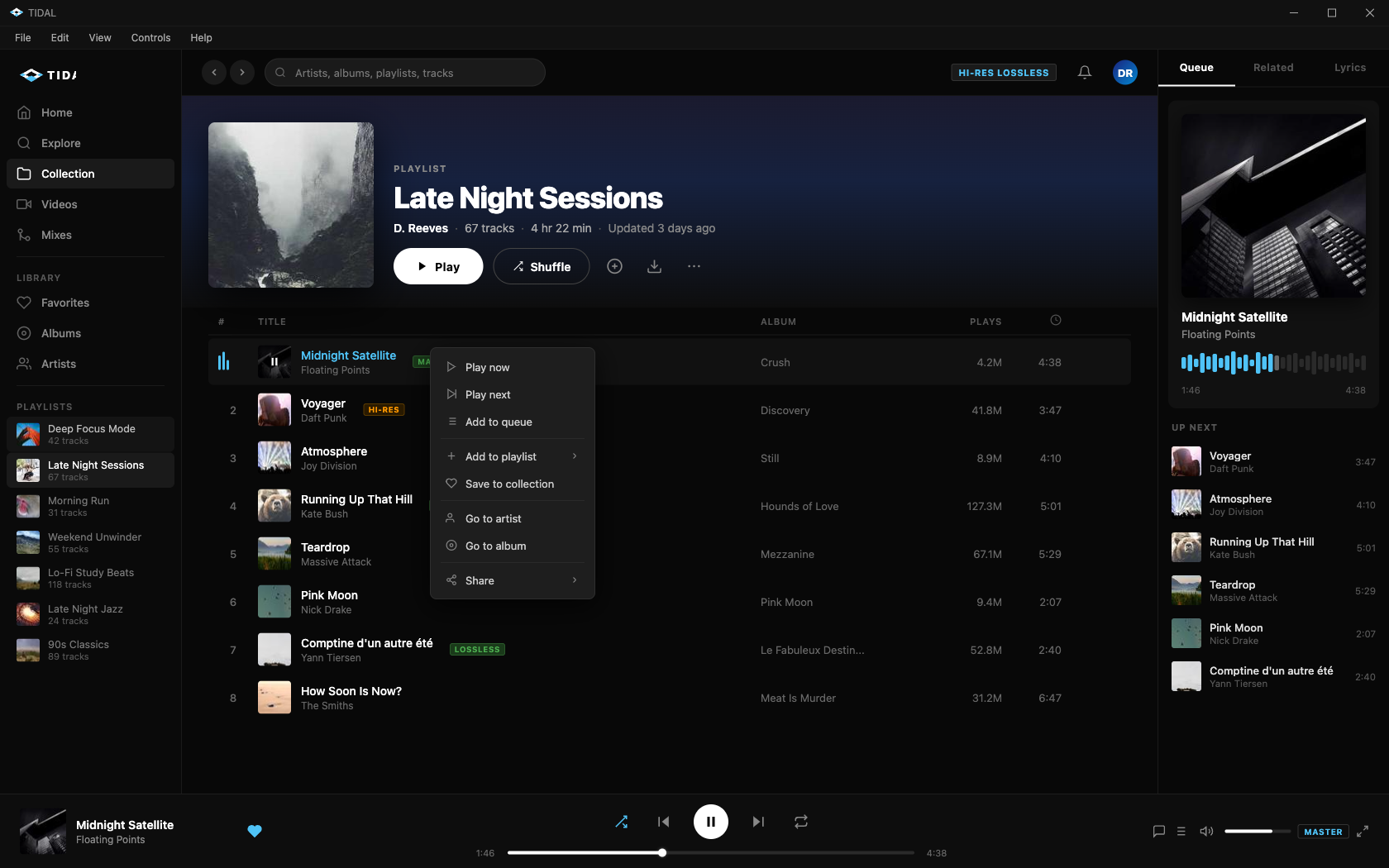
{"id": "grounding-claudesonn-desktop_task__tidal_-674f9fce", "context": "desktop_task__tidal_", "description": "A realistic simulation of the Tidal music streaming desktop application on Windows 10, showing an anti-fraud investigator using Tidal as part of their regular work environment. The screen shows Tidal's dark-themed interface with the user actively browsing/playing music during a work session. The interface features Tidal's characteristic dark background (#000000 to #1a1a1a), with a left sidebar containing navigation items (Home, Explore, Collection, etc.), a main content area showing a playlist or album view, and a bottom player bar with currently playing track controls. The investigator might have a playlist called something work-related or personal. The application shows a queue or \"Now Playing\" view with track listing, album art, and playback controls. There's a search bar with recent searches visible, and the player bar at the bottom shows an active track with waveform/progress. The overall aesthetic is professional and sleek, matching Tidal's premium brand identity with deep blacks, white text, and occasional blue/teal accent colors.", "platform": "Windows 10", "dimensions": [1680, 1050], "model_name": "claude-sonnet-4-6"}
|
<!DOCTYPE html>
<html lang="en">
<head>
<meta charset="UTF-8">
<meta name="viewport" content="width=device-width, initial-scale=1.0">
<title>TIDAL - Desktop App</title>
<style>
  * {
    margin: 0;
    padding: 0;
    box-sizing: border-box;
    font-family: 'Segoe UI', -apple-system, BlinkMacSystemFont, sans-serif;
  }

  body {
    background: #000;
    color: #fff;
    width: 1680px;
    height: 1050px;
    overflow: hidden;
  }

  /* Windows Title Bar */
  .title-bar {
    height: 32px;
    background: #111;
    display: flex;
    align-items: center;
    justify-content: space-between;
    padding: 0 0 0 12px;
    -webkit-app-region: drag;
    border-bottom: 1px solid #1a1a1a;
  }

  .title-bar-left {
    display: flex;
    align-items: center;
    gap: 8px;
  }

  .tidal-logo-title {
    display: flex;
    align-items: center;
    gap: 6px;
  }

  .tidal-icon-small {
    width: 16px;
    height: 16px;
  }

  .title-bar-text {
    font-size: 12px;
    color: #888;
    font-weight: 400;
  }

  .window-controls {
    display: flex;
    height: 32px;
  }

  .window-btn {
    width: 46px;
    height: 32px;
    display: flex;
    align-items: center;
    justify-content: center;
    cursor: pointer;
    color: #aaa;
    font-size: 10px;
  }

  .window-btn:hover {
    background: #333;
  }

  .window-btn.close:hover {
    background: #e81123;
    color: #fff;
  }

  /* App Menu Bar */
  .app-menu-bar {
    height: 28px;
    background: #111;
    display: flex;
    align-items: center;
    padding: 0 8px;
    gap: 4px;
    border-bottom: 1px solid #1a1a1a;
  }

  .menu-item {
    padding: 4px 10px;
    font-size: 12px;
    color: #aaa;
    cursor: pointer;
    border-radius: 3px;
  }

  .menu-item:hover {
    background: #222;
    color: #fff;
  }

  /* Main App Layout */
  .app-container {
    display: flex;
    height: calc(1050px - 32px - 28px - 90px);
    background: #000;
  }

  /* Left Sidebar */
  .sidebar {
    width: 220px;
    background: #0a0a0a;
    display: flex;
    flex-direction: column;
    border-right: 1px solid #1a1a1a;
    flex-shrink: 0;
  }

  .sidebar-logo {
    padding: 20px 20px 16px;
    display: flex;
    align-items: center;
    gap: 8px;
  }

  .nav-section {
    padding: 0 8px;
    flex: 1;
    overflow-y: auto;
  }

  .nav-section::-webkit-scrollbar {
    width: 4px;
  }
  .nav-section::-webkit-scrollbar-track {
    background: transparent;
  }
  .nav-section::-webkit-scrollbar-thumb {
    background: #333;
    border-radius: 2px;
  }

  .nav-item {
    display: flex;
    align-items: center;
    gap: 12px;
    padding: 9px 12px;
    border-radius: 6px;
    cursor: pointer;
    font-size: 13.5px;
    color: #888;
    font-weight: 500;
    transition: all 0.15s;
    margin-bottom: 1px;
  }

  .nav-item:hover {
    background: #1a1a1a;
    color: #fff;
  }

  .nav-item.active {
    background: #1a1a1a;
    color: #fff;
  }

  .nav-item svg {
    flex-shrink: 0;
    opacity: 0.7;
  }

  .nav-item.active svg {
    opacity: 1;
  }

  .nav-divider {
    height: 1px;
    background: #1a1a1a;
    margin: 8px 12px;
  }

  .nav-section-label {
    font-size: 11px;
    color: #555;
    font-weight: 600;
    letter-spacing: 0.08em;
    text-transform: uppercase;
    padding: 10px 12px 6px;
  }

  .playlist-item {
    display: flex;
    align-items: center;
    gap: 10px;
    padding: 7px 12px;
    border-radius: 6px;
    cursor: pointer;
    font-size: 13px;
    color: #777;
    transition: all 0.15s;
    margin-bottom: 1px;
  }

  .playlist-item:hover {
    background: #1a1a1a;
    color: #fff;
  }

  .playlist-item.active {
    color: #fff;
    background: #1a1a1a;
  }

  .playlist-thumb {
    width: 28px;
    height: 28px;
    border-radius: 3px;
    background: #222;
    flex-shrink: 0;
    overflow: hidden;
  }

  .playlist-thumb img {
    width: 100%;
    height: 100%;
    object-fit: cover;
  }

  .playlist-info {
    flex: 1;
    min-width: 0;
  }

  .playlist-name {
    font-size: 12.5px;
    white-s
|
3
|
grounding-claudesonn-desktop_task__refere-1267a5ff
|
|
[
  {
    "height": 10,
    "intent": [
      "Click the minimize button to minimize the GRASS GIS window",
      "Minimize the application to the taskbar",
      "Hide the GRASS GIS window without closing it",
      "Press the minimize button in the title bar",
      "Collapse the application window to the taskbar"
    ],
    "name": "Minimize window button",
    "width": 10,
    "x_center": 1403,
    "y_center": 12
  },
  {
    "height": 10,
    "intent": [
      "Click the maximize button to expand the GRASS GIS window",
      "Maximize the application to fill the screen",
      "Toggle the window to full screen size",
      "Press the maximize button in the title bar",
      "Resize the GRASS GIS window to its maximum size"
    ],
    "name": "Maximize window button",
    "width": 10,
    "x_center": 1421,
    "y_center": 12
  },
  {
    "height": 10,
    "intent": [
      "Click the close button to exit GRASS GIS",
      "Close the GRASS GIS application",
      "Shut down the application by pressing the X button",
      "Terminate the GRASS GIS session",
      "Press the close button in the title bar to quit"
    ],
    "name": "Close window button",
    "width": 10,
    "x_center": 1439,
    "y_center": 12
  },
  {
    "height": 18,
    "intent": [
      "Open the File menu",
      "Click File to access file operations",
      "Access file management options like open, save, and export",
      "Expand the File dropdown menu",
      "Navigate to the File menu in the menu bar"
    ],
    "name": "File menu",
    "width": 34,
    "x_center": 22,
    "y_center": 33
  },
  {
    "height": 18,
    "intent": [
      "Open the Settings menu",
      "Click Settings to configure application preferences",
      "Access GRASS GIS configuration options",
      "Expand the Settings dropdown menu",
      "Navigate to Settings to adjust application behavior"
    ],
    "name": "Settings menu",
    "width": 58,
    "x_center": 68,
    "y_center": 33
  },
  {
    "height": 18,
    "intent": [
      "Open the Raster menu",
      "Click Raster to access raster data processing tools",
      "Expand the Raster dropdown for raster operations",
      "Navigate to the Raster menu",
      "Access raster analysis and management options"
    ],
    "name": "Raster menu",
    "width": 49,
    "x_center": 122,
    "y_center": 33
  },
  {
    "height": 18,
    "intent": [
      "Open the Vector menu",
      "Click Vector to access vector data processing tools",
      "Expand the Vector dropdown for vector operations",
      "Navigate to the Vector menu",
      "Access vector analysis and management options"
    ],
    "name": "Vector menu",
    "width": 49,
    "x_center": 171,
    "y_center": 33
  },
  {
    "height": 18,
    "intent": [
      "Open the Imagery menu",
      "Click Imagery to access imagery processing tools",
      "Expand the Imagery dropdown for satellite and aerial image operations",
      "Navigate to the Imagery menu",
      "Access imagery analysis options"
    ],
    "name": "Imagery menu",
    "width": 60,
    "x_center": 226,
    "y_center": 33
  },
  {
    "height": 18,
    "intent": [
      "Open the 3D raster menu",
      "Click 3D raster to access three-dimensional raster tools",
      "Expand the 3D raster dropdown for volumetric data operations",
      "Navigate to the 3D raster menu",
      "Access 3D raster analysis and visualization options"
    ],
    "name": "3D raster menu",
    "width": 64,
    "x_center": 288,
    "y_center": 33
  },
  {
    "height": 18,
    "intent": [
      "Open the Database menu",
      "Click Database to access database management tools",
      "Expand the Database dropdown for data connection options",
      "Navigate to the Database menu",
      "Access database connectivity and management features"
    ],
    "name": "Database menu",
    "width": 65,
    "x_center": 354,
    "y_center": 33
  },
  {
    "height": 18,
    "intent": [
      "Open the Temporal menu",
      "Click Temporal t
|
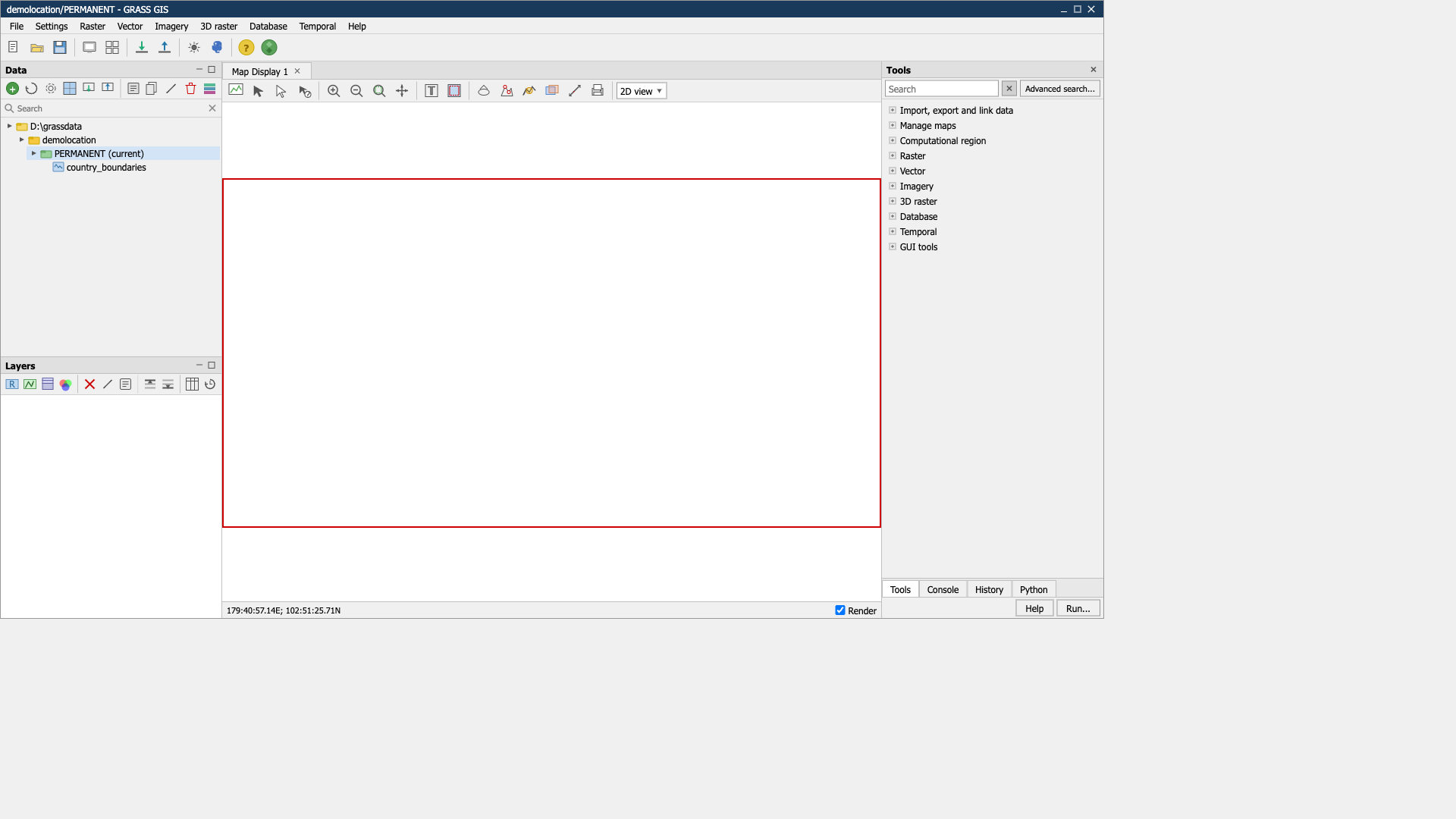
{"id": "grounding-claudesonn-desktop_task__refere-1267a5ff", "context": "desktop_task__refere", "description": "The screenshot shows GRASS GIS application running on Windows. The window title is \"demolocation/PERMANENT - GRASS GIS\". \n\nLayout:\n1. Title bar at top with minimize/maximize/close buttons\n2. Menu bar with: File, Settings, Raster, Vector, Imagery, 3D raster, Database, Temporal, Help\n3. Main toolbar with various icon buttons\n4. Three main panels:\n - Left \"Data\" panel (top-left) with a tree showing D:\\grassdata > demolocation > PERMANENT (current) > country_boundaries\n - Left \"Layers\" panel (bottom-left) with toolbar icons\n - Center \"Map Display 1\" panel showing a white canvas with a red rectangular border/frame\n - Right \"Tools\" panel with search box and tree items: Import/export and link data, Manage maps, Computational region, Raster, Vector, Imagery, 3D raster, Database, Temporal, GUI tools\n5. Bottom status bar showing coordinates \"179:40:57.14E; 102:51:25.71N\" and \"Render\" checkbox\n6. Bottom tabs: Tools, Console, History, Python with Help and Run... buttons\n\nColors: Light gray Windows-style UI, white map canvas, red rectangular border in map display area.", "platform": "Windows 10", "dimensions": [1920, 1080], "model_name": "claude-sonnet-4-6"}
|
<!DOCTYPE html>
<html lang="en">
<head>
<meta charset="UTF-8">
<meta name="viewport" content="width=device-width, initial-scale=1.0">
<title>demolocation/PERMANENT - GRASS GIS</title>
<style>
  * {
    margin: 0;
    padding: 0;
    box-sizing: border-box;
    font-family: 'Segoe UI', Tahoma, Geneva, Verdana, sans-serif;
    font-size: 12px;
  }

  body {
    width: 1456px;
    height: 816px;
    background: #f0f0f0;
    overflow: hidden;
  }

  .app-window {
    width: 1456px;
    height: 816px;
    background: #f0f0f0;
    border: 1px solid #999;
    display: flex;
    flex-direction: column;
  }

  /* Title Bar */
  .title-bar {
    background: #1a3a5c;
    color: white;
    height: 22px;
    display: flex;
    align-items: center;
    justify-content: space-between;
    padding: 0 8px;
    flex-shrink: 0;
  }

  .title-bar-text {
    font-size: 12px;
    color: white;
  }

  .title-bar-buttons {
    display: flex;
    gap: 2px;
  }

  .title-btn {
    width: 16px;
    height: 16px;
    background: transparent;
    border: none;
    color: white;
    cursor: pointer;
    display: flex;
    align-items: center;
    justify-content: center;
    font-size: 10px;
  }

  .title-btn:hover {
    background: rgba(255,255,255,0.2);
  }

  .title-btn.close:hover {
    background: #e81123;
  }

  /* Menu Bar */
  .menu-bar {
    background: #f0f0f0;
    border-bottom: 1px solid #d0d0d0;
    height: 22px;
    display: flex;
    align-items: center;
    padding: 0 4px;
    flex-shrink: 0;
  }

  .menu-item {
    padding: 2px 8px;
    cursor: pointer;
    color: #000;
    font-size: 12px;
  }

  .menu-item:hover {
    background: #d4e4f7;
  }

  /* Main Toolbar */
  .main-toolbar {
    background: #f0f0f0;
    border-bottom: 1px solid #d0d0d0;
    height: 36px;
    display: flex;
    align-items: center;
    padding: 2px 4px;
    flex-shrink: 0;
    gap: 2px;
  }

  .toolbar-btn {
    width: 28px;
    height: 28px;
    background: transparent;
    border: 1px solid transparent;
    cursor: pointer;
    display: flex;
    align-items: center;
    justify-content: center;
    border-radius: 2px;
  }

  .toolbar-btn:hover {
    background: #d4e4f7;
    border-color: #91b9d7;
  }

  .toolbar-separator {
    width: 1px;
    height: 24px;
    background: #c0c0c0;
    margin: 0 3px;
  }

  /* Main Content Area */
  .main-content {
    display: flex;
    flex: 1;
    overflow: hidden;
  }

  /* Left Data Panel */
  .left-panels {
    width: 292px;
    display: flex;
    flex-direction: column;
    flex-shrink: 0;
    border-right: 1px solid #c0c0c0;
  }

  .data-panel {
    height: 390px;
    background: #f0f0f0;
    border-bottom: 1px solid #c0c0c0;
    display: flex;
    flex-direction: column;
    flex-shrink: 0;
  }

  .panel-header {
    background: #e0e0e0;
    border-bottom: 1px solid #c0c0c0;
    padding: 2px 6px;
    display: flex;
    align-items: center;
    justify-content: space-between;
    height: 22px;
  }

  .panel-header-title {
    font-size: 12px;
    font-weight: bold;
    color: #000;
  }

  .panel-header-btns {
    display: flex;
    gap: 2px;
  }

  .panel-header-btn {
    width: 14px;
    height: 14px;
    background: transparent;
    border: none;
    cursor: pointer;
    display: flex;
    align-items: center;
    justify-content: center;
  }

  /* Data toolbar */
  .data-toolbar {
    height: 28px;
    display: flex;
    align-items: center;
    padding: 2px 4px;
    gap: 2px;
    border-bottom: 1px solid #d0d0d0;
  }

  /* Search box */
  .search-container {
    display: flex;
    align-items: center;
    padding: 2px 4px;
    border-bottom: 1px solid #d0d0d0;
    height: 24px;
  }

  .search-icon-small {
    margin-right: 4px;
  }

  .search-input-small {
    flex: 1;
    border: none;
    background: transparent;
    outline: none;
    font-size: 11px;
    color: #000;
  }

  .search-clear-btn {
    width: 16px;
    height: 16px;
    background: transparent;
    border: none;
    cursor: pointer;
    display: flex;
|
4
|
grounding-claudesonn-desktop_task__rpg_ma-a7185da6
|
|
[
  {
    "height": 14,
    "intent": [
      "Read the current project name in the title bar",
      "Identify which RPG Maker project is currently open",
      "Check the application title to confirm the loaded project",
      "View the title bar to see the software and project name",
      "Look at the window title to verify the active file"
    ],
    "name": "Application title bar text",
    "width": 276,
    "x_center": 172,
    "y_center": 15
  },
  {
    "height": 1,
    "intent": [
      "Click the minimize button to hide the RPG Maker window",
      "Minimize the application to the taskbar",
      "Collapse the window without closing it",
      "Send the RPG Maker window to the taskbar",
      "Hide the editor window temporarily"
    ],
    "name": "Minimize window button",
    "width": 10,
    "x_center": 1797,
    "y_center": 15
  },
  {
    "height": 10,
    "intent": [
      "Click the maximize button to expand the window to full screen",
      "Make the RPG Maker window fill the entire display",
      "Toggle the window between maximized and restored state",
      "Expand the editor to take up the full screen",
      "Resize the window to its maximum size"
    ],
    "name": "Maximize window button",
    "width": 10,
    "x_center": 1843,
    "y_center": 15
  },
  {
    "height": 10,
    "intent": [
      "Click the X button to close RPG Maker MZ",
      "Exit the application by closing the window",
      "Close the editor and exit the program",
      "Shut down RPG Maker MZ using the close button",
      "Terminate the application window"
    ],
    "name": "Close window button",
    "width": 10,
    "x_center": 1889,
    "y_center": 15
  },
  {
    "height": 20,
    "intent": [
      "Open the File menu to access project options",
      "Click File to create, open, or save a project",
      "Access file management options from the menu bar",
      "Open the File dropdown to find save/load actions",
      "Navigate to the File menu for project operations"
    ],
    "name": "File menu",
    "width": 39,
    "x_center": 23,
    "y_center": 44
  },
  {
    "height": 20,
    "intent": [
      "Open the Edit menu for editing options",
      "Access undo, redo, cut, copy, and paste from the Edit menu",
      "Click Edit in the menu bar to find editing tools",
      "Open the Edit dropdown for map modification options",
      "Navigate to the Edit menu to access clipboard functions"
    ],
    "name": "Edit menu",
    "width": 40,
    "x_center": 63,
    "y_center": 44
  },
  {
    "height": 20,
    "intent": [
      "Open the Mode menu to switch editor modes",
      "Click Mode to toggle between map and event editing modes",
      "Access mode selection options from the menu bar",
      "Navigate to the Mode menu to change the active editing mode",
      "Open the Mode dropdown to find available editor modes"
    ],
    "name": "Mode menu",
    "width": 50,
    "x_center": 109,
    "y_center": 44
  },
  {
    "height": 20,
    "intent": [
      "Open the Draw menu to access drawing tool options",
      "Click Draw to select pencil, rectangle, fill, or other tools",
      "Access drawing mode settings from the menu bar",
      "Navigate to the Draw menu to change the active drawing tool",
      "Open the Draw dropdown for tile painting options"
    ],
    "name": "Draw menu",
    "width": 48,
    "x_center": 158,
    "y_center": 44
  },
  {
    "height": 20,
    "intent": [
      "Open the Scale menu to adjust the map zoom level",
      "Click Scale to change the canvas magnification",
      "Access zoom and scale options from the menu bar",
      "Navigate to the Scale menu to zoom in or out",
      "Open the Scale dropdown to set the editor view scale"
    ],
    "name": "Scale menu",
    "width": 50,
    "x_center": 207,
    "y_center": 44
  },
  {
    "height": 20,
    "intent": [
      "Open the Tools menu to access editor utilities",
      "Click Tools to find additional editor features and settings",
      "Ac
|
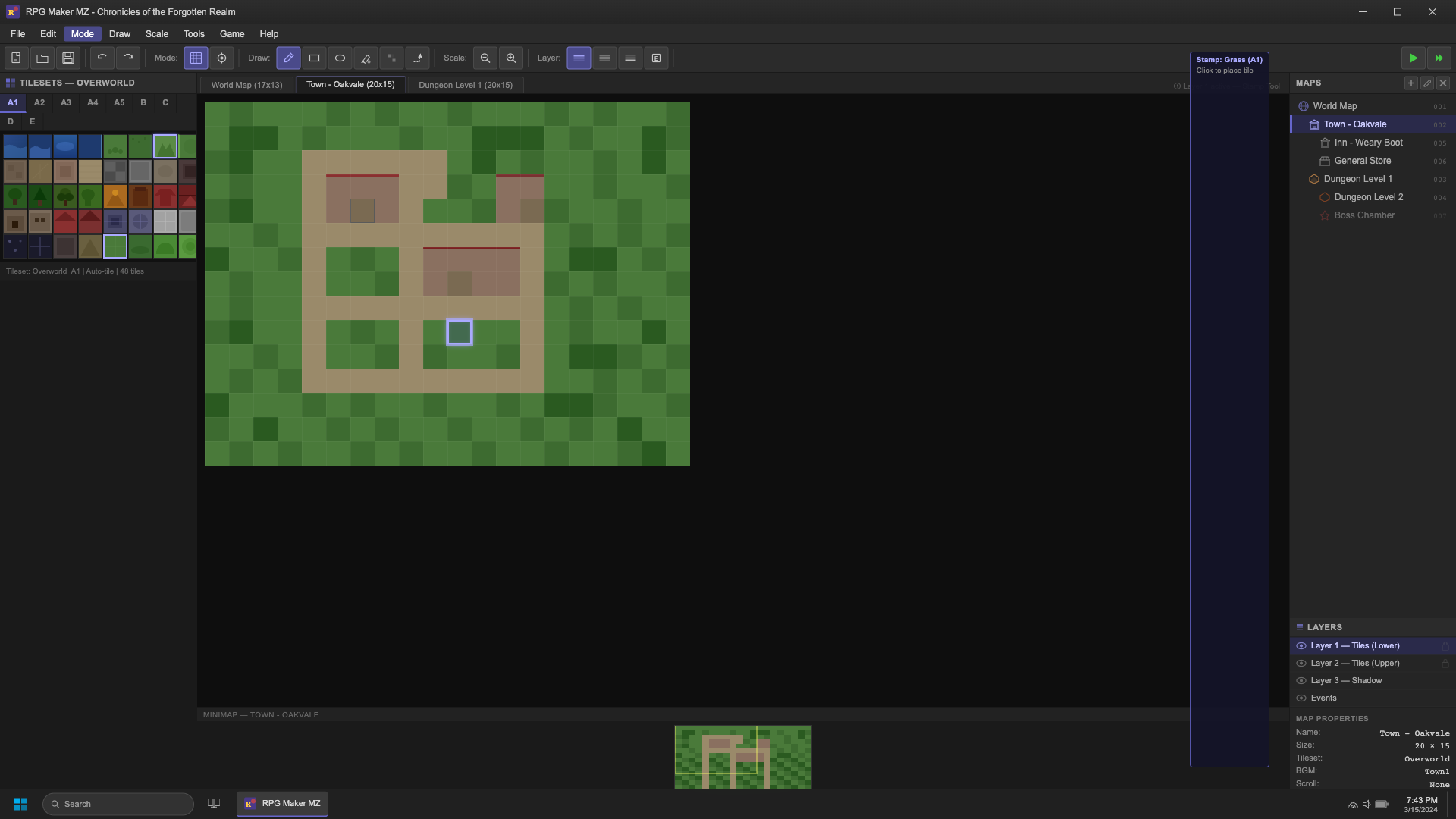
{"id": "grounding-claudesonn-desktop_task__rpg_ma-a7185da6", "context": "desktop_task__rpg_ma", "description": "A Windows desktop showing RPG Maker MZ (the latest version) in its early stage of use. The user has just started a new project called \"Chronicles of the Forgotten Realm\" and is currently in the Map Editor view. The interface shows the typical RPG Maker MZ layout with:\n\n- A dark Windows taskbar at the bottom\n- RPG Maker MZ's main toolbar at the top with File, Edit, Mode, Draw, Scale, Tools, Game, Help menus\n- An icon toolbar below with various tool buttons (pencil, eraser, fill, select, etc.)\n- The left panel showing a Tileset palette (A1-A5 tabs for auto-tiles, B-E tabs for regular tiles) with some dungeon/outdoor tiles visible\n- The center canvas showing a partially edited map \u2014 a small town area being built with some grass tiles, a few trees placed, and a couple of building outlines started but incomplete (early stage)\n- The right panel showing the Map List with a few maps: \"World Map\", \"Town - Oakvale\", \"Dungeon Level 1\" \u2014 with \"Town - Oakvale\" currently selected/highlighted\n- A Map Properties dialog partially visible or recently interacted with\n- The bottom status bar showing map dimensions and coordinates\n- Windows title bar showing \"RPG Maker MZ - Chronicles of the Forgotten Realm\"\n- The user has the pencil/stamp tool selected and there's a tile highlighted on the tileset suggesting they're about to place a tile\n- Some tiles already placed showing the beginning of a town layout with grass, dirt paths, and a couple of tree sprites", "platform": "Windows 10", "dimensions": [1920, 1080], "model_name": "claude-sonnet-4-6"}
|
<!DOCTYPE html>
<html lang="en">
<head>
<meta charset="UTF-8">
<meta name="viewport" content="width=device-width, initial-scale=1.0">
<title>RPG Maker MZ - Chronicles of the Forgotten Realm</title>
<style>
  * { margin: 0; padding: 0; box-sizing: border-box; }
  body {
    width: 1920px;
    height: 1080px;
    overflow: hidden;
    font-family: 'Segoe UI', Arial, sans-serif;
    background: #1e1e1e;
    color: #d4d4d4;
  }

  /* Windows Title Bar */
  #title-bar {
    height: 32px;
    background: linear-gradient(180deg, #2d2d2d 0%, #252525 100%);
    display: flex;
    align-items: center;
    justify-content: space-between;
    padding: 0 8px;
    border-bottom: 1px solid #1a1a1a;
    user-select: none;
  }
  #title-bar-left {
    display: flex;
    align-items: center;
    gap: 8px;
  }
  #app-icon {
    width: 18px;
    height: 18px;
  }
  #title-text {
    font-size: 12px;
    color: #cccccc;
    font-weight: 400;
  }
  #title-bar-controls {
    display: flex;
    gap: 0;
  }
  .title-btn {
    width: 46px;
    height: 32px;
    display: flex;
    align-items: center;
    justify-content: center;
    background: transparent;
    border: none;
    color: #cccccc;
    font-size: 11px;
    cursor: pointer;
    transition: background 0.1s;
  }
  .title-btn:hover { background: #404040; }
  .title-btn.close-btn:hover { background: #c42b1c; }

  /* Menu Bar */
  #menu-bar {
    height: 26px;
    background: #2b2b2b;
    display: flex;
    align-items: center;
    border-bottom: 1px solid #1a1a1a;
    padding: 0 4px;
  }
  .menu-item {
    padding: 3px 10px;
    font-size: 12px;
    color: #d4d4d4;
    cursor: pointer;
    border-radius: 3px;
    white-space: nowrap;
  }
  .menu-item:hover { background: #3a3a5c; color: #ffffff; }
  .menu-item.active { background: #4a4a8a; color: #ffffff; }

  /* Toolbar */
  #main-toolbar {
    height: 38px;
    background: #2b2b2b;
    display: flex;
    align-items: center;
    padding: 0 6px;
    gap: 2px;
    border-bottom: 1px solid #1a1a1a;
  }
  .toolbar-btn {
    width: 32px;
    height: 30px;
    background: #3a3a3a;
    border: 1px solid #4a4a4a;
    border-radius: 3px;
    display: flex;
    align-items: center;
    justify-content: center;
    cursor: pointer;
    color: #c8c8c8;
    font-size: 14px;
    transition: all 0.1s;
  }
  .toolbar-btn:hover { background: #4a4a5e; border-color: #6a6aaa; }
  .toolbar-btn.active { background: #4a4a8a; border-color: #7a7acc; color: #ffffff; }
  .toolbar-separator {
    width: 1px;
    height: 24px;
    background: #444444;
    margin: 0 4px;
  }
  .toolbar-label {
    font-size: 11px;
    color: #888888;
    padding: 0 6px;
  }

  /* Main Layout */
  #main-layout {
    display: flex;
    height: calc(1080px - 32px - 26px - 38px - 28px);
    background: #1e1e1e;
  }

  /* Left Panel - Tileset */
  #left-panel {
    width: 260px;
    background: #252525;
    border-right: 1px solid #1a1a1a;
    display: flex;
    flex-direction: column;
    flex-shrink: 0;
  }
  #tileset-header {
    height: 28px;
    background: #2b2b2b;
    display: flex;
    align-items: center;
    padding: 0 8px;
    border-bottom: 1px solid #1a1a1a;
    font-size: 11px;
    color: #aaaaaa;
    font-weight: 600;
    letter-spacing: 0.5px;
    text-transform: uppercase;
  }
  #tileset-tabs {
    display: flex;
    background: #222222;
    border-bottom: 1px solid #1a1a1a;
    flex-wrap: wrap;
  }
  .tileset-tab {
    padding: 5px 10px;
    font-size: 11px;
    color: #888888;
    cursor: pointer;
    border-right: 1px solid #1a1a1a;
    background: #222222;
    transition: all 0.1s;
    font-weight: 600;
  }
  .tileset-tab:hover { background: #333333; color: #cccccc; }
  .tileset-tab.active { background: #2b2b45; color: #aaaaff; border-bottom: 2px solid #6666cc; }
  #tileset-canvas-area {
    flex: 1;
    overflow-y: auto;
    background: #1a1a1a;
    position: relative;
  }
  #tileset-canvas-area::-webkit-scrollbar { width: 8px; }
  #tileset-canvas-area::-webkit-scrollbar-tr
|
5
|
grounding-claudesonn-desktop_task__refere-d94c98e5
|
|
[
  {
    "height": 28,
    "intent": [
      "Click the GitLab logo to go to the home page",
      "Navigate to the GitLab homepage by clicking the fox logo",
      "Return to the main GitLab dashboard",
      "Press the GitLab logo button in the top navigation",
      "Go back to the GitLab root page"
    ],
    "name": "GitLab home logo link",
    "width": 28,
    "x_center": 30,
    "y_center": 26
  },
  {
    "height": 18,
    "intent": [
      "Click the hamburger icon to open the navigation menu",
      "Toggle the sidebar navigation panel",
      "Open the main menu by clicking the three-line icon",
      "Expand the global navigation drawer",
      "Press the hamburger button to reveal navigation options"
    ],
    "name": "Navigation hamburger menu button",
    "width": 18,
    "x_center": 76,
    "y_center": 26
  },
  {
    "height": 16,
    "intent": [
      "Click the search icon to focus the global search input",
      "Activate the GitLab search field",
      "Open the search bar to find content across GitLab",
      "Press the magnifying glass icon in the top nav",
      "Trigger the global search by clicking the search icon"
    ],
    "name": "Global search icon button",
    "width": 16,
    "x_center": 120,
    "y_center": 26
  },
  {
    "height": 18,
    "intent": [
      "Press the slash key to focus the global search input",
      "Use the / shortcut to open the search bar",
      "Click the slash badge to activate the search field",
      "Trigger search using the keyboard shortcut shown",
      "Focus the search input using the / key hint"
    ],
    "name": "Global search keyboard shortcut indicator",
    "width": 15,
    "x_center": 408,
    "y_center": 26
  },
  {
    "height": 16,
    "intent": [
      "Click the plus icon to create a new GitLab item",
      "Open the create menu to add a new issue or project",
      "Press the create button in the top navigation",
      "Use the plus circle icon to start creating something new",
      "Expand the new item dropdown from the navigation bar"
    ],
    "name": "Create new item button",
    "width": 16,
    "x_center": 2176,
    "y_center": 26
  },
  {
    "height": 10,
    "intent": [
      "Click the dropdown arrow next to the create button",
      "Expand the create menu options",
      "Open the dropdown for creating new GitLab resources",
      "Press the chevron to reveal create item choices",
      "Toggle the create new item dropdown menu"
    ],
    "name": "Create new item dropdown arrow",
    "width": 10,
    "x_center": 2193,
    "y_center": 26
  },
  {
    "height": 16,
    "intent": [
      "Click the pipelines icon to view CI/CD pipelines",
      "Navigate to the pipelines overview from the top bar",
      "Open the pipelines dropdown in the navigation",
      "Access the pipelines dashboard via the nav icon",
      "Press the pipelines button in the top navigation"
    ],
    "name": "Pipelines nav button",
    "width": 16,
    "x_center": 2226,
    "y_center": 26
  },
  {
    "height": 15,
    "intent": [
      "Click the pipelines badge showing 21 active pipelines",
      "View the 21 running pipelines by clicking the badge",
      "Navigate to the pipelines list via the count indicator",
      "Open the pipelines section showing 21 items",
      "Press the pipeline count badge in the navigation"
    ],
    "name": "Pipelines count badge",
    "width": 24,
    "x_center": 2250,
    "y_center": 26
  },
  {
    "height": 10,
    "intent": [
      "Click the chevron to expand the pipelines dropdown",
      "Open the pipelines menu options",
      "Toggle the pipelines navigation dropdown",
      "Press the dropdown arrow next to the pipelines icon",
      "Reveal pipeline filter options from the nav"
    ],
    "name": "Pipelines dropdown arrow",
    "width": 10,
    "x_center": 2271,
    "y_center": 26
  },
  {
    "height": 16,
    "intent": [
      "Click the merge requests icon in the top navigation",
      "Navigate to the merge r
|
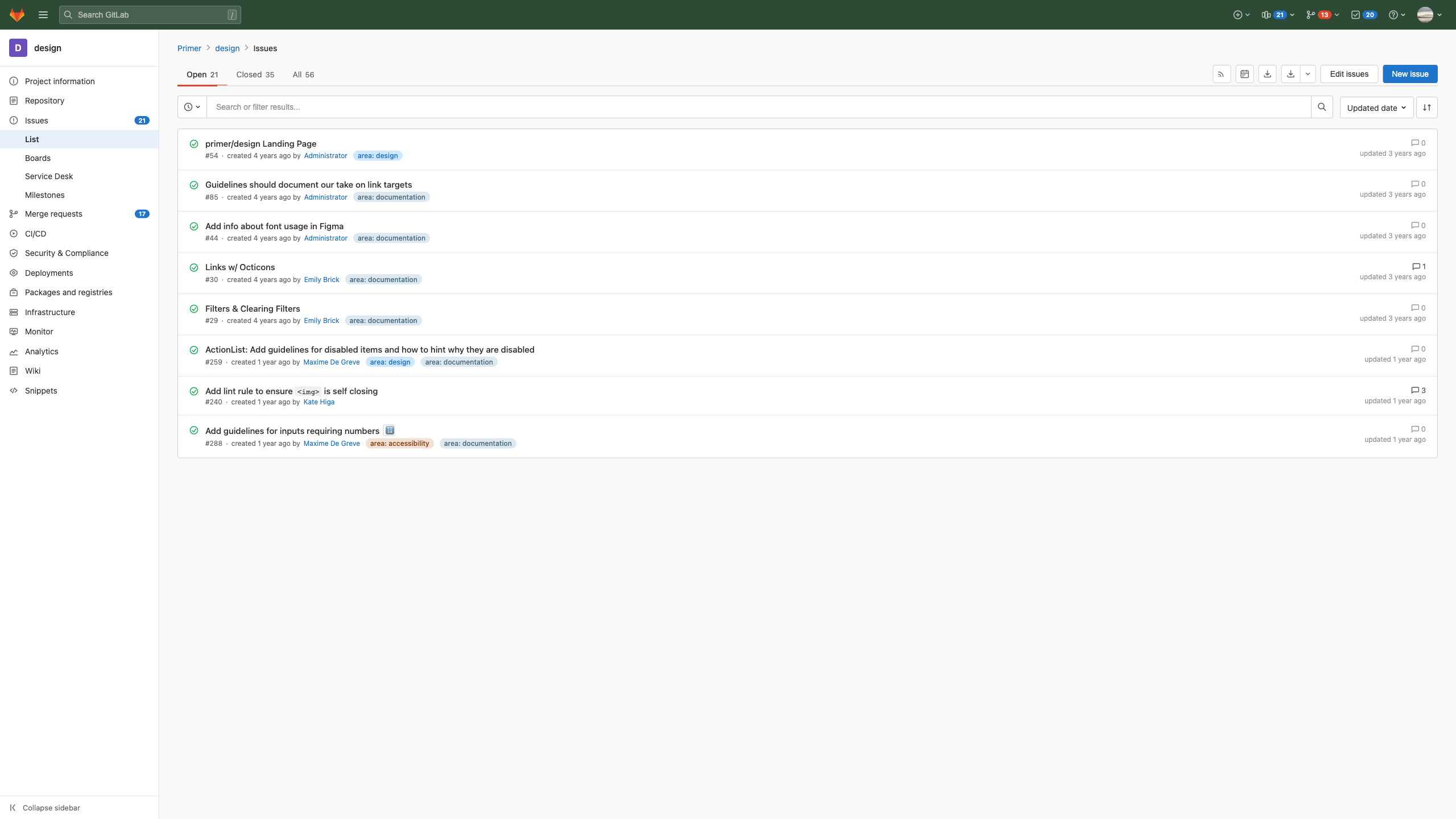
{"id": "grounding-claudesonn-desktop_task__refere-d94c98e5", "context": "desktop_task__refere", "description": "This is a GitLab issues list page for a project called \"design\". The layout shows:\n\n1. **Top navigation bar**: Dark green/teal background with GitLab fox logo, hamburger menu, search bar with \"/\" shortcut, and right-side icons (create button, pipeline status showing 21, merge requests showing 13, todos showing 20, help, and user avatar with dropdown)\n\n2. **Left sidebar**: White/light background with project navigation items including:\n - \"D design\" header\n - Project information, Repository, Issues (with badge 21, currently selected), List (active/highlighted), Boards, Service Desk, Milestones\n - Merge requests (17), CI/CD, Security & Compliance, Deployments, Packages and registries, Infrastructure, Monitor, Analytics, Wiki, Snippets\n - \"Collapse sidebar\" at bottom\n\n3. **Main content area**: \n - Breadcrumb: Primer > design > Issues\n - Tabs: Open (21, active with underline), Closed (35), All (56)\n - Action buttons: RSS feed, calendar, export, download, Edit issues, New issue (blue button)\n - Search/filter bar with \"Updated date\" sort and sort direction toggle\n - List of issues with titles, issue numbers, creation dates, authors, labels, comment counts, and update times\n\n**Issues listed:**\n1. primer/design Landing Page - #54, Administrator, \"area: design\" label\n2. Guidelines should document our take on link targets - #85, Administrator, \"area: documentation\"\n3. Add info about font usage in Figma - #44, Administrator, \"area: documentation\"\n4. Links w/ Octicons - #30, Emily Brick, \"area: documentation\", 1 comment\n5. Filters & Clearing Filters - #29, Emily Brick, \"area: documentation\"\n6. ActionList: Add guidelines for disabled items... - #259, Maxime De Greve, \"area: design\" + \"area: documentation\"\n7. Add lint rule to ensure `<img>` is self closing - #240, Kate Higa, 3 comments\n8. Add guidelines for inputs requiring numbers - #288, Maxime De Greve, \"area: accessibility\" + \"area: documentation\"", "platform": "GitLab Web Interface (Linux/Web Browser)", "dimensions": [2560, 1440], "model_name": "claude-sonnet-4-6"}
|
<!DOCTYPE html>
<html lang="en">
<head>
<meta charset="UTF-8">
<meta name="viewport" content="width=2560">
<title>design · Issues · GitLab</title>
<style>
  * {
    margin: 0;
    padding: 0;
    box-sizing: border-box;
  }
  body {
    font-family: -apple-system, BlinkMacSystemFont, 'Segoe UI', Roboto, 'Helvetica Neue', Arial, sans-serif;
    font-size: 14px;
    color: #303030;
    background-color: #f0f0f0;
    width: 2560px;
    height: 1440px;
    overflow: hidden;
  }

  /* TOP NAVIGATION */
  .top-nav {
    background-color: #2d4a35;
    height: 52px;
    display: flex;
    align-items: center;
    padding: 0 16px;
    gap: 12px;
    position: fixed;
    top: 0;
    left: 0;
    right: 0;
    z-index: 100;
  }

  .nav-logo {
    display: flex;
    align-items: center;
    margin-right: 4px;
  }

  .nav-hamburger {
    display: flex;
    align-items: center;
    justify-content: center;
    width: 32px;
    height: 32px;
    cursor: pointer;
    color: rgba(255,255,255,0.7);
  }

  .nav-search {
    flex: 0 0 auto;
    width: 320px;
  }

  .nav-search input {
    width: 100%;
    height: 32px;
    background-color: rgba(255,255,255,0.13);
    border: 1px solid rgba(255,255,255,0.2);
    border-radius: 4px;
    padding: 0 32px 0 32px;
    color: rgba(255,255,255,0.9);
    font-size: 14px;
    outline: none;
  }

  .nav-search input::placeholder {
    color: rgba(255,255,255,0.6);
  }

  .nav-search-wrapper {
    position: relative;
    display: flex;
    align-items: center;
  }

  .nav-search-icon {
    position: absolute;
    left: 8px;
    color: rgba(255,255,255,0.6);
  }

  .nav-search-slash {
    position: absolute;
    right: 8px;
    color: rgba(255,255,255,0.5);
    font-size: 12px;
    border: 1px solid rgba(255,255,255,0.3);
    border-radius: 3px;
    padding: 1px 5px;
    background: rgba(255,255,255,0.1);
  }

  .nav-spacer {
    flex: 1;
  }

  .nav-right {
    display: flex;
    align-items: center;
    gap: 4px;
  }

  .nav-icon-btn {
    display: flex;
    align-items: center;
    gap: 4px;
    color: rgba(255,255,255,0.8);
    cursor: pointer;
    padding: 4px 8px;
    border-radius: 4px;
    font-size: 13px;
    height: 32px;
  }

  .nav-icon-btn:hover {
    background: rgba(255,255,255,0.1);
  }

  .nav-badge {
    background: #1f75cb;
    color: white;
    border-radius: 10px;
    padding: 1px 6px;
    font-size: 11px;
    font-weight: 600;
    min-width: 20px;
    text-align: center;
  }

  .nav-badge-orange {
    background: #e24329;
  }

  .nav-badge-blue {
    background: #1f75cb;
  }

  .nav-avatar {
    width: 28px;
    height: 28px;
    border-radius: 50%;
    background: linear-gradient(135deg, #e8a87c, #d4665a);
    display: flex;
    align-items: center;
    justify-content: center;
    overflow: hidden;
  }

  /* MAIN LAYOUT */
  .main-layout {
    display: flex;
    margin-top: 52px;
    height: calc(1440px - 52px);
  }

  /* LEFT SIDEBAR */
  .sidebar {
    width: 280px;
    min-width: 280px;
    background-color: #fff;
    border-right: 1px solid #e5e5e5;
    height: 100%;
    display: flex;
    flex-direction: column;
    overflow-y: auto;
  }

  .sidebar-project-header {
    display: flex;
    align-items: center;
    padding: 16px 16px;
    gap: 12px;
    border-bottom: 1px solid #e5e5e5;
  }

  .project-avatar {
    width: 32px;
    height: 32px;
    background-color: #6b4fbb;
    border-radius: 4px;
    display: flex;
    align-items: center;
    justify-content: center;
    color: white;
    font-size: 16px;
    font-weight: 600;
    flex-shrink: 0;
  }

  .project-name {
    font-size: 15px;
    font-weight: 600;
    color: #303030;
  }

  .sidebar-nav {
    flex: 1;
    padding: 8px 0;
  }

  .sidebar-nav-item {
    display: flex;
    align-items: center;
    padding: 9px 16px;
    gap: 12px;
    color: #303030;
    cursor: pointer;
    font-size: 14px;
    text-decoration: none;
    position: relative;
  }

  .sidebar-nav-item:hover {
    background-color: #f5f5f5;
  }

  .side
|
6
|
grounding-claudesonn-desktop_task__shell_-010d01ca
|
|
[
  {
    "height": 52,
    "intent": [
      "Click the rail-analytics folder icon on the desktop",
      "Open the rail-analytics directory from the desktop",
      "Double-click the folder to browse rail analytics files",
      "Launch the rail-analytics file manager view",
      "Access the rail-analytics data folder on the desktop"
    ],
    "name": "rail-analytics desktop folder icon",
    "width": 52,
    "x_center": 3720,
    "y_center": 66
  },
  {
    "height": 51,
    "intent": [
      "Click the rail-analytics icon to open the folder",
      "Open the rail-analytics directory by clicking its label",
      "Double-click rail-analytics to navigate to that folder",
      "Select the rail-analytics desktop shortcut",
      "Launch the rail-analytics folder from the desktop"
    ],
    "name": "rail-analytics desktop icon label",
    "width": 120,
    "x_center": 3720,
    "y_center": 127
  },
  {
    "height": 24,
    "intent": [
      "Click the red close button to close the terminal window",
      "Close the GNOME Terminal application",
      "Dismiss and terminate the current terminal session",
      "Shut down the terminal window using the close control",
      "Press the close button to exit the terminal"
    ],
    "name": "Terminal window close button",
    "width": 24,
    "x_center": 356,
    "y_center": 160
  },
  {
    "height": 24,
    "intent": [
      "Click the yellow minimize button to hide the terminal",
      "Minimize the terminal window to the taskbar",
      "Send the terminal to the background by minimizing it",
      "Collapse the terminal window using the minimize control",
      "Hide the terminal window without closing it"
    ],
    "name": "Terminal window minimize button",
    "width": 24,
    "x_center": 394,
    "y_center": 160
  },
  {
    "height": 24,
    "intent": [
      "Click the green maximize button to expand the terminal",
      "Maximize the terminal window to fill the screen",
      "Make the terminal window full screen",
      "Expand the terminal to its maximum size",
      "Press the maximize control to enlarge the terminal window"
    ],
    "name": "Terminal window maximize button",
    "width": 24,
    "x_center": 432,
    "y_center": 160
  },
  {
    "height": 43,
    "intent": [
      "Click the main terminal tab to switch to the rail-analytics session",
      "Select the rail-ops@TrackControl-01 tab",
      "Switch to the active terminal session in ~/rail-analytics",
      "Navigate to the primary terminal tab",
      "Focus the main rail-ops terminal session"
    ],
    "name": "Main terminal tab (rail-ops@TrackControl-01: ~/rail-analytics)",
    "width": 610,
    "x_center": 779,
    "y_center": 160
  },
  {
    "height": 43,
    "intent": [
      "Click the monitor tab to switch to the logs session",
      "Switch to the monitor terminal viewing ~/logs",
      "Open the logs monitoring terminal tab",
      "Navigate to the monitor: ~/logs tab in the terminal",
      "Select the second terminal tab for log monitoring"
    ],
    "name": "Monitor logs terminal tab",
    "width": 254,
    "x_center": 1215,
    "y_center": 160
  },
  {
    "height": 43,
    "intent": [
      "Click the psql tab to switch to the database session",
      "Switch to the PostgreSQL raildb terminal tab",
      "Open the raildb database terminal session",
      "Navigate to the psql: raildb tab",
      "Select the database terminal tab for rail DB queries"
    ],
    "name": "PostgreSQL raildb terminal tab",
    "width": 214,
    "x_center": 1453,
    "y_center": 160
  },
  {
    "height": 31,
    "intent": [
      "Click the File menu in the terminal menu bar",
      "Open the File menu to access terminal file options",
      "Access file-related terminal actions via the File menu",
      "Open a new terminal tab or window through the File menu",
      "Expand the File dropdown in the terminal"
    ],
    "name": "Terminal File menu",
    "width": 52,
    "x_center": 366,
    "y_center": 2
|
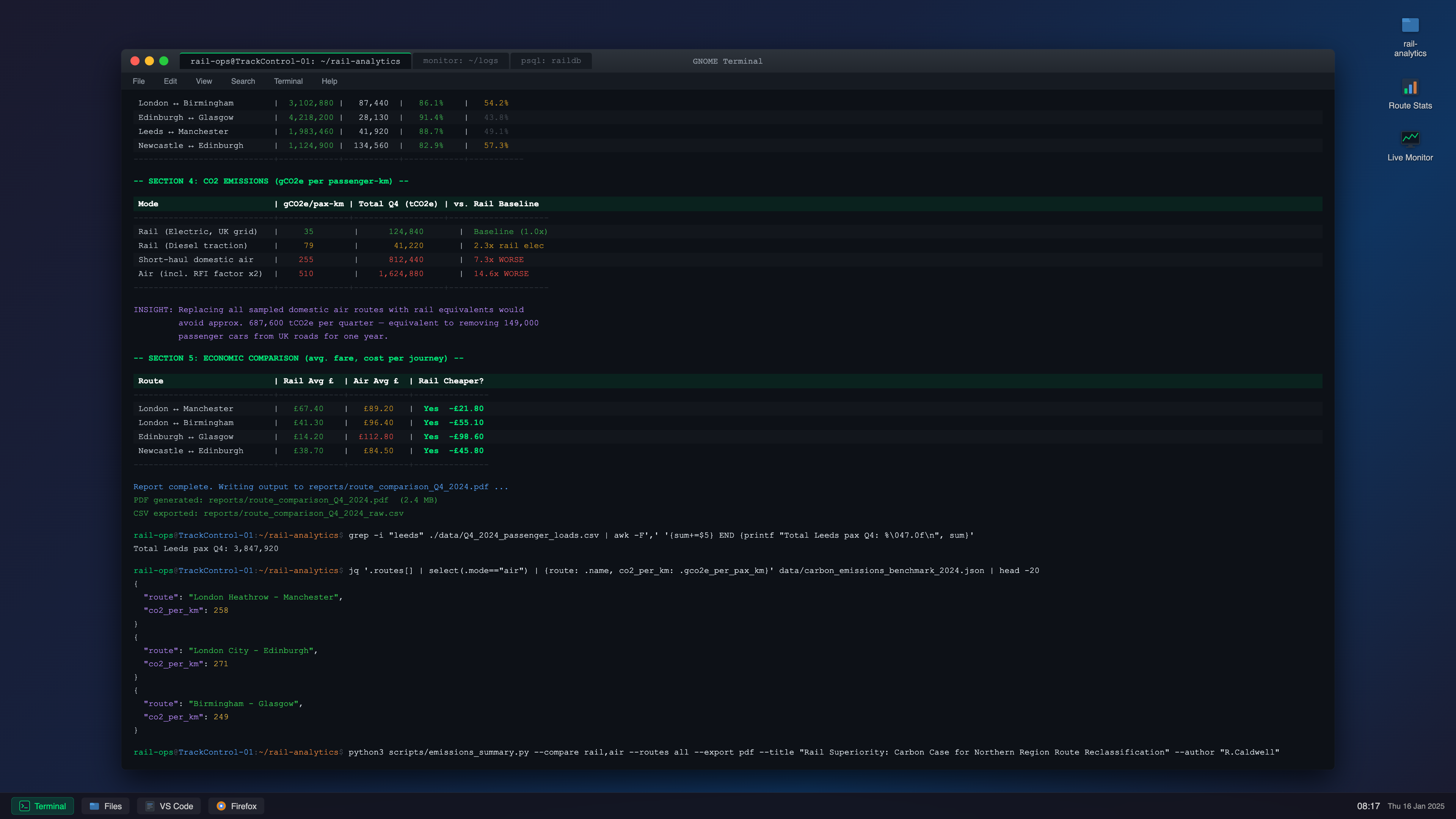
{"id": "grounding-claudesonn-desktop_task__shell_-010d01ca", "context": "desktop_task__shell_", "description": "A Linux terminal environment (Ubuntu) on a 4K display in windowed mode. The window shows a train operations director working in a Bash shell, mid-task analyzing rail network performance data. The terminal displays a dark theme (similar to GNOME Terminal with a dark Solarized or custom dark theme) with green/cyan text on near-black background.\n\nThe session shows:\n- A terminal window titled \"rail-ops@TrackControl-01: ~/rail-analytics\" \n- Previous commands showing passenger load analysis, route comparison scripts\n- A currently running Python script that outputs a rail vs. air regional route comparison table\n- Partially completed output showing statistics for routes like London-Manchester, London-Birmingham, Edinburgh-Glasgow\n- An active command being typed at the bottom comparing CO2 emissions\n- The window includes a tab bar at top, minimize/maximize/close buttons\n- Side panel shows file system navigation hints\n- Output includes colored ANSI table formatting with route names, journey times, on-time percentages, passenger volumes\n- A grep command result visible showing filtered timetable data\n- The directory prompt shows `rail-ops@TrackControl-01:~/rail-analytics$`\n\nThe terminal has multiple visible command outputs, showing this is an active working session not a fresh terminal.", "platform": "Ubuntu 22.04 LTS", "dimensions": [3840, 2160], "model_name": "claude-sonnet-4-6"}
|
<!DOCTYPE html>
<html lang="en">
<head>
<meta charset="UTF-8">
<meta name="viewport" content="width=device-width, initial-scale=1.0">
<title>Terminal - rail-ops@TrackControl-01</title>
<style>
  * {
    margin: 0;
    padding: 0;
    box-sizing: border-box;
  }

  body {
    background: #2c2c2c;
    font-family: 'Segoe UI', sans-serif;
    width: 3840px;
    height: 2160px;
    overflow: hidden;
    display: flex;
    align-items: center;
    justify-content: center;
  }

  /* Desktop background */
  .desktop {
    width: 3840px;
    height: 2160px;
    background: linear-gradient(135deg, #1a1a2e 0%, #16213e 40%, #0f3460 70%, #1a1a2e 100%);
    position: relative;
    display: flex;
    align-items: center;
    justify-content: center;
  }

  /* Desktop icons area */
  .desktop-icons {
    position: absolute;
    top: 40px;
    right: 60px;
    display: flex;
    flex-direction: column;
    gap: 50px;
  }

  .desktop-icon {
    display: flex;
    flex-direction: column;
    align-items: center;
    gap: 10px;
    cursor: pointer;
    opacity: 0.85;
  }

  .desktop-icon svg {
    filter: drop-shadow(0 2px 4px rgba(0,0,0,0.5));
  }

  .desktop-icon span {
    color: #e0e0e0;
    font-size: 22px;
    text-shadow: 1px 1px 3px rgba(0,0,0,0.8);
    font-family: 'Ubuntu', 'Segoe UI', sans-serif;
    text-align: center;
    max-width: 120px;
  }

  /* Taskbar */
  .taskbar {
    position: absolute;
    bottom: 0;
    left: 0;
    width: 100%;
    height: 70px;
    background: rgba(20, 20, 30, 0.92);
    backdrop-filter: blur(10px);
    border-top: 1px solid rgba(255,255,255,0.08);
    display: flex;
    align-items: center;
    padding: 0 30px;
    gap: 20px;
    z-index: 10;
  }

  .taskbar-app {
    display: flex;
    align-items: center;
    gap: 12px;
    padding: 8px 20px;
    border-radius: 8px;
    background: rgba(255,255,255,0.06);
    cursor: pointer;
  }

  .taskbar-app.active {
    background: rgba(0, 180, 120, 0.2);
    border: 1px solid rgba(0, 200, 130, 0.4);
  }

  .taskbar-app span {
    color: #ccc;
    font-size: 22px;
    font-family: 'Ubuntu', sans-serif;
  }

  .taskbar-app.active span {
    color: #00e676;
  }

  .taskbar-clock {
    margin-left: auto;
    color: #ccc;
    font-size: 24px;
    font-family: 'Ubuntu', sans-serif;
  }

  .taskbar-date {
    color: #999;
    font-size: 20px;
    font-family: 'Ubuntu', sans-serif;
  }

  /* Terminal Window */
  .terminal-window {
    width: 3200px;
    height: 1900px;
    background: #0d1117;
    border-radius: 12px;
    box-shadow: 0 30px 80px rgba(0,0,0,0.7), 0 0 0 1px rgba(255,255,255,0.06);
    display: flex;
    flex-direction: column;
    overflow: hidden;
    position: relative;
    z-index: 5;
  }

  /* Terminal Title Bar */
  .terminal-titlebar {
    height: 62px;
    background: linear-gradient(180deg, #2d333b 0%, #22272e 100%);
    display: flex;
    align-items: center;
    padding: 0 24px;
    border-bottom: 1px solid #1c2128;
    flex-shrink: 0;
    user-select: none;
  }

  .window-controls {
    display: flex;
    gap: 14px;
    align-items: center;
  }

  .wc-btn {
    width: 24px;
    height: 24px;
    border-radius: 50%;
    border: none;
    cursor: pointer;
    position: relative;
  }

  .wc-close { background: #ff5f56; }
  .wc-minimize { background: #ffbd2e; }
  .wc-maximize { background: #27c93f; }

  .terminal-tabs {
    display: flex;
    gap: 4px;
    margin-left: 30px;
    flex: 1;
  }

  .term-tab {
    padding: 8px 28px;
    border-radius: 6px 6px 0 0;
    font-size: 22px;
    font-family: 'Ubuntu Mono', 'Courier New', monospace;
    cursor: pointer;
    color: #8b949e;
  }

  .term-tab.active {
    background: #0d1117;
    color: #c9d1d9;
    border-top: 2px solid #00e676;
  }

  .term-tab.inactive {
    background: #161b22;
    color: #6e7681;
  }

  .titlebar-title {
    font-size: 22px;
    color: #8b949e;
    font-family: 'Ubuntu Mono', monospace;
    text-align: center;
    position: absolute;
    left: 50%;
    transform: translate
|
7
|
grounding-claudesonn-desktop_task__notion-fd47f3b2
|
|
[
  {
    "height": 12,
    "intent": [
      "Click the red dot to close the application window",
      "Close the current Notion window",
      "Dismiss and shut down the app using the red traffic light button",
      "Terminate the window by pressing the close button",
      "Exit the application via the macOS close button"
    ],
    "name": "Close window button",
    "width": 12,
    "x_center": 22,
    "y_center": 19
  },
  {
    "height": 12,
    "intent": [
      "Click the yellow dot to minimize the window",
      "Minimize the Notion window to the dock",
      "Hide the window using the minimize traffic light button",
      "Collapse the app window to the taskbar",
      "Press the yellow minimize button in the titlebar"
    ],
    "name": "Minimize window button",
    "width": 12,
    "x_center": 42,
    "y_center": 19
  },
  {
    "height": 12,
    "intent": [
      "Click the green dot to maximize the window",
      "Enter full screen mode using the green traffic light button",
      "Expand the Notion window to fill the screen",
      "Toggle full screen with the green titlebar button",
      "Zoom the window to maximum size"
    ],
    "name": "Maximize window button",
    "width": 12,
    "x_center": 62,
    "y_center": 19
  },
  {
    "height": 15,
    "intent": [
      "View the current page and application title in the titlebar",
      "Identify which document is currently open in Notion",
      "Read the window title to confirm you are on the NeuralDx due diligence page",
      "Check the active document name from the titlebar",
      "Locate the title bar to see the page context"
    ],
    "name": "Window title: NeuralDx Health Series B Due Diligence",
    "width": 1340,
    "x_center": 754,
    "y_center": 19
  },
  {
    "height": 13,
    "intent": [
      "Click the X to close the comments panel",
      "Dismiss the comment sidebar",
      "Hide the comments panel by pressing the close icon",
      "Close the thread panel using the X button",
      "Collapse the comment view"
    ],
    "name": "Close comments panel button",
    "width": 13,
    "x_center": 1417,
    "y_center": 56
  },
  {
    "height": 15,
    "intent": [
      "View how many comments are on this page",
      "Check the total number of open comment threads",
      "See there are 4 active comments on the document",
      "Identify the comment count in the panel header",
      "Review the badge to understand comment activity"
    ],
    "name": "Comment count badge showing 4 comments",
    "width": 21,
    "x_center": 1286,
    "y_center": 57
  },
  {
    "height": 15,
    "intent": [
      "Click Deal Pipeline in the breadcrumb to navigate up to the pipeline view",
      "Go back to the Deal Pipeline section",
      "Navigate to the parent Deal Pipeline page via breadcrumb",
      "Use the breadcrumb to jump to Deal Pipeline",
      "Return to the Deal Pipeline from the current page"
    ],
    "name": "Deal Pipeline breadcrumb navigation link",
    "width": 78,
    "x_center": 295,
    "y_center": 59
  },
  {
    "height": 15,
    "intent": [
      "Click Active Due Diligence in the breadcrumb to navigate to that section",
      "Go up one level to the Active Due Diligence folder",
      "Navigate to Active Due Diligence via the breadcrumb trail",
      "Use the breadcrumb to jump back to Active Due Diligence",
      "Return to the Active Due Diligence list page"
    ],
    "name": "Active Due Diligence breadcrumb navigation link",
    "width": 124,
    "x_center": 414,
    "y_center": 59
  },
  {
    "height": 15,
    "intent": [
      "View the current page name NeuralDx Health in the breadcrumb",
      "Confirm you are on the NeuralDx Health due diligence page",
      "Read the active page indicator in the breadcrumb",
      "Identify the current document from the breadcrumb trail",
      "Check which company's due diligence page is open"
    ],
    "name": "Current page breadcrumb: NeuralDx Health",
    "width": 100,
    "x_cente
|
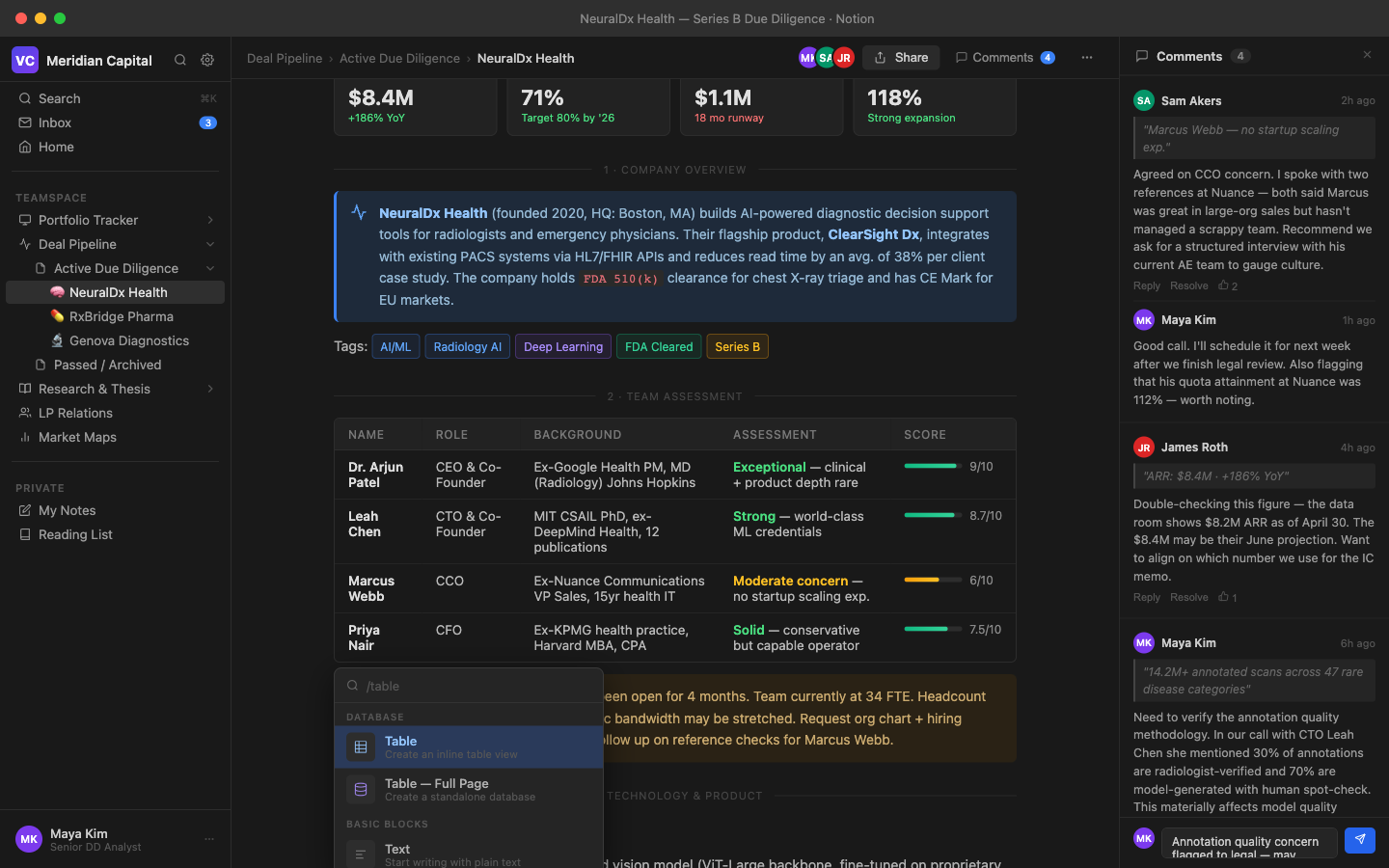
{"id": "grounding-claudesonn-desktop_task__notion-fd47f3b2", "context": "desktop_task__notion", "description": "A fullscreen Notion workspace showing a due diligence analyst actively working on a health tech company analysis report. The page displays a detailed due diligence document for a company called \"NeuralDx Health\" - an AI-powered diagnostic platform. The interface shows the classic Notion dark-themed workspace with a left sidebar containing a navigation tree with multiple pages, and the main content area displaying a rich document with headings, tables, callout blocks, and progress indicators. The analyst is mid-task, with a partially completed competitive analysis table, some sections filled in and others still marked as TODO. There's a comment thread visible on the right side suggesting active collaboration. The document shows financial metrics, market analysis notes, team assessment sections, and a technology stack review. The Notion interface uses the characteristic sans-serif typography, dark sidebar (#191919), and white content area with subtle shadows. A slash command dropdown or inline mention appears to be open, showing the mid-task state.", "platform": "MacOS Ventura", "dimensions": [1440, 900], "model_name": "claude-sonnet-4-6"}
|
<!DOCTYPE html>
<html lang="en">
<head>
<meta charset="UTF-8">
<meta name="viewport" content="width=device-width, initial-scale=1.0">
<title>Notion - NeuralDx Health Due Diligence</title>
<style>
  * { margin: 0; padding: 0; box-sizing: border-box; }
  body { font-family: -apple-system, BlinkMacSystemFont, 'Segoe UI', sans-serif; background: #1f1f1f; color: #e8e8e8; height: 900px; width: 1440px; overflow: hidden; display: flex; flex-direction: column; }

  /* Titlebar */
  .titlebar {
    height: 38px;
    background: #2f2f2f;
    display: flex;
    align-items: center;
    padding: 0 16px;
    -webkit-app-region: drag;
    flex-shrink: 0;
  }
  .titlebar-dots {
    display: flex;
    gap: 8px;
    margin-right: 16px;
  }
  .dot { width: 12px; height: 12px; border-radius: 50%; }
  .dot-red { background: #ff5f57; }
  .dot-yellow { background: #febc2e; }
  .dot-green { background: #28c840; }
  .titlebar-title {
    font-size: 13px;
    color: #888;
    flex: 1;
    text-align: center;
    font-weight: 400;
  }

  /* Main layout */
  .app-container {
    display: flex;
    flex: 1;
    height: calc(900px - 38px);
    overflow: hidden;
  }

  /* Sidebar */
  .sidebar {
    width: 240px;
    background: #191919;
    display: flex;
    flex-direction: column;
    flex-shrink: 0;
    border-right: 1px solid #2d2d2d;
    overflow: hidden;
  }
  .sidebar-header {
    padding: 10px 12px 8px;
    display: flex;
    align-items: center;
    gap: 8px;
    border-bottom: 1px solid #2d2d2d;
  }
  .workspace-icon {
    width: 28px; height: 28px;
    background: linear-gradient(135deg, #4f46e5, #7c3aed);
    border-radius: 6px;
    display: flex; align-items: center; justify-content: center;
    font-size: 14px; color: white; font-weight: 700;
  }
  .workspace-name {
    font-size: 14px;
    font-weight: 600;
    color: #e0e0e0;
    flex: 1;
  }
  .sidebar-actions {
    display: flex;
    gap: 4px;
  }
  .sidebar-action-btn {
    width: 24px; height: 24px;
    border-radius: 4px;
    display: flex; align-items: center; justify-content: center;
    cursor: pointer;
    color: #888;
  }
  .sidebar-action-btn:hover { background: #2d2d2d; color: #ccc; }

  .sidebar-section {
    padding: 4px 0;
  }
  .sidebar-section-label {
    font-size: 11px;
    font-weight: 600;
    color: #555;
    text-transform: uppercase;
    letter-spacing: 0.06em;
    padding: 8px 16px 4px;
  }
  .sidebar-item {
    display: flex;
    align-items: center;
    padding: 4px 8px 4px 12px;
    cursor: pointer;
    border-radius: 4px;
    margin: 1px 6px;
    gap: 6px;
    font-size: 13.5px;
    color: #9a9a9a;
    position: relative;
  }
  .sidebar-item:hover { background: #2a2a2a; color: #ddd; }
  .sidebar-item.active { background: #2f2f2f; color: #e0e0e0; }
  .sidebar-item-icon { width: 16px; height: 16px; flex-shrink: 0; display: flex; align-items: center; justify-content: center; font-size: 13px; }
  .sidebar-item-text { flex: 1; white-space: nowrap; overflow: hidden; text-overflow: ellipsis; }
  .sidebar-item-badge {
    font-size: 10px;
    background: #3b82f6;
    color: white;
    border-radius: 10px;
    padding: 1px 6px;
  }
  .sidebar-sub-item {
    padding-left: 28px;
  }
  .sidebar-sub-sub-item {
    padding-left: 44px;
  }
  .expand-arrow {
    width: 14px; height: 14px;
    color: #555;
    transition: transform 0.15s;
    flex-shrink: 0;
  }
  .expand-arrow.open { transform: rotate(90deg); }

  .sidebar-divider {
    height: 1px;
    background: #2d2d2d;
    margin: 8px 12px;
  }

  .sidebar-new-page {
    display: flex;
    align-items: center;
    gap: 6px;
    padding: 6px 12px;
    margin: 2px 6px;
    border-radius: 4px;
    cursor: pointer;
    font-size: 13px;
    color: #666;
  }
  .sidebar-new-page:hover { background: #2a2a2a; color: #999; }

  /* Main content */
  .main-content {
    flex: 1;
    display: flex;
    flex-direction: column;
    background: #191919;
    overflow: hidden;
  }

  .page-topbar {
    height: 44px;
    display: flex;
|
8
|
grounding-claudesonn-desktop_task__visual-e74f23c8
|
|
[
  {
    "height": 20,
    "intent": [
      "Click the File menu to access file operations",
      "Open the File menu to create or save files",
      "Access File menu options like New File or Open Folder",
      "Navigate to the File menu in the menu bar",
      "Use the File menu to manage project files"
    ],
    "name": "File menu",
    "width": 44,
    "x_center": 52,
    "y_center": 14
  },
  {
    "height": 20,
    "intent": [
      "Click the Edit menu to access editing operations",
      "Open the Edit menu to find cut, copy, or paste options",
      "Access the Edit menu to undo or redo changes",
      "Navigate to the Edit menu in the menu bar",
      "Use the Edit menu to find and replace text"
    ],
    "name": "Edit menu",
    "width": 44,
    "x_center": 99,
    "y_center": 14
  },
  {
    "height": 20,
    "intent": [
      "Click the Selection menu to access text selection options",
      "Open the Selection menu to select all occurrences",
      "Use the Selection menu to add cursors or expand selection",
      "Navigate to the Selection menu in the menu bar",
      "Access the Selection menu for multi-cursor editing options"
    ],
    "name": "Selection menu",
    "width": 80,
    "x_center": 164,
    "y_center": 14
  },
  {
    "height": 20,
    "intent": [
      "Click the View menu to toggle UI panels",
      "Open the View menu to show or hide the terminal",
      "Access the View menu to change editor layout",
      "Navigate to the View menu in the menu bar",
      "Use the View menu to open the command palette"
    ],
    "name": "View menu",
    "width": 44,
    "x_center": 228,
    "y_center": 14
  },
  {
    "height": 20,
    "intent": [
      "Click the Go menu to navigate within the codebase",
      "Open the Go menu to jump to a specific line or symbol",
      "Use the Go menu to navigate to a file",
      "Access the Go menu for code navigation options",
      "Navigate to the Go menu in the menu bar"
    ],
    "name": "Go menu",
    "width": 30,
    "x_center": 268,
    "y_center": 14
  },
  {
    "height": 20,
    "intent": [
      "Click the Run menu to start running or debugging the code",
      "Open the Run menu to add a debug configuration",
      "Use the Run menu to start debugging the Python script",
      "Access the Run menu for run and debug options",
      "Navigate to the Run menu in the menu bar"
    ],
    "name": "Run menu",
    "width": 37,
    "x_center": 304,
    "y_center": 14
  },
  {
    "height": 20,
    "intent": [
      "Click the Terminal menu to open a new terminal",
      "Use the Terminal menu to manage terminal instances",
      "Open a new terminal session from the Terminal menu",
      "Access the Terminal menu to split or kill terminals",
      "Navigate to the Terminal menu in the menu bar"
    ],
    "name": "Terminal menu",
    "width": 73,
    "x_center": 362,
    "y_center": 14
  },
  {
    "height": 20,
    "intent": [
      "Click the Help menu to access documentation",
      "Open the Help menu to check for updates",
      "Use the Help menu to find keyboard shortcuts",
      "Navigate to the Help menu in the menu bar",
      "Access the Help menu to learn about VS Code features"
    ],
    "name": "Help menu",
    "width": 44,
    "x_center": 423,
    "y_center": 14
  },
  {
    "height": 1,
    "intent": [
      "Click the minimize button to minimize the VS Code window",
      "Minimize the application window to the taskbar",
      "Collapse the VS Code window using the minimize button",
      "Hide the editor window by clicking minimize",
      "Press the minimize button to shrink the window to taskbar"
    ],
    "name": "Minimize window button",
    "width": 10,
    "x_center": 1317,
    "y_center": 14
  },
  {
    "height": 10,
    "intent": [
      "Click the maximize button to expand the VS Code window to full screen",
      "Maximize the editor window for more workspace",
      "Toggle the window maximize state",
      "Make the VS Code
|
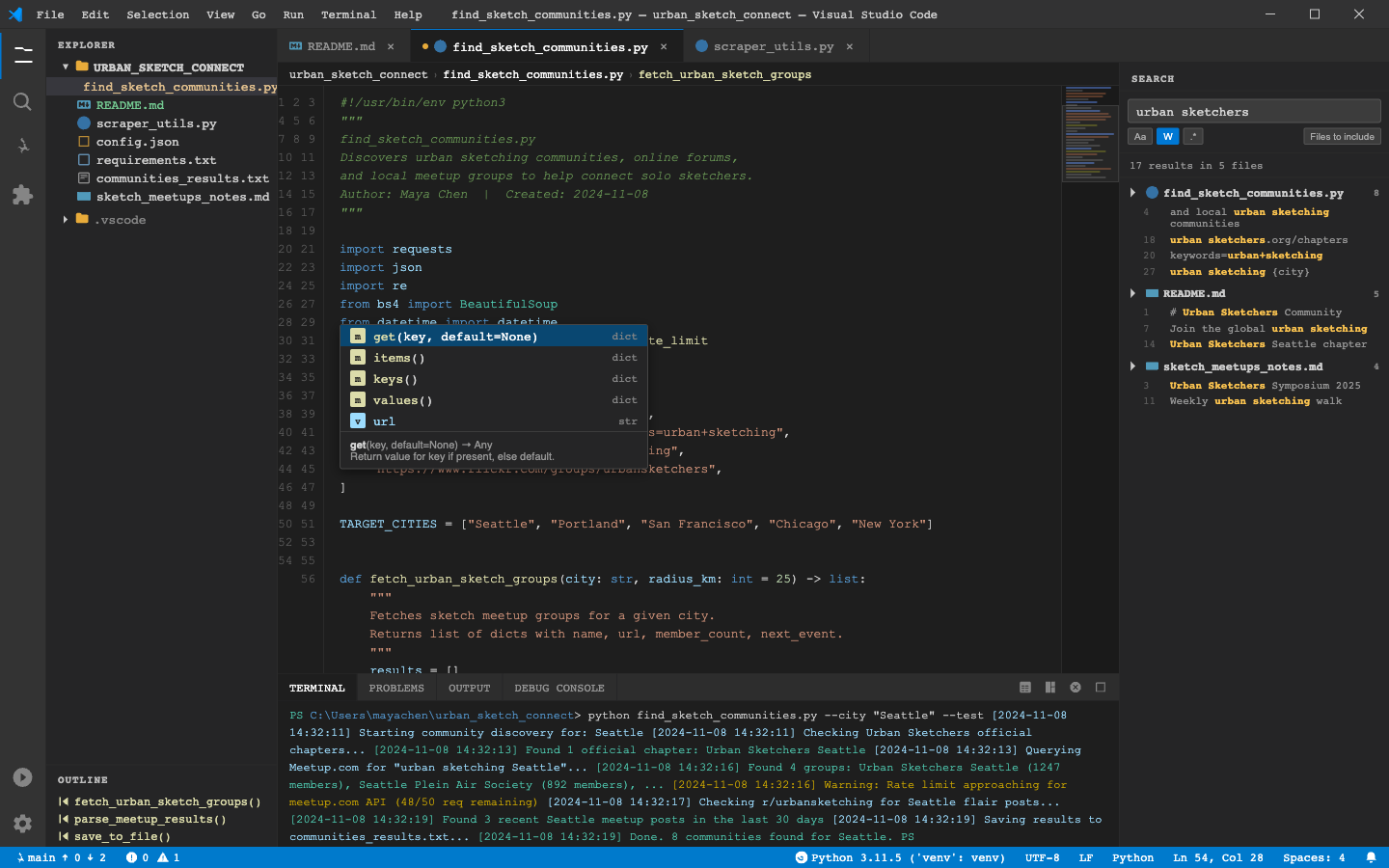
{"id": "grounding-claudesonn-desktop_task__visual-e74f23c8", "context": "desktop_task__visual", "description": "A Visual Studio Code window on Windows 10, showing an aspiring urban sketcher's project. The user is actively working on a Python script called \"find_sketch_communities.py\" that scrapes and lists urban sketching communities, meetup groups, and online forums. The editor shows partially written code with syntax highlighting. There's an integrated terminal at the bottom showing some output. The file explorer on the left shows a project folder called \"urban_sketch_connect\" with several files. There's a search panel open on the right side showing results for \"urban sketchers\". The status bar at the bottom shows Python interpreter info. There are multiple tabs open including the main script and a README.md file that's been partially edited. The color theme is dark (One Dark Pro inspired). Evidence of active work: a dropdown autocomplete suggestion is visible, some code is selected/highlighted, and the terminal shows recent command output.", "platform": "Windows 10", "dimensions": [1440, 900], "model_name": "claude-sonnet-4-6"}
|
<!DOCTYPE html>
<html lang="en">
<head>
<meta charset="UTF-8">
<meta name="viewport" content="width=device-width, initial-scale=1.0">
<title>Visual Studio Code - urban_sketch_connect</title>
<style>
  * { margin: 0; padding: 0; box-sizing: border-box; }
  body {
    font-family: 'Segoe UI', 'Consolas', monospace;
    background: #1e1e1e;
    color: #d4d4d4;
    width: 1440px;
    height: 900px;
    overflow: hidden;
    font-size: 13px;
  }

  /* Title Bar */
  #title-bar {
    background: #323233;
    height: 30px;
    display: flex;
    align-items: center;
    justify-content: space-between;
    padding: 0 8px;
    -webkit-app-region: drag;
    border-bottom: 1px solid #2a2a2a;
  }
  #title-bar-left {
    display: flex;
    align-items: center;
    gap: 6px;
  }
  #vscode-icon {
    width: 16px;
    height: 16px;
  }
  #menu-bar {
    display: flex;
    gap: 2px;
  }
  .menu-item {
    padding: 3px 8px;
    font-size: 12px;
    color: #cccccc;
    cursor: pointer;
    border-radius: 3px;
  }
  .menu-item:hover { background: #3c3c3c; }
  #title-text {
    font-size: 12px;
    color: #cccccc;
    position: absolute;
    left: 50%;
    transform: translateX(-50%);
  }
  #window-controls {
    display: flex;
    gap: 0;
  }
  .win-btn {
    width: 46px;
    height: 30px;
    display: flex;
    align-items: center;
    justify-content: center;
    cursor: pointer;
    font-size: 10px;
    color: #cccccc;
  }
  .win-btn:hover { background: #3c3c3c; }
  #win-close:hover { background: #c42b1c; }

  /* Main Layout */
  #main-layout {
    display: flex;
    height: calc(900px - 30px - 22px);
  }

  /* Activity Bar */
  #activity-bar {
    width: 48px;
    background: #333333;
    display: flex;
    flex-direction: column;
    align-items: center;
    padding-top: 4px;
    border-right: 1px solid #2a2a2a;
  }
  .activity-icon {
    width: 48px;
    height: 48px;
    display: flex;
    align-items: center;
    justify-content: center;
    cursor: pointer;
    position: relative;
    color: #858585;
  }
  .activity-icon.active {
    color: #ffffff;
    border-left: 2px solid #0078d4;
  }
  .activity-icon:hover { color: #cccccc; }
  .activity-icon svg { width: 24px; height: 24px; }

  /* Sidebar */
  #sidebar {
    width: 240px;
    background: #252526;
    border-right: 1px solid #2a2a2a;
    display: flex;
    flex-direction: column;
  }
  #sidebar-header {
    padding: 10px 12px 6px;
    font-size: 11px;
    font-weight: 600;
    color: #bbbbbb;
    letter-spacing: 0.08em;
    text-transform: uppercase;
  }
  #file-tree {
    flex: 1;
    overflow-y: auto;
    font-size: 13px;
  }
  .tree-folder {
    display: flex;
    align-items: center;
    padding: 2px 0 2px 12px;
    cursor: pointer;
    color: #cccccc;
    user-select: none;
  }
  .tree-folder:hover { background: #2a2d2e; }
  .tree-folder.open .folder-arrow { transform: rotate(90deg); }
  .folder-arrow {
    width: 16px;
    height: 16px;
    display: inline-flex;
    align-items: center;
    justify-content: center;
    margin-right: 2px;
    transition: transform 0.1s;
    font-size: 10px;
  }
  .folder-icon { margin-right: 5px; color: #e8ab3a; }
  .tree-file {
    display: flex;
    align-items: center;
    padding: 2px 0 2px 32px;
    cursor: pointer;
    color: #cccccc;
  }
  .tree-file:hover { background: #2a2d2e; }
  .tree-file.active { background: #37373d; color: #ffffff; }
  .file-icon { margin-right: 6px; width: 14px; height: 14px; }
  .py-icon { color: #3572A5; }
  .md-icon { color: #519aba; }
  .json-icon { color: #e8ab3a; }
  .txt-icon { color: #aaaaaa; }
  .req-icon { color: #6897bb; }

  /* Editor Area */
  #editor-area {
    flex: 1;
    display: flex;
    flex-direction: column;
    background: #1e1e1e;
    overflow: hidden;
  }

  /* Tabs */
  #tab-bar {
    background: #2d2d2d;
    display: flex;
    height: 35px;
    border-bottom: 1px solid #252526;
    overflow-x: auto;
  }
  .editor-tab {
    display: flex;
    align-items: center;
    padding: 0 12px;
|
9
|
grounding-claudesonn-desktop_task__proofr-89f7fa39
|
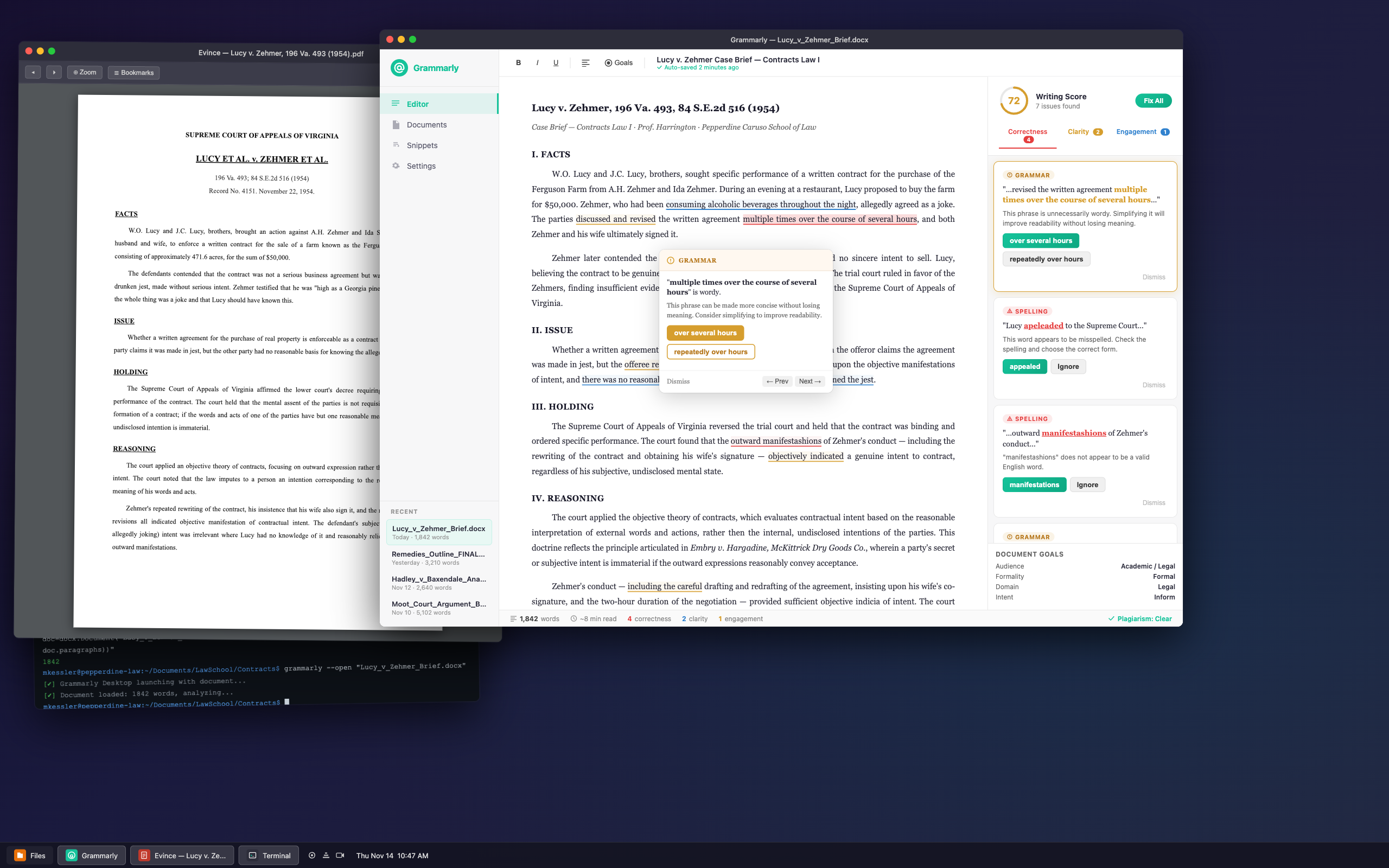
|
[
  {
    "height": 13,
    "intent": [
      "Click the close button to close the Grammarly window",
      "Shut down the Grammarly application window",
      "Close the Lucy_v_Zehmer_Brief.docx editing session",
      "Dismiss the Grammarly desktop window",
      "Press the red close button on the Grammarly titlebar"
    ],
    "name": "Grammarly window close button",
    "width": 13,
    "x_center": 718,
    "y_center": 72
  },
  {
    "height": 13,
    "intent": [
      "Click the minimize button to minimize the Grammarly window",
      "Send the Grammarly window to the taskbar",
      "Minimize the Grammarly editor to the background",
      "Hide the Grammarly window without closing it",
      "Press the yellow minimize button on the Grammarly titlebar"
    ],
    "name": "Grammarly window minimize button",
    "width": 13,
    "x_center": 739,
    "y_center": 72
  },
  {
    "height": 13,
    "intent": [
      "Click the maximize button to maximize the Grammarly window",
      "Expand the Grammarly window to full screen",
      "Make the Grammarly editor fill the entire display",
      "Toggle the Grammarly window to maximized state",
      "Press the green maximize button on the Grammarly titlebar"
    ],
    "name": "Grammarly window maximize button",
    "width": 13,
    "x_center": 760,
    "y_center": 72
  },
  {
    "height": 15,
    "intent": [
      "Read the title to confirm which document is open in Grammarly",
      "Drag the Grammarly window by its title bar to reposition it",
      "Identify the currently active file in the Grammarly editor",
      "Check that Lucy_v_Zehmer_Brief.docx is loaded in Grammarly",
      "Use the title bar to move the Grammarly window on the desktop"
    ],
    "name": "Grammarly window title bar",
    "width": 1389,
    "x_center": 1473,
    "y_center": 72
  },
  {
    "height": 13,
    "intent": [
      "Close the Evince PDF viewer window",
      "Click to shut down the PDF document viewer",
      "Dismiss the Lucy v. Zehmer case PDF",
      "Press the red close button on the PDF viewer",
      "Close the Evince window showing the 1954 case"
    ],
    "name": "PDF viewer window close button",
    "width": 13,
    "x_center": 53,
    "y_center": 93
  },
  {
    "height": 13,
    "intent": [
      "Minimize the PDF viewer window to the taskbar",
      "Hide the Evince window without closing it",
      "Send the PDF viewer to the background",
      "Click the yellow button to minimize the PDF window",
      "Minimize the Lucy v. Zehmer PDF viewer"
    ],
    "name": "PDF viewer window minimize button",
    "width": 13,
    "x_center": 74,
    "y_center": 93
  },
  {
    "height": 13,
    "intent": [
      "Maximize the PDF viewer window",
      "Expand the Evince window to fill the screen",
      "Click the green button to maximize the PDF viewer",
      "Make the PDF document take up the full display",
      "Toggle the PDF viewer to full screen mode"
    ],
    "name": "PDF viewer window maximize button",
    "width": 13,
    "x_center": 95,
    "y_center": 94
  },
  {
    "height": 22,
    "intent": [
      "Drag the PDF viewer window by its title bar to reposition it",
      "Identify which PDF document is currently open in Evince",
      "Confirm the Lucy v. Zehmer case PDF is loaded",
      "Move the PDF window to a different position on the desktop",
      "Read the title bar to see the active PDF file name"
    ],
    "name": "PDF viewer window title bar",
    "width": 809,
    "x_center": 518,
    "y_center": 97
  },
  {
    "height": 16,
    "intent": [
      "Read the document title to confirm which brief is being edited",
      "Identify the current document as the Lucy v. Zehmer Case Brief",
      "Check the document name shown in the editor toolbar",
      "Verify the correct case brief is open for editing",
      "Click the document title to rename or edit the document name"
    ],
    "name": "Document title display in editor toolbar",
    "width": 949,
    "x_cent
|
{"id": "grounding-claudesonn-desktop_task__proofr-89f7fa39", "context": "desktop_task__proofr", "description": "A Linux desktop (Ubuntu-style with dark theme) showing multiple overlapping windows. The primary focus is a Grammarly desktop application window showing a law school essay/brief being proofread. The document appears to be a legal memo or case brief for a Pepperdine Caruso Law School assignment on contract law. The Grammarly interface shows the document text with underlined errors highlighted, a sidebar with grammar/spelling suggestions, and correction cards visible. Behind it, partially visible is a PDF viewer showing a case citation, and a terminal window. The Grammarly window shows active corrections in progress - a dropdown suggestion panel is open over a highlighted word. The UI uses Grammarly's characteristic green and white color scheme with the suggestion panel showing multiple corrections in sequence.", "platform": "Ubuntu 22.04 LTS (Linux)", "dimensions": [2560, 1600], "model_name": "claude-sonnet-4-6"}
|
<!DOCTYPE html>
<html lang="en">
<head>
<meta charset="UTF-8">
<meta name="viewport" content="width=device-width, initial-scale=1.0">
<title>Grammarly Desktop - Linux</title>
<style>
  * { margin: 0; padding: 0; box-sizing: border-box; }

  body {
    width: 2560px;
    height: 1600px;
    background: #1a1a2e;
    font-family: 'Ubuntu', 'Segoe UI', system-ui, sans-serif;
    overflow: hidden;
    position: relative;
  }

  /* Desktop Background */
  .desktop-bg {
    position: absolute;
    width: 100%;
    height: 100%;
    background: linear-gradient(135deg, #0f0c29 0%, #1a1a3e 40%, #24243e 100%);
    z-index: 0;
  }

  .desktop-bg::before {
    content: '';
    position: absolute;
    top: 0; left: 0; right: 0; bottom: 0;
    background:
      radial-gradient(ellipse at 20% 30%, rgba(66, 39, 90, 0.4) 0%, transparent 50%),
      radial-gradient(ellipse at 80% 70%, rgba(15, 75, 100, 0.3) 0%, transparent 50%);
  }

  /* Taskbar */
  #taskbar {
    position: absolute;
    bottom: 0;
    left: 0;
    right: 0;
    height: 48px;
    background: rgba(20, 20, 35, 0.95);
    border-top: 1px solid rgba(255,255,255,0.1);
    display: flex;
    align-items: center;
    z-index: 9999;
    padding: 0 12px;
    gap: 8px;
  }

  .taskbar-app-btn {
    display: flex;
    align-items: center;
    gap: 8px;
    padding: 6px 14px;
    border-radius: 6px;
    cursor: pointer;
    font-size: 13px;
    color: #e0e0e0;
    transition: background 0.2s;
  }

  .taskbar-app-btn.active {
    background: rgba(255,255,255,0.15);
    border: 1px solid rgba(255,255,255,0.2);
  }

  .taskbar-app-btn:not(.active) {
    background: rgba(255,255,255,0.05);
  }

  .taskbar-app-icon {
    width: 22px;
    height: 22px;
    border-radius: 4px;
    display: flex;
    align-items: center;
    justify-content: center;
  }

  .taskbar-clock {
    margin-left: auto;
    color: #e0e0e0;
    font-size: 13px;
    padding: 4px 12px;
  }

  .taskbar-tray {
    display: flex;
    align-items: center;
    gap: 10px;
    padding: 0 8px;
    color: #ccc;
    font-size: 12px;
  }

  /* Window Base */
  .window {
    position: absolute;
    border-radius: 10px;
    box-shadow: 0 25px 80px rgba(0,0,0,0.7), 0 0 0 1px rgba(255,255,255,0.08);
    overflow: hidden;
  }

  .window-titlebar {
    display: flex;
    align-items: center;
    padding: 0 12px;
    height: 36px;
    background: #2d2d3a;
    border-bottom: 1px solid rgba(255,255,255,0.08);
    user-select: none;
  }

  .window-controls {
    display: flex;
    gap: 8px;
    margin-right: 12px;
  }

  .wc-btn {
    width: 13px;
    height: 13px;
    border-radius: 50%;
    border: none;
    cursor: pointer;
  }

  .wc-close { background: #ff5f56; }
  .wc-min { background: #ffbd2e; }
  .wc-max { background: #27c93f; }

  .window-title {
    font-size: 13px;
    color: #ccc;
    font-weight: 500;
    flex: 1;
    text-align: center;
  }

  /* ===== TERMINAL WINDOW (back) ===== */
  #terminal-window {
    width: 820px;
    height: 480px;
    top: 820px;
    left: 60px;
    z-index: 10;
    transform: rotate(-1deg);
  }

  .terminal-body {
    background: #0d1117;
    height: calc(100% - 36px);
    padding: 14px 16px;
    font-family: 'Ubuntu Mono', 'Courier New', monospace;
    font-size: 13px;
    color: #c9d1d9;
    overflow-y: auto;
    line-height: 1.6;
  }

  .term-prompt { color: #58a6ff; }
  .term-cmd { color: #c9d1d9; }
  .term-output { color: #8b949e; }
  .term-green { color: #56d364; }
  .term-yellow { color: #e3b341; }
  .term-red { color: #f85149; }

  /* ===== PDF VIEWER WINDOW (middle) ===== */
  #pdf-window {
    width: 900px;
    height: 1100px;
    top: 80px;
    left: 30px;
    z-index: 20;
    transform: rotate(0.5deg);
  }

  .pdf-toolbar {
    background: #3c3c4a;
    padding: 8px 12px;
    display: flex;
    align-items: center;
    gap: 10px;
    border-bottom: 1px solid rgba(255,255,255,0.1);
  }

  .pdf-toolbar-btn {
    background: rgba(255,255,255,0.1);
    border: 1px solid rgba(255,255,255,0.15);
|
10
|
grounding-claudesonn-desktop_task__refere-19021390
|
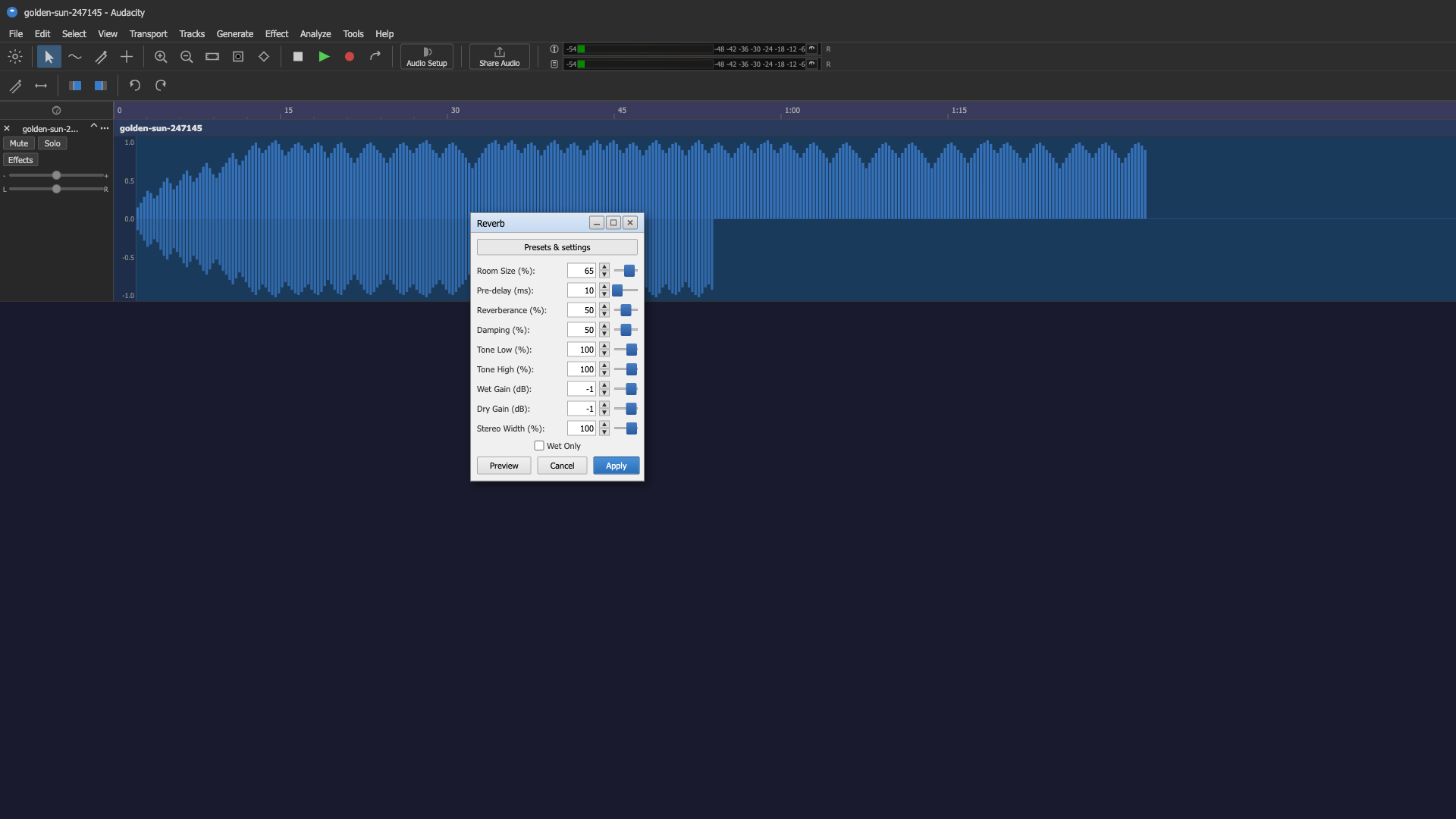
|
[
  {
    "height": 23,
    "intent": [
      "Click the File menu to access file operations",
      "Open the File menu to save or load a project",
      "Access file management options via the File menu",
      "Navigate to the File menu",
      "Open File menu to export audio"
    ],
    "name": "File menu",
    "width": 34,
    "x_center": 21,
    "y_center": 43
  },
  {
    "height": 23,
    "intent": [
      "Click the Edit menu to access editing options",
      "Open the Edit menu to undo or redo actions",
      "Access cut, copy, and paste options through the Edit menu",
      "Navigate to the Edit menu",
      "Open Edit menu to find preferences"
    ],
    "name": "Edit menu",
    "width": 36,
    "x_center": 56,
    "y_center": 43
  },
  {
    "height": 23,
    "intent": [
      "Click the Select menu to access selection options",
      "Open the Select menu to select all audio",
      "Use the Select menu to define a selection range",
      "Navigate to the Select menu",
      "Access selection tools via the Select menu"
    ],
    "name": "Select menu",
    "width": 47,
    "x_center": 98,
    "y_center": 43
  },
  {
    "height": 23,
    "intent": [
      "Click the View menu to change the display settings",
      "Open the View menu to show or hide toolbars",
      "Access zoom options through the View menu",
      "Navigate to the View menu",
      "Open View menu to adjust waveform display"
    ],
    "name": "View menu",
    "width": 41,
    "x_center": 142,
    "y_center": 43
  },
  {
    "height": 23,
    "intent": [
      "Click the Transport menu to access playback options",
      "Open the Transport menu to configure recording settings",
      "Use the Transport menu to toggle looping",
      "Navigate to the Transport menu",
      "Access transport controls via the Transport menu"
    ],
    "name": "Transport menu",
    "width": 65,
    "x_center": 195,
    "y_center": 43
  },
  {
    "height": 23,
    "intent": [
      "Click the Tracks menu to manage audio tracks",
      "Open the Tracks menu to add a new track",
      "Use the Tracks menu to mix down tracks",
      "Navigate to the Tracks menu",
      "Access track management options via the Tracks menu"
    ],
    "name": "Tracks menu",
    "width": 49,
    "x_center": 253,
    "y_center": 43
  },
  {
    "height": 23,
    "intent": [
      "Click the Generate menu to create audio content",
      "Open the Generate menu to add silence or tones",
      "Use the Generate menu to insert a noise sample",
      "Navigate to the Generate menu",
      "Access audio generation tools via the Generate menu"
    ],
    "name": "Generate menu",
    "width": 64,
    "x_center": 310,
    "y_center": 43
  },
  {
    "height": 23,
    "intent": [
      "Click the Effect menu to apply audio effects",
      "Open the Effect menu to add reverb or EQ",
      "Use the Effect menu to normalize the audio",
      "Navigate to the Effect menu",
      "Access audio processing effects via the Effect menu"
    ],
    "name": "Effect menu",
    "width": 46,
    "x_center": 365,
    "y_center": 43
  },
  {
    "height": 23,
    "intent": [
      "Click the Analyze menu to analyze the audio",
      "Open the Analyze menu to view frequency spectrum",
      "Use the Analyze menu to detect silence",
      "Navigate to the Analyze menu",
      "Access audio analysis tools via the Analyze menu"
    ],
    "name": "Analyze menu",
    "width": 56,
    "x_center": 416,
    "y_center": 43
  },
  {
    "height": 23,
    "intent": [
      "Click the Tools menu to access utility options",
      "Open the Tools menu to manage macros",
      "Use the Tools menu to open the script console",
      "Navigate to the Tools menu",
      "Access additional tools via the Tools menu"
    ],
    "name": "Tools menu",
    "width": 42,
    "x_center": 466,
    "y_center": 43
  },
  {
    "height": 23,
    "intent": [
      "Click the Help menu to access documentation",
      "Open the Help menu to find t
|
{"id": "grounding-claudesonn-desktop_task__refere-19021390", "context": "desktop_task__refere", "description": "The screenshot shows Audacity, an audio editing application, running on Windows 10. The interface displays:\n\n1. **Title bar**: \"golden-sun-247145 - Audacity\" with standard Windows minimize/maximize/close buttons\n2. **Menu bar**: File, Edit, Select, View, Transport, Tracks, Generate, Effect, Analyze, Tools, Help\n3. **Toolbar area**: Multiple toolbars with transport controls (stop, play, record, etc.), zoom controls, audio setup, share audio buttons, and VU meters\n4. **Audio track**: Shows \"golden-sun-247145\" track with blue waveform visualization, with Mute/Solo buttons, Effects button, and L/R pan control\n5. **Timeline ruler**: Showing time markers from 0 to about 1:15\n6. **Reverb dialog box** (modal): Open in the center of the screen with:\n - Title \"Reverb\" with minimize/maximize/close buttons\n - \"Presets & settings\" button\n - Parameters with spinners and sliders:\n - Room Size (%): 65\n - Pre-delay (ms): 10\n - Reverberance (%): 50\n - Damping (%): 50\n - Tone Low (%): 100\n - Tone High (%): 100\n - Wet Gain (dB): -1\n - Dry Gain (dB): -1\n - Stereo Width (%): 100\n - \"Wet Only\" checkbox (unchecked)\n - Preview, Cancel, Apply buttons at bottom\n7. **Status bar**: Shows \"Stopped.\" and \"Click and drag to select audio\"\n8. **Bottom bar**: Tempo (120), Time Signature (4/4), Snap (1/8), time display showing \"00 h 00 m 00 s\", Selection info", "platform": "Windows 10", "dimensions": [1920, 1080], "model_name": "claude-sonnet-4-6"}
|
<!DOCTYPE html>
<html lang="en">
<head>
<meta charset="UTF-8">
<meta name="viewport" content="width=device-width, initial-scale=1.0">
<title>Audacity - golden-sun-247145</title>
<style>
  * {
    margin: 0;
    padding: 0;
    box-sizing: border-box;
    font-family: 'Segoe UI', Tahoma, Geneva, Verdana, sans-serif;
  }

  body {
    width: 2560px;
    height: 1528px;
    background-color: #1a1a2e;
    overflow: hidden;
    font-size: 13px;
  }

  /* Title Bar */
  #title-bar {
    width: 100%;
    height: 32px;
    background-color: #2d2d2d;
    display: flex;
    align-items: center;
    justify-content: space-between;
    padding: 0 8px;
    color: #cccccc;
    font-size: 12px;
  }

  #title-bar-left {
    display: flex;
    align-items: center;
    gap: 8px;
  }

  #title-bar-icon {
    width: 16px;
    height: 16px;
  }

  #title-bar-title {
    font-size: 12px;
    color: #cccccc;
  }

  #window-controls {
    display: flex;
    align-items: center;
  }

  .win-btn {
    width: 46px;
    height: 32px;
    display: flex;
    align-items: center;
    justify-content: center;
    cursor: pointer;
    color: #cccccc;
    font-size: 11px;
  }

  .win-btn:hover {
    background-color: #3d3d3d;
  }

  #close-btn:hover {
    background-color: #e81123;
    color: white;
  }

  /* Menu Bar */
  #menu-bar {
    width: 100%;
    height: 24px;
    background-color: #2d2d2d;
    display: flex;
    align-items: center;
    padding: 0 4px;
    border-bottom: 1px solid #444;
  }

  .menu-item {
    padding: 2px 8px;
    color: #cccccc;
    font-size: 12px;
    cursor: pointer;
    height: 100%;
    display: flex;
    align-items: center;
  }

  .menu-item:hover {
    background-color: #3d6b9e;
  }

  /* Toolbar Area */
  #toolbar-area {
    width: 100%;
    background-color: #2d2d2d;
    border-bottom: 2px solid #444;
    display: flex;
    flex-direction: column;
  }

  #toolbar-row1 {
    height: 38px;
    display: flex;
    align-items: center;
    padding: 2px 4px;
    gap: 2px;
    border-bottom: 1px solid #3d3d3d;
  }

  #toolbar-row2 {
    height: 38px;
    display: flex;
    align-items: center;
    padding: 2px 4px;
    gap: 2px;
  }

  .toolbar-separator {
    width: 1px;
    height: 28px;
    background-color: #555;
    margin: 0 4px;
  }

  .toolbar-btn {
    width: 32px;
    height: 30px;
    display: flex;
    align-items: center;
    justify-content: center;
    cursor: pointer;
    border-radius: 2px;
    color: #cccccc;
  }

  .toolbar-btn:hover {
    background-color: #3d3d3d;
  }

  .toolbar-btn svg {
    width: 20px;
    height: 20px;
  }

  /* Transport buttons */
  #transport-controls {
    display: flex;
    align-items: center;
    gap: 2px;
  }

  .transport-btn {
    width: 36px;
    height: 30px;
    display: flex;
    align-items: center;
    justify-content: center;
    cursor: pointer;
    border-radius: 2px;
    background-color: #2d2d2d;
    border: none;
  }

  .transport-btn:hover {
    background-color: #3d3d3d;
  }

  /* VU Meter Area */
  #vu-meter-area {
    display: flex;
    align-items: center;
    gap: 4px;
    margin-left: 8px;
  }

  .vu-meter {
    height: 20px;
    background-color: #1a1a1a;
    border: 1px solid #555;
    display: flex;
    align-items: center;
    padding: 0 4px;
    font-size: 10px;
    color: #aaa;
    position: relative;
  }

  .vu-meter-scale {
    display: flex;
    align-items: center;
    gap: 2px;
    font-size: 9px;
    color: #888;
  }

  /* Audio Setup button */
  #audio-setup-btn {
    display: flex;
    flex-direction: column;
    align-items: center;
    justify-content: center;
    width: 70px;
    height: 34px;
    border: 1px solid #555;
    border-radius: 3px;
    cursor: pointer;
    color: #ccc;
    font-size: 10px;
    background-color: #2d2d2d;
    margin: 0 4px;
  }

  #share-audio-btn {
    display: flex;
    flex-direction: column;
    align-items: center;
    justify-content: center;
    width: 80px;
    height: 34px;
    border: 1px solid #555;
|